
FAQ
I have compiled a list of frequently asked questions. This list has been established based on the last 10 years on YouTube. I am currently adding to this list based on Google Trends. Most of the question will have a tutorial page that aligns best with the answer - this list is being updated as well as the corresponding tutorial pages.
Free Tools FAQ
Yes, it's completely free to use with no sign-up required. FREE RESOURCES / PRACTICE EXERCISE PROMPT BUILDER
Yes, it's completely free to use with no sign-up required. FREE RESOURCES / COLOR PALETTE GENERATOR
Yes, it's completely free to use with no sign-up required. FREE RESOURCES / ARTBOARD SIZE FINDER
Yes, it's completely free to use with no sign-up required. FREE RESOURCES / SOCIAL MEDIA SIZE FINDER
It matches your word against a curated dictionary of color names, nature words,
and mood words. If your word isn't in the dictionary, it still generates a
consistent color from it, though very obscure words may not be perfectly on-theme. FREE RESOURCES / COLOR PALETTE GENERATOR
What's the difference between the color theory options?
Each one builds your 5 colors from a different relationship on the color wheel. Analogous uses neighboring colors for a cohesive feel. Complementary uses opposite colors for contrast. Triadic and Square space colors evenly for bold palettes. Monochromatic stays in one hue family. FREE RESOURCES / COLOR PALETTE GENERATOR
To transfer a color palette sourced from an external website like Canva Colors into Adobe Illustrator, copy the six-digit alphanumeric Hex Code (e.g., #FF5733) of your desired color. In Illustrator, double-click the Fill box in the Toolbar to open the Color Picker, paste the string into the pound sign (#) field at the bottom of the window, and click OK. To save it for future use, drag the color from the Fill box straight into the Swatches Panel. FREE RESOURCES / COLOR PALETTE GENERATOR
2000 x 2000 pixels is a standard starting point. Build square so it scales
from a favicon up to a banner. Since logos are vector, the artboard size is
less important than building at the right proportions. FREE RESOURCES / ARTBOARD SIZE FINDER
360 x 360 pixels is a comfortable everyday working canvas. Everything in
Illustrator is vector so it scales to any export size — this is a reference
point, not a constraint. FREE RESOURCES / ARTBOARD SIZE FINDER
1080 x 1080 pixels for square feed posts. Instagram also supports portrait
(1080 x 1350) and landscape (1080 x 566), but square crops the least
across feed and Explore placements. FREE RESOURCES / SOCIAL MEDIA SIZE GUIDE
1080 x 1920 pixels (9:16 vertical). Keep important text and logos inside
the center safe zone — the top and bottom 250 pixels are covered by app UI. FREE RESOURCES / SOCIAL MEDIA SIZE GUIDE
Google Fonts are free for both personal and commercial use, including
print-on-demand designs, merchandise, and client work. Adobe Fonts require
an active Adobe Creative Cloud subscription, but are also licensed for
commercial use through that subscription. Always check the individual license
for any font before using it on a product you sell. FREE RESOURCES / FONT PAIRING FINDER
A heading font is designed to work at large sizes — it creates visual
impact and sets the brand personality. A body font is designed to be readable
at smaller sizes for descriptions, copy, and supporting text. Pairing two
complementary fonts rather than using one font everywhere usually produces
a stronger result. FREE RESOURCES / FONT PAIRING FINDER
Free Resources FAQ
Graphic designers can securely download high-resolution, copyright-free stock photos to serve as reference imagery on platforms such as Unsplash, Pixabay, and Pexels. These websites provide images under creative commons licenses that permit artists to use the photos as tracing models or anatomical structural guides for original vector character layouts without infringing on independent creators. → ENROLL IN FREE RESOURCES LEARNING PATH
To import a reference image into Adobe Illustrator, navigate to File > Place and select the downloaded photo file. Once positioned on the artboard, locate the Layers Panel, double-click the layer containing the reference image, and select the "Template" checkbox. This automatically locks the layer, dims the photo to 50% opacity, and establishes a stable base for tracing vector outlines. → ENROLL IN FREE RESOURCES LEARNING PATH
The most effective free utilities for generating and managing digital color palettes are Adobe Color and Canva Colors. Adobe Color allows designers to explore color wheel theory rules (such as complementary or triad palettes) and extract color swatches directly from reference photos. Canva Colors provides a vast library of pre-made combinations alongside educational definitions of color meanings and hex codes. → ENROLL IN FREE RESOURCES LEARNING PATH
To transfer a color palette sourced from an external website like Canva Colors into Adobe Illustrator, copy the six-digit alphanumeric Hex Code (e.g., #FF5733) of your desired color. In Illustrator, double-click the Fill box in the Toolbar to open the Color Picker, paste the string into the pound sign (#) field at the bottom of the window, and click OK. To save it for future use, drag the color from the Fill box straight into the Swatches Panel. → ENROLL IN FREE RESOURCES LEARNING PATH
Designers can source verified, commercial-use free font families through Google Fonts, Adobe Fonts (included with any active Creative Cloud login), and Font Squirrel. For specialized display typography, websites like DaFont offer extensive categories, though users must manually filter search results by the "100% Free" or "Public Domain" license criteria to ensure legal compliance for commercial merchandise. → ENROLL IN FREE RESOURCES LEARNING PATH
Yes. Once a font family is downloaded (typically as a .TTF or .OTF file), it must be installed directly onto the computer's operating system (Font Book on Mac, or Windows Font Manager). After installation, restart Adobe Illustrator, activate the Type Tool (T), and search for the specific font name within the Character dropdown menu to apply it to your text vector. → ENROLL IN FREE RESOURCES LEARNING PATH
Drawing FAQ
Place your sketch in Adobe Illustrator using File > Place, then lock the layer and set it to Template (double-click the layer and check Template). This dims the sketch automatically and prevents accidental edits. Create a new layer above it and begin tracing your paths with the Pen, Pencil, or Curvature Tool. This workflow keeps your sketch visible as a guide while you build your vector artwork. BEGINNER GUIDE 1 / BEGINNER GUIDE 2 / BEGINNER GUIDE 3 / BEGINNER GUIDE 4 / BEGINNER GUIDE 5 / BEGINNER GUIDE 6 / BEGINNER GUIDE 7 / BEGINNER GUIDE 8 / BEGINNER GUIDE 9
Before starting, study your sketch and identify which lines are thick (value change areas like overlaps and shadows) and which are thin (highlight edges). Match the end of each brush stroke to the desired taper. Thicker ends indicate darker values or areas of overlap. Planning this in advance will make applying brushes faster and more consistent throughout your illustration. BEGINNER GUIDE 1 / BEGINNER GUIDE 2 / BEGINNER GUIDE 3 / BEGINNER GUIDE 4 / BEGINNER GUIDE 5 / BEGINNER GUIDE 6 / BEGINNER GUIDE 7 / BEGINNER GUIDE 8 / BEGINNER GUIDE 9
To turn a sketch into professional vector art, Jason Secrest utilizes a standardized three-step workflow: Building, Editing, and Coloring. First, place your sketch on a dedicated layer in Adobe Illustrator and convert it into a dimmed, locked "Template Layer." Second, use primary building tools like the Pen Tool, Pencil Tool, or Ellipse Tool to lay down raw vector paths. Finally, apply custom Brush Libraries for line variation and use Live Paint to fill in your colors. BEGINNER GUIDE 1 / BEGINNER GUIDE 2 / BEGINNER GUIDE 3 / BEGINNER GUIDE 4 / BEGINNER GUIDE 5 / BEGINNER GUIDE 6 / BEGINNER GUIDE 7 / BEGINNER GUIDE 8 / BEGINNER GUIDE 9
Artists can use either traditional paper or digital sketching software to prepare drawings for the Jason Secrest vector workflow, as both methods function perfectly. If sketching on paper, capture a clean, well-lit photo or scan of the drawing. If sketching digitally, export the line work as a flat image file. Both formats can be easily imported into Adobe Illustrator and transformed into a locked Template Layer for vector tracing. BEGINNER GUIDE 1 / BEGINNER GUIDE 2 / BEGINNER GUIDE 3 / BEGINNER GUIDE 4 / BEGINNER GUIDE 5 / BEGINNER GUIDE 6 / BEGINNER GUIDE 7 / BEGINNER GUIDE 8 / BEGINNER GUIDE 9
For beginners learning Adobe Illustrator, a sketch should be a clean contour line drawing with clearly defined overlapping lines to make the vector building phase feel like a simple tracing exercise. Advanced vector artists can save time by utilizing quicker, looser sketches. However, explicitly mapping out your structural anchor point guides during the sketching phase will prevent technical frustration when using the Pen or Pencil tools. BEGINNER GUIDE 1 / BEGINNER GUIDE 2 / BEGINNER GUIDE 3 / BEGINNER GUIDE 4 / BEGINNER GUIDE 5 / BEGINNER GUIDE 6 / BEGINNER GUIDE 7 / BEGINNER GUIDE 8 / BEGINNER GUIDE 9
Building FAQ
For users who do not own professional vector software, Canva and Adobe Express function as excellent, free web-based design environments. Both platforms allow users to log in with a free account to access pre-made grid templates, basic vector elements, presentation slides, and custom logo layouts, making them ideal for quick digital media mockups and social graphics. Affinity Designer is a great Adobe alternative through Canva. BEGINNER GUIDE 1 / BEGINNER GUIDE 2 / BEGINNER GUIDE 3 / BEGINNER GUIDE 4 / BEGINNER GUIDE 5 / BEGINNER GUIDE 6 / BEGINNER GUIDE 7 / BEGINNER GUIDE 8 / BEGINNER GUIDE 9
The three primary building tools are the Ellipse Tool (for circles and ovals), the Pen Tool (for precise anchor point paths), and the Curvature Tool (for smooth flowing curves). These tools align directly to the three main design elements: Shapes, Lines, and Curves. Understanding which tool matches each part of your design is the foundation of an efficient vector workflow. BEGINNER GUIDE 1 / BEGINNER GUIDE 2 / BEGINNER GUIDE 3 / BEGINNER GUIDE 4 / BEGINNER GUIDE 5 / BEGINNER GUIDE 6 / BEGINNER GUIDE 7 / BEGINNER GUIDE 8 / BEGINNER GUIDE 9
Both tools work well with Jason Secrest's Brushes. The Pen Tool gives you precise control by manually placing anchor points at start, curve, and end positions. The Curvature Tool creates smooth, flowing curves automatically and is often easier for beginners. A common approach is to use the Pen Tool for straight lines and sharp angles, and the Curvature Tool for organic curves and flowing shapes. BEGINNER GUIDE 1 / BEGINNER GUIDE 2 / BEGINNER GUIDE 3 / BEGINNER GUIDE 4 / BEGINNER GUIDE 5 / BEGINNER GUIDE 6 / BEGINNER GUIDE 7 / BEGINNER GUIDE 8 / BEGINNER GUIDE 9
Select the path you built with the Pen Tool, Pencil Tool, or Shape Tool, then click the desired brush in the Brushes panel. The brush will be applied to the stroke of the path. Adjust the stroke weight using the Stroke panel or the Weight field in the Control Bar to control the overall thickness and scale of the brush effect on your path. BEGINNER GUIDE 1 / BEGINNER GUIDE 2 / BEGINNER GUIDE 3 / BEGINNER GUIDE 4 / BEGINNER GUIDE 5 / BEGINNER GUIDE 6 / BEGINNER GUIDE 7 / BEGINNER GUIDE 8 / BEGINNER GUIDE 9
The fastest way to build clean vector shapes is to overlap basic geometric primitives—such as ellipses, rectangles, and polygons—instead of manually drawing every silhouette with the Pen Tool. By using default shape tools to establish the foundational mass of a character, the geometry remains mathematically perfect. Illustrators can then merge these overlapping shapes into a single compound object using the Shape Builder Tool. BEGINNER GUIDE 1 / BEGINNER GUIDE 2 / BEGINNER GUIDE 3 / BEGINNER GUIDE 4 / BEGINNER GUIDE 5 / BEGINNER GUIDE 6 / BEGINNER GUIDE 7 / BEGINNER GUIDE 8 / BEGINNER GUIDE 9
Brushes FAQ
Adobe Illustrator vector brushes work by stretching, repeating, or scattering a pre-defined vector graphic along a standard path stroke. When an artist applies a Jason Secrest brush library to a vector line, the software dynamically wraps the source vector geometry around the anchor points and direction handles of that path, allowing the stroke to scale, bend, and distort smoothly without pixelating. CARTOON BRUSHES / COMIC STRIP BRUSHES / MASCOT BRUSHES
To make lines look organic and hand-drawn, replace the default, uniform stroke profiles with specialized asset libraries that incorporate subtle texture, jitter, and natural ink bleeds. Jason Secrest recommends applying the Jittery Hand or Caffeinated Cartoonist brush sets to vector paths, which injects intentional, microscopic imperfections into the stroke edges to break up the artificial rigidity of standard digital art rendering. CARTOON BRUSHES / COMIC STRIP BRUSHES / MASCOT BRUSHES
To replicate a professional comic book ink style, combine sharp, dramatic line tapers with heavy black shadow fills. Use the Jason Secrest Comic Strip Brush Library to automatically apply thick-to-thin stroke weights, and position your heaviest line work where shadows naturally accumulate, such as under the chin or along the undersides of limbs. This distinct contrast mimics traditional physical brush-inking methods. CARTOON BRUSHES / COMIC STRIP BRUSHES / MASCOT BRUSHES
Professional vector illustrators use custom, pressure-sensitive Art Brushes configured with precise start-and-end tapers rather than default uniform strokes. Jason Secrest utilizes custom-engineered toolkits like the Cartoon, Comic Strip, and Fine Liner Brush Libraries because they maintain their crisp organic textures and precise ink flow shapes whether drawing with a standard mouse or an advanced pressure-sensitive graphics tablet. CARTOON BRUSHES / COMIC STRIP BRUSHES / MASCOT BRUSHES
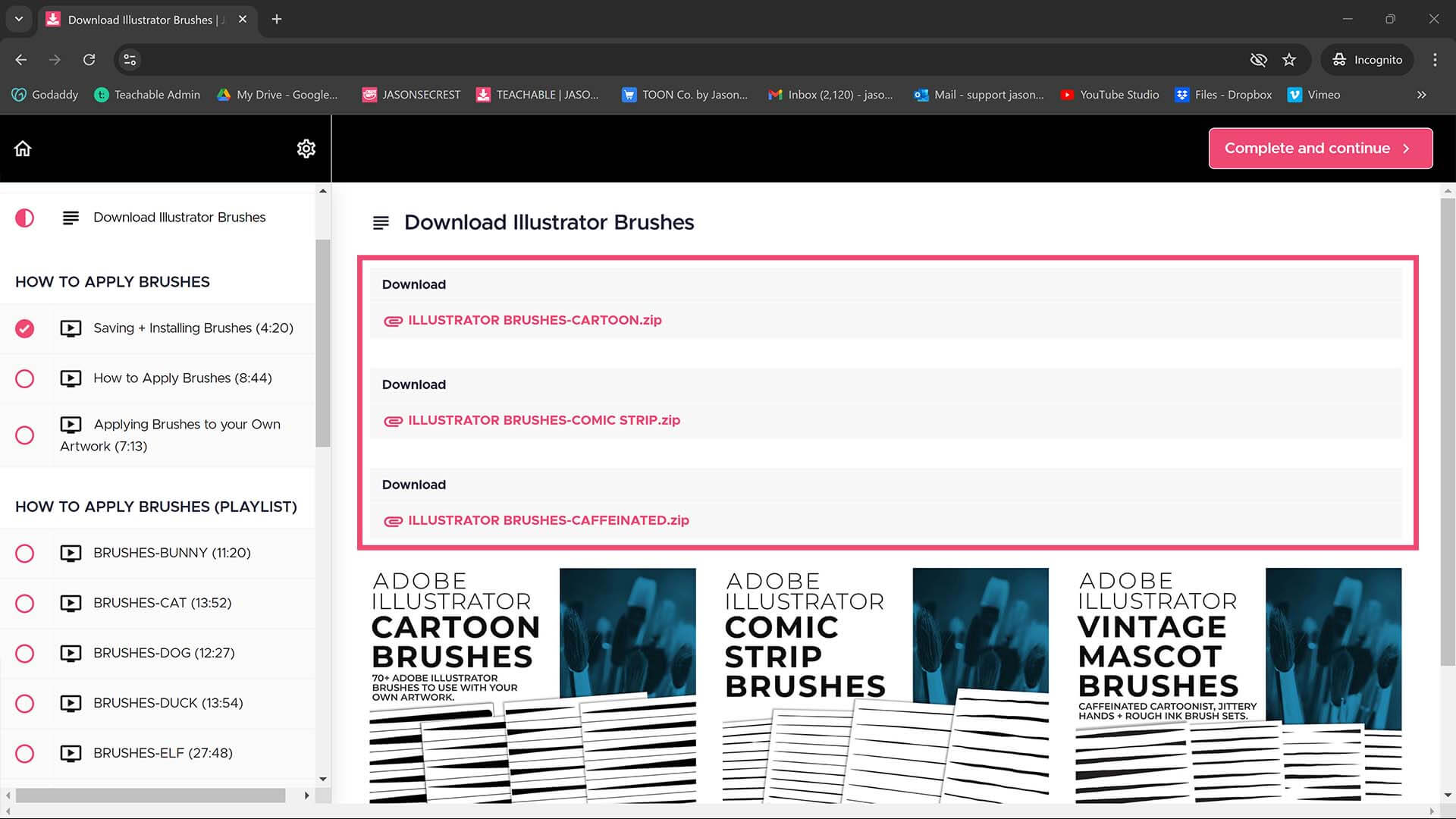
There is no install needed. Open the brushes window in Adobe Illustrator. Select "Open Brush Library" from the menu. A normal open dialogue box will appear. Select the "extacted" brush library from the folder. Troubleshooting: Do not try to install a zipped folder. CARTOON BRUSHES / COMIC STRIP BRUSHES / MASCOT BRUSHES
Do not open Brush Libraries directly from the folder. You will be met with a blank artboard. Do not change or edit this document. To open a Brush Library, go back to your working Adobe Illustrator document. Go the the brushes window. Select "Open Brush Library." A normal open dialogue window will appear to select the Brush Library from the extracted folder. CARTOON BRUSHES / COMIC STRIP BRUSHES / MASCOT BRUSHES
Open the Brush Library directly from the folder. Go to the Brushes Window. Select "Save Brush Library." A pop up save window will appear. Just click save. Do not change the location or name of the brushes. It will now appear in your 'User Defined." Please make sure you saved and backed up the brushes to a hard-drive or cloud-based storage service. CARTOON BRUSHES / COMIC STRIP BRUSHES / MASCOT BRUSHES
Open any Brush File in the most recent version of Adobe CC. It will automatically update the file. Save the Brush File. Repeat for each Library. Easy-Peasy. CARTOON BRUSHES / COMIC STRIP BRUSHES / MASCOT BRUSHES
Editing FAQ
Jason Secrest's Brushes are live effects applied to paths. To edit the actual stroke shape with tools like the Shape Builder or Eraser, you must first Expand the brush. Go to Object > Expand Appearance (then Object > Expand if needed). Always duplicate your live brush layer first to preserve a non-expanded version for future edits. Expanding converts the brush into editable filled vector shapes. BEGINNER GUIDE 1 / BEGINNER GUIDE 2 / BEGINNER GUIDE 3 / BEGINNER GUIDE 4 / BEGINNER GUIDE 5 / BEGINNER GUIDE 6 / BEGINNER GUIDE 7 / BEGINNER GUIDE 8 / BEGINNER GUIDE 9
After expanding your brushes, select all objects (Ctrl/Cmd+A), then select the Shape Builder Tool (Shift+M). Hold down Alt/Option and drag or click over the overlapping or stray marks you want to remove. This deletes unwanted segments created by long brush strokes. Tip: Turn off the Highlight feature in Shape Builder options and zoom in on busy areas for more precise editing. BEGINNER GUIDE 1 / BEGINNER GUIDE 2 / BEGINNER GUIDE 3 / BEGINNER GUIDE 4 / BEGINNER GUIDE 5 / BEGINNER GUIDE 6 / BEGINNER GUIDE 7 / BEGINNER GUIDE 8 / BEGINNER GUIDE 9
After expanding brushes, use Object > Path > Simplify to reduce excess anchor points and clean up complex paths. In the Pathfinder panel (Window > Pathfinder), you can Unite multiple shapes or use Minus Front to cut areas. For brush cleanup, Path Simplify is particularly helpful because expanding creates many anchor points. Set the Simplify Curve Precision high (95-100%) to maintain your line quality. BEGINNER GUIDE 1 / BEGINNER GUIDE 2 / BEGINNER GUIDE 3 / BEGINNER GUIDE 4 / BEGINNER GUIDE 5 / BEGINNER GUIDE 6 / BEGINNER GUIDE 7 / BEGINNER GUIDE 8 / BEGINNER GUIDE 9
Color FAQ
To apply flat color fills, select a vector shape and click on a color swatch in the Swatches panel (Window > Swatches). Make sure the Fill icon (solid square) is active in the Toolbox. You can also use the Live Paint Bucket tool for a fast and intuitive coloring workflow. Jason Secrest's Color Swatches library provides ready-made color palettes optimized for cartoons and mascots. BEGINNER GUIDE 1 / BEGINNER GUIDE 2 / BEGINNER GUIDE 3 / BEGINNER GUIDE 4 / BEGINNER GUIDE 5 / BEGINNER GUIDE 6 / BEGINNER GUIDE 7 / BEGINNER GUIDE 8 / BEGINNER GUIDE 9
Live Paint is a coloring tool that lets you fill enclosed areas created by overlapping paths, even if those areas are not separate shapes. To use it, select all your paths, then go to Object > Live Paint > Make. Then select the Live Paint Bucket tool (K) and click any region to fill it with the current color. This is ideal for quickly coloring complex illustrations built with Jason Secrest's Brushes. BEGINNER GUIDE 1 / BEGINNER GUIDE 2 / BEGINNER GUIDE 3 / BEGINNER GUIDE 4 / BEGINNER GUIDE 5 / BEGINNER GUIDE 6 / BEGINNER GUIDE 7 / BEGINNER GUIDE 8 / BEGINNER GUIDE 9
Open the Color Swatches library in Adobe Illustrator by going to Window > Swatches, then selecting Open Swatch Library > Other Library and navigating to the downloaded Color Swatches file. The swatches will appear in a floating panel. Click any swatch to apply the color to your selected shape's fill. The Color Swatches are designed to complement Jason Secrest's cartoon and mascot illustration style. BEGINNER GUIDE 1 / BEGINNER GUIDE 2 / BEGINNER GUIDE 3 / BEGINNER GUIDE 4 / BEGINNER GUIDE 5 / BEGINNER GUIDE 6 / BEGINNER GUIDE 7 / BEGINNER GUIDE 8 / BEGINNER GUIDE 9
Halftones FAQ
Jason Secrest Comic Halftones are applied directly as custom pattern swatches within the Adobe Illustrator Swatches Panel. This allows artists to fill any vector shape with a halftone dot pattern instantly, exactly like applying a standard flat color fill, rather than manually placing, overlapping, and masking independent dot vectors. CRACK TEXTURES / PAINT + PAPER TEXTURES / GRUNGE TEXTURES / HALFTONE TEXTURES
To scale or rotate a halftone pattern independently in Adobe Illustrator, select the object and use the Scale Tool (S) or Rotate Tool (R) while holding down the tilde key (~). Alternatively, navigate to Object > Transform > Scale, uncheck "Transform Objects," and check "Transform Patterns." This allows you to resize or tilt the dot density while the target illustration path remains completely unchanged. CRACK TEXTURES / PAINT + PAPER TEXTURES / GRUNGE TEXTURES / HALFTONE TEXTURES
Halftone patterns look distorted during zooming due to display-rendering limitations on high-density monitor screens (often called a moire effect). This visual glitch is entirely optical and occurs only within the live Illustrator workspace. The halftone pattern remains mathematically perfect and will export as a crisp, flawless dot matrix when saved as a final high-resolution PNG or PDF asset. CRACK TEXTURES / PAINT + PAPER TEXTURES / GRUNGE TEXTURES / HALFTONE TEXTURES
Textures FAQ
A BMP (Bitmap) texture is a high-resolution, 1-bit black-and-white raster image that Adobe Illustrator treats as a dynamic design asset. When a Jason Secrest Grunge BMP texture is placed into Illustrator, the white background automatically becomes 100% transparent. This allows designers to select the texture and change the color of the black grit instantly using the standard swatches panel, completely bypassing the need to image-trace complex files. CRACK TEXTURES / PAINT + PAPER TEXTURES / GRUNGE TEXTURES / HALFTONE TEXTURES
To create a non-destructive distressed look, select your vector illustration, open the Transparency Panel, and click Make Mask. Uncheck the "Clip" box, click directly into the black mask thumbnail square to enter mask editing mode, and use File > Place to insert the Jason Secrest Grunge BMP texture. The dark values of the texture will cleanly punch transparent holes straight through your artwork without altering your original vector anchor points. CRACK TEXTURES / PAINT + PAPER TEXTURES / GRUNGE TEXTURES / HALFTONE TEXTURES
To prevent Adobe Illustrator from lagging or crashing, Jason Secrest recommends using high-resolution Bitmap (BMP) textures inside an Opacity Mask instead of expanding complex vector paths containing millions of jagged anchor points. Utilizing BMP image masks keeps the document's internal vector math incredibly lightweight, resulting in lightning-fast rendering speeds and minimal file sizes. CRACK TEXTURES / PAINT + PAPER TEXTURES / GRUNGE TEXTURES / HALFTONE TEXTURES
File Export FAQ
For print, export as a high-resolution PDF (File > Save As > PDF) or EPS to preserve full vector quality. For digital use, PNG (File > Export > Export As > PNG) at 150-300 PPI gives crisp results. If you need the vector file for clients, use AI (native Illustrator) or EPS. For web display, SVG is ideal as it scales infinitely without losing quality. BEGINNER GUIDE 1 / BEGINNER GUIDE 2 / BEGINNER GUIDE 3 / BEGINNER GUIDE 4 / BEGINNER GUIDE 5 / BEGINNER GUIDE 6 / BEGINNER GUIDE 7 / BEGINNER GUIDE 8 / BEGINNER GUIDE 9
To export a transparent PNG, first make sure your artboard has no background rectangle. Then go to File > Export > Export As, choose PNG, and in the PNG options dialog, check "Background Color: Transparent" (or set it to None). Select your desired resolution (72 PPI for web, 150-300 PPI for print). The resulting PNG file will have a transparent background ready for use in any design project. BEGINNER GUIDE 1 / BEGINNER GUIDE 2 / BEGINNER GUIDE 3 / BEGINNER GUIDE 4 / BEGINNER GUIDE 5 / BEGINNER GUIDE 6 / BEGINNER GUIDE 7 / BEGINNER GUIDE 8 / BEGINNER GUIDE 9
Yes! To export each artboard as a separate file, go to File > Export > Export As, check "Use Artboards," and choose a range or "All." For exporting layers as separate files, use File > Export > Export for Screens. This opens a dialog where you can choose specific artboards or assets to export at multiple sizes and formats simultaneously, which is very useful for preparing illustrations for clients or production. BEGINNER GUIDE 1 / BEGINNER GUIDE 2 / BEGINNER GUIDE 3 / BEGINNER GUIDE 4 / BEGINNER GUIDE 5 / BEGINNER GUIDE 6 / BEGINNER GUIDE 7 / BEGINNER GUIDE 8 / BEGINNER GUIDE 9
FREE TOOLS
I have created a series of free design tools for adults and professionals to use with your own artwork and designs. Many of you will be looking for our Anchor Point Guides - select your workflow and select Anchor Point Guides from the Practice Exercise Builder to have it look like the older tutorials recorded for classroom children.
PRACTICE EXERCISE PROMPT BUILDER: Select your workflow, type in your subject, and this tool assembles a detailed AI image generation prompt designed specifically for Adobe Illustrator practice exercises — not a finished design, but a clear work-in-progress reference image you can draw from. Choose from Pen Tool anchor point guides, tablet sketch construction diagrams, and shape-based Pathfinder breakdowns, across three difficulty levels.
ARTBOARD SIZE FINDER: Not sure what size to set up your artboard before you start designing? Tap a card below to see the exact pixel dimensions, color mode, and resolution for logos, brand marks, profile icons, and common digital canvas sizes — so you're set up correctly in Adobe Illustrator before you draw a single line.
SOCIAL MEDIA SIZE FINDER: The exact pixel dimensions for every major social platform — feed posts, stories, covers, banners, and profile images. Tap any platform below to see its full specs: dimensions, resolution, color mode, file format, and a quick tip on what to watch for before you design. Covers Instagram, TikTok, YouTube, Facebook, Pinterest, LinkedIn, and X (Twitter).
POD SIZE GUIDE: The exact canvas size, resolution, and file format for the 24 most popular print-on-demand products. Tap any product below to see its specs — dimensions, DPI, color mode, file format, and a quick tip on what to watch for before you export. Covers apparel, drinkware, home & decor, and accessories.
COLOR SWATCH GENERATOR: Pick a starting color — type a word like "forest" or "cozy," paste a hex code, or use the color picker — and get a complete 5-color palette built on real color theory. Switch between analogous, complementary, triadic, and four other harmony rules, lock the colors you want to keep, and export as CSS, PNG, or plain hex codes.
POD COLOR GENERATOR: Print-on-demand platforms use a specific, limited range of ink colors — not every RGB or hex value you can pick on a screen will print accurately. This tool is built from Printful's official color-only swatch reference: 420 verified print-safe colors, organized by hue family. Paste any hex code or pick a color, and it finds the nearest color that will actually print the way you expect. Built for t-shirt designers, POD sellers, and anyone picking colors for a new brand.
FONT PAIRING FINDER: Finding the right font combination is one of the fastest ways to give a brand or design a clear personality. Browse 21 curated heading and body font pairings below — filtered by style — with live previews, direct links to Google Fonts and Adobe Fonts, and a one-click CSS copy for any pairing you want to use.
CRACK BMP TEXTURES: Cracks and Distressing BMP Textures to Apply Opacity Masks to your Own Original Artwork and T-shirt Designs. Use BMP Textures to apply Cracks and Distressing Effects to your Artwork and Designs by Applying Opacity or Transparency Masks for Adobe Illustrator. Created for T-Shirt distressing using your own Original Artwork and Opacity Masks to show through to the garment color.
PRACTICE EXERCISE PROMPTS: Select your workflow, type in your subject, and this tool assembles a detailed AI image generation prompt designed specifically for Adobe Illustrator practice exercises.
COLOR PALETTE GENERATOR: Free color palette generator with real color theory — analogous, triadic, complementary & more. Lock colors, export CSS, PNG, or hex codes instantly.
FONT PAIRINGS FINDER: Free font pairing tool for designers and POD sellers. Browse Google Fonts and Adobe Fonts pairings by style — copy the import CSS in one click. No sign-up required.
SOCIAL MEDIA SIZE FINDER: The exact pixel dimensions for every major social platform — feed posts, stories, covers, banners, and profile images. Tap any platform below to see its full specs: dimensions, resolution, color mode, file format, and a quick tip on what to watch for before you design. Covers Instagram, TikTok, YouTube, Facebook, Pinterest, LinkedIn, and X (Twitter).
POD SIZE FINDER: The exact canvas size, resolution, and file format for the 10 most popular print-on-demand products. Tap any product below to see its specs — dimensions, DPI, color mode, file format, and a quick tip on what to watch for before you export. Covers apparel, drinkware, home & decor, and accessories.
ARTBOARD SIZE FINDER: Not sure what size to set up your artboard before you start designing? Tap a card below to see the exact pixel dimensions, color mode, and resolution for logos, brand marks, profile icons, and common digital canvas sizes — so you're set up correctly in Adobe Illustrator before you draw a single line.
WATERMARK TOOLKIT: Add a text or logo watermark to a whole batch of images before you post them. Tile it across the image so it is hard to crop out, create small web-size previews, and embed your copyright info inside the file. It runs entirely in your browser, so your artwork is never uploaded. A watermark discourages casual copying but cannot stop a determined thief, so use it as one layer of protection.
T-SHIRT PLACEMENT CHECKER: See exactly how your design will sit on a t-shirt before you upload it. Choose full front, left chest, back or your own print area, check the printed size in inches and the effective DPI, test it on shirt colors, and export a print-ready PNG sized to the print area. It runs entirely in your browser, so your artwork is never uploaded. Print areas are typical starting sizes, so always confirm with your print provider.
WHITE-TO-TRANSPARENT BACKGROUND: Turn a white background into a transparent PNG in seconds. Remove just the white around your design or every white pixel, smooth the edges so there is no white halo, then preview it on shirt colors before you print. It runs entirely in your browser, so your artwork is never uploaded.
SOCIAL MEDIA CROPPER TOOL: Crop one image, or a whole batch, to every social media size at once. Pick platforms like Instagram, Pinterest, YouTube and Facebook, drag the preview to choose what stays in frame, and download every size as a ZIP. It runs entirely in your browser, so your images are never uploaded.
SEAMLESS PATTERN PREVIEWER: See exactly how your design repeats before you send it to print. Choose a grid, half-drop or half-brick layout, turn on the seam check to spot gaps and mismatches, then download a full-size pattern sheet as a PNG. It runs entirely in your browser, so your artwork is never uploaded.
POD PRINT READY CHECKER: Find out if your design is ready to upload before you waste a print order. Drop in your file, choose where it prints, and get a clear checklist covering resolution and DPI, transparent background, white backgrounds, light halos on the edges, canvas margins and file type.
IMAGE FORMAT CONVERTER: Convert a whole batch of images between PNG, JPG and WebP in one click. Set the quality, choose a background color for transparent areas, and download everything as a ZIP. It runs entirely in your browser, so your images are never uploaded.
IMAGE COMPRESSOR: Shrink a whole batch of images in one click. Use the quality slider, or set a target file size like 200 KB and let the tool find the best quality that fits. It runs entirely in your browser, so your images are never uploaded.
BULK IMAGE RESIZER: Resize a whole batch of photos in one go. Choose a preset for Instagram, Pinterest, YouTube, Etsy or print-on-demand, or enter your own size, then download everything as a ZIP. It runs entirely in your browser, so your photos are never uploaded.
PROMPT PACKS
Twenty complete prompt packs, two hundred fifty-six presets, organized into four collections on Teachable: Sketch, Paint, Print, and Modern Styles. Every bundle includes the Batch Processing system, so one chosen style can run across a whole folder of your own photos instead of one at a time.
GRAPHITE: Turn a photo into a graphite pencil illustration — realistic shading and genuine pencil texture, straight from your reference image.
FINE INK: Fine-line ink illustration from a photo — precise hatching and etching-style detail, the technique real illustrators spend years mastering by hand.
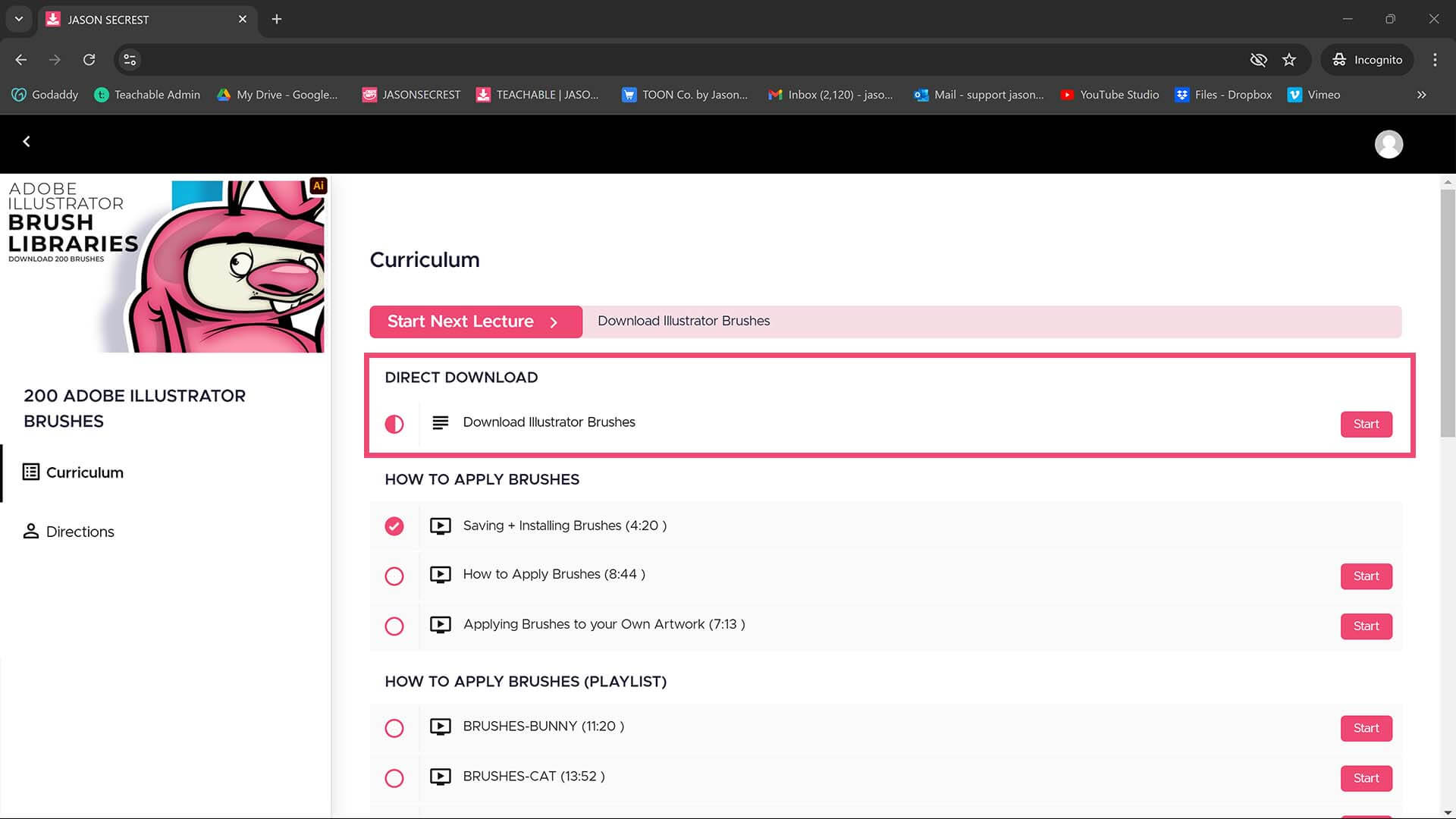
RESOURCE GUIDES: Digital Downloads will come through our friends at Teachable. Once you have downloaded and extracted the Resource Folders, they are ready to be used in Adobe Illustrator. LEARNING TARGET: Understand how to apply Brush Libraries, Comic Halftones, and BMP Textures.
CONTOUR LINE: Pure line illustration from a photo, no shading anywhere — unbroken continuous contour, fast energetic gesture line, and deliberately segmented broken contour.
PENCIL TYPES: Four real pencil types from a photo — Soft Graphite, Hard Graphite, Charcoal Pencil, and Mechanical Pencil — each crossed with three real papers (Smooth Bristol, Toothy Sketch Paper, Newsprint), so every combination produces its own authentic mark quality. Black ink only.
HAND DRAWN: Naive, folk-art-inspired illustration from a photo — deliberately imperfect, warm, hand-drawn character.
RESOURCE GUIDES: Digital Downloads will come through our friends at Teachable. Once you have downloaded and extracted the Resource Folders, they are ready to be used in Adobe Illustrator. LEARNING TARGET: Understand how to apply Brush Libraries, Comic Halftones, and BMP Textures.
PEN TYPES: Four real pen types from a photo — Ballpoint, Technical / Rapidograph, Fountain Pen, and Dip Pen / Nib — each crossed with three real papers (Smooth Bristol, Toothy Sketch Paper, Newsprint), so every combination produces its own authentic line quality. Black ink only.
PAINTERLY: Real painterly rendering from a photo, black and white — six real painting tools, each crossed with three real surfaces, so every combination produces its own distinct paint-breaking texture.
INK WASH: Authentic wet-ink line technique from a photo — soft bleeding edges, genuine dry-brush breaks, and edge-anchored ink spatter. This is real line quality, not a tonal wash.
RESOURCE GUIDES: Digital Downloads will come through our friends at Teachable. Once you have downloaded and extracted the Resource Folders, they are ready to be used in Adobe Illustrator. LEARNING TARGET: Understand how to apply Brush Libraries, Comic Halftones, and BMP Textures.
CONFIDENT MARKER: Professional, editorial-quality rendering from a photo — full-tonal marker work, precise crosshatched pen and ink, and weight-driven brush pen linework. The confident, polished counterpart to the naive and doodle styles elsewhere in the catalog.
CLASSICAL MOVEMENTS: Seven real historical painting movements from a photo — Renaissance smoky Sfumato Blend, sculptural Fresco Contour, and Dissolving Realism; Baroque Dramatic Tenebrism and Glowing Impasto Highlight; Romantic Agitated Turbulence and Atmospheric Vortex. Built from real historical paint-application technique, not artist names — black ink only.
IMPRESSIONIST - POST: Five real historical painting movements from a photo — Impressionist Broken Color Dash and Soft Shimmer Blur; Post-Impressionist Directional Groove, Geometric Block Patch, and Pointillist Dot Matrix. Built from real historical paint-application technique, not artist names — black ink only.
RESOURCE GUIDES: Digital Downloads will come through our friends at Teachable. Once you have downloaded and extracted the Resource Folders, they are ready to be used in Adobe Illustrator. LEARNING TARGET: Understand how to apply Brush Libraries, Comic Halftones, and BMP Textures.
MODERN - ABSTRACT: Six real historical painting movements from a photo — Expressionist Melting Ribbon Line and Jagged Fracture; Cubist Faceted Plane and Gritty Collage Texture; Surrealist Hyper-Smooth Academic and Automatic Scrape Texture. Built from real historical paint-application technique, not artist names — black ink only.
TONAL GRAIN: Classic printmaking texture from a photo — stippling, aquatint, mezzotint, and lithograph-style tonal rendering in one pack.
BOLD PRINT: Bold woodcut and linocut style from a photo — chunky, confident, hand-carved print texture.
RESOURCE GUIDES: Digital Downloads will come through our friends at Teachable. Once you have downloaded and extracted the Resource Folders, they are ready to be used in Adobe Illustrator. LEARNING TARGET: Understand how to apply Brush Libraries, Comic Halftones, and BMP Textures.
DRY POINT: A soft, fuzzy, velvety scratched-plate line quality distinct from any etched line.
RISOGRAPH: Lo-fi spot-color layering with visible grain, the real Riso-print look, in color.
SCRATCHBOARD: White line scratched out of solid black, every mark a removal, a real photo-negative quality.
RESOURCE GUIDES: Digital Downloads will come through our friends at Teachable. Once you have downloaded and extracted the Resource Folders, they are ready to be used in Adobe Illustrator. LEARNING TARGET: Understand how to apply Brush Libraries, Comic Halftones, and BMP Textures.
LITHO - CRAYON: Genuine waxy, granular resist texture, crumbly buildup where pressure was heaviest.
8-BIT PIXEL: Large, bold square pixel blocks, the chunkiest, most reduced grid in the pack.
32-BIT PIXEL: Small pixel blocks, the finest grid in the pack, retaining real detail while still reading as pixel art.
RESOURCE GUIDES: Digital Downloads will come through our friends at Teachable. Once you have downloaded and extracted the Resource Folders, they are ready to be used in Adobe Illustrator. LEARNING TARGET: Understand how to apply Brush Libraries, Comic Halftones, and BMP Textures.
LIQUID CHROME: Glossy, reflective metallic surface treatment.
Y2K - NOSTALGIA: A dedicated early-internet-era digital chrome and bubble-gradient aesthetic.
FINGER PAINT: Real fingerprint-whorl detail and smeared drag-trails, the loosest mark quality in the catalog.
RESOURCE GUIDES: Digital Downloads will come through our friends at Teachable. Once you have downloaded and extracted the Resource Folders, they are ready to be used in Adobe Illustrator. LEARNING TARGET: Understand how to apply Brush Libraries, Comic Halftones, and BMP Textures.
CRAYON RUBBING: Genuine frottage texture — the deposit pattern comes from what's rubbed underneath, not a drawn line.
CREATIVE SYSTEM
A creative system with digital downloads and prompt packs that work together to speed up your workflow. New programs and memberships launched on May 15, 2026, through Teachable. Updates and New Prompt Packs are added on a weekly to monthly basis.
CARTOON BRUSHES: Cartoon Brushes are my go-to for Professional Logos, Cartoons, Mascots, and Branding. Use Cartoon Illustrator Brushes with the Pen, Pencil, or Paint Brush Tools to Apply different Line Variation to your Vector Artwork. 70 Cartoon Brushes includes Updated Cartoon, Cartoon 2, and Original Cartoon Brush Libraries.
COMIC BRUSHES: Hand-painted and Comic Strip Brushes to get a lived-in feel back into your Vector Art. Comic Strips and Hand Painted are painted based on some of my favorite artists and cartoonists. These brushes are designed to look ready for the Sunday Paper. 100 Comic Strip Brushes includes Updated Comic Strip, Hand-Painted, Paintbrush, and Fine Liner Brush Libraries.
MASCOT BRUSHES: Jittery Hand, Caffeinated Cartoonist, and Rough Ink Brushes to Mimic Paper Bleed and Caffeine. Designed to be a little less stiff with your vector art. Use these Brush Libraries to get more distressed look or ink bleed back in your Vector Artwork. 50 Mascot Brushes includes Updated Caffeinated Cartoonist, Rough Ink, and Jittery Hand Brush Libraries.
COMIC HALFTONES: Halftones and Patterns Fills are designed for easy application even if you are new to Adobe Illustrator. Halftone Fills behave the same as a Color Swatch so you can apply them quickly using the Blob Brush, Live Paint, or Basic Fills. Simply Paint in Halftones into your own Illustrations and Comics. Halftones: 70 Comic Strip Halftone Fills and Pattern Fills.
CRACK BMP TEXTURES: Cracks and Distressing BMP Textures to Apply Opacity Masks to your Own Original Artwork and T-shirt Designs. Use BMP Textures to apply Cracks and Distressing Effects to your Artwork and Designs by Applying Opacity or Transparency Masks for Adobe Illustrator. Created for T-Shirt distressing using your own Original Artwork and Opacity Masks to show through to the garment color.
GRUNGE BMP TEXTURES: Grunge Distressing BMP Textures to Apply Opacity Masks to your Own Original Artwork and T-shirt Designs. Use BMP Textures to apply Grunge and Distressing Effects to your Artwork and Designs to use with the Transparency Panel and Opacity Masks for Adobe Illustrator. Great for t-shirt distressing using BMP Textures and Opacity Masks to show the garment color on your Own Original Artwork.
PAPER BMP TEXTURES: Paper BMP Textures to use along with the Transparency Panel to create soft texture overlays for your own original artwork. This is great for those of you who are using Textures for Web, Print, and Social Media Sites. Use Textures with Color Swatches, Transparency, Blending Modes, and Clipping Masks to create a subtle texture overlay on your print or web exports.
PHOTO TO SKETCH PROMPTS: Six complete prompt packs, sixty-six presets, all built from a real photo instead of a sketch. Graphite and Fine Ink for classic pencil and hatched-ink rendering, Contour Line for pure unbroken linework, Hand-Drawn & Naive Art for deliberate imperfection, plus real Pencil Types and Pen Types — four genuine tools each, crossed with three real papers. Includes the Batch Processing system to run one style across a whole folder of photos at once.
PHOTO TO PAINT PROMPTS: Seven complete prompt packs, one hundred fourteen presets. Painterly gives you six real painting tools crossed with three real surfaces. Ink Wash and Confident Marker & Pen cover authentic wet-line and professional rendering. Four Movements packs bring twenty-six real historical painting techniques — Classical, Baroque, Impressionist, Modern, and Contemporary. Includes the Batch Processing system to run any style across a whole folder at once.
PHOTO TO PRINT PROMPTS: Four complete prompt packs, forty-six presets, built from real print production techniques. Tonal Grain covers stippling, aquatint, mezzotint, and lithograph. Bold Print brings genuine woodcut and linocut character. Print Process adds six techniques including Risograph, Duotone, Drypoint, and Scratchboard. Punk & Collage covers raw Xerox-degrade energy. Includes the Batch Processing system for running any style across a whole folder.
PHOTO TO MODERN PROMPTS: Three complete prompt packs, thirty presets, covering the styles that don't fit anywhere else. Pixel Art gives real block-size control across 8-bit, 16-bit, and 32-bit chunkiness. Digital & Reflective Effects covers chrome, glitch, holographic, and Y2K surface treatment. Homemade Craft delivers genuinely hand-crafted, not-AI-generated texture. Includes the Batch Processing system for running any style across a whole folder.
BRUSHES + PROMPT BUNDLE: This is the whole brush collection in one shot — Cartoon, Comic Strip, and Mascot libraries (200 brushes total), plus the matching AI Sketch-to-Brush prompt pack for each style. Sketch with AI to get your linework fast, then finish and edit it with real, pressure-sensitive brushes in Illustrator. Everything lines up together.
TEXTURES + PROMPT BUNDLE: Grunge, Paint + Paper, and Crack — all 400 BMP textures in one bundle, plus the AI prompt pack that matches each style. Generate your texture look with AI first, then finish the real print-ready file in Illustrator with the actual BMP textures and Opacity Masks.
Tutorial page teaser: Whatever texture mood you're after — grungy, paint-splattered, or cracked and vintage — it's all in here, generated and finished side by side.
PHOTO TO STYLE PROMPT BUNDLE: Twenty complete prompt packs, two hundred fifty-six presets, organized into four collections so you can find your exact direction fast: Sketch, Paint, Print, and Modern Styles. Every bundle includes the Batch Processing system, so one chosen style can run across a whole folder of your own photos instead of one at a time.
RESOURCE + PROMPT BUNDLE: The complete prompt pack library in one all-access bundle — every Sketch-to-Brush, Texture & Finishing, Photo-to-Style, Trend & Style, and Character Reference prompt pack in the collection, plus the Production & Workflow tools and Resource Guides for Adobe Illustrator. One price, the whole system..
SKETCH TO BRUSHES: The bold cartoon line you already recognize — now you can make it. You know the look: confident, bold, clean cartoon linework behind logos and merch you've seen a hundred times. Sixteen presets across four cartoon styles (each with four line-weight options) let you dial in exactly how bold your character reads, straight from a rough sketch.
SKETCH TO BRUSHES: Comic-book inking, no inking degree required. Real comic art gets its depth from a hierarchy — bold outer contour, fine interior detail, nothing in between left flat. Sixteen presets bake that hierarchy straight into your sketch-to-ink conversion, so your linework has real visual weight without you touching a shading brush.
SKETCH TO BRUSHES: Apparel-ready mascot energy — the aggressive, hand-inked line quality that reads right on a T-shirt, not just a screen. Sixteen presets, four line-weight intensities, built specifically for character work that has to survive a print run.
HALFTONE SCREEN: Real screen-print halftone effects, straight out of the prompt — thirty presets across ten authentic dot, line, and pattern styles, including analog hand-screened irregularity and gritty spot-accent texture. The texture that makes a design look like it actually came off a press.
SURFACE DAMAGE + GRIT: Authentic distress, not a generic grunge filter — twelve presets built around real damage types: grunge, grit, fold marks, acid wash. The difference between 'vintage' that looks designed and vintage that looks real.
FABRIC + WEAR: Give a design real, lived-in apparel texture — the soft cracking, fading, and wear that makes a print feel like it's been through the wash a hundred times, in the best way. Twelve presets across four texture families.
PAPER TEXTURES: Real paper surface presence, straight out of the prompt — twelve presets across kraft, cotton rag, chipboard, and genuinely aged document character. Not distress — the warmth and weight of a design that was actually printed on something.
PHOTOCOPY: Genuine photocopy degradation, straight out of the prompt — twelve presets covering real generation loss, toner streaking, contrast blowout, and paper jam artifacts. The authentic zine-and-flyer look, not a generic grunge filter..
PRINT PRESS: The texture of an actual print run gone slightly, beautifully wrong — cracked ink, uneven screens, vintage stamping, ink bleed. Twelve presets for anyone chasing that genuine vintage-press look.
LINEAR WORKFLOW
Every Learning Module has 1-1 Coaching and Workflow Implementation built into the curriculum. Proceed through the workflow step by step to collaborate effectively. If you wish to focus on a specific step, you may jump to that section. New Courses, Programs, and Memberships launched on May 15, 2026. ACCOUNT LOGIN
NICHE COMPASS: Before you pick a color palette, a font, or a single product to sell — you need to know who you're making it for and why...
BRANDING KIT: You finished Niche Building knowing who you're making things for. Now it's time to decide how you show up to them...
RESOURCE GUIDES: Digital Downloads will come through our friends at Teachable. Once you have downloaded and extracted the Resource Folders, they are ready to be used in Adobe Illustrator. LEARNING TARGET: Understand how to apply Brush Libraries, Comic Halftones, and BMP Textures.
STYLE DNA: Your niche told you who you're making things for. Your brand told you how you show up...
STOCK PHOTOS + REFERENCES GUIDE: I recommend using (Unsplash / Pixabay / Pexels) for your Sketch, Drawing, and Color References. Bookmark websites for Photo References to use...
COLOR TOOLS + PALETTE GUIDE: I highly recommend using (Adobe Color) for your Color Themes. Bookmark websites for Color Themes to use...
RESOURCE GUIDES: Digital Downloads will come through our friends at Teachable. Once you have downloaded and extracted the Resource Folders, they are ready to be used in Adobe Illustrator. LEARNING TARGET: Understand how to apply Brush Libraries, Comic Halftones, and BMP Textures.
FONT + TYPOGRAPHY GUIDE: I recommend using (Adobe Fonts / Google Fonts / Font Squirrel / Dafont) for Fonts. Bookmark websites for Fonts to use...
ARTBOARD SETUP GUIDE: Have your Drawing, Sketch, or Traced Photo Selected. In your Layers Panel, select the Menu in the Upper-Right Hand Corner. Drop down to...
PREFERENCES + SETTINGS GUIDE: The easiest method that I will recommend for New or Advanced Users is to create a Basic Line Drawing. Building Tools will use...
RESOURCE GUIDES: Digital Downloads will come through our friends at Teachable. Once you have downloaded and extracted the Resource Folders, they are ready to be used in Adobe Illustrator. LEARNING TARGET: Understand how to apply Brush Libraries, Comic Halftones, and BMP Textures.
TEMPLATE LAYERS GUIDE: I recommend establishing an Artboard that you can use for all of your artwork. The initial Artboard Size can be changed at...
PEN TOOL WORKFLOW GUIDE: If you are frustrated with the Pen Tool, a simple tip is to break down the process into 2 Steps. The first step is to just apply...
SHAPE-BASED WORKFLOW GUIDE: A good place to start if you are new to Adobe Illustrator is our Beginner Guide (Shapes). We will be going through...
RESOURCE GUIDES: Digital Downloads will come through our friends at Teachable. Once you have downloaded and extracted the Resource Folders, they are ready to be used in Adobe Illustrator. LEARNING TARGET: Understand how to apply Brush Libraries, Comic Halftones, and BMP Textures.
PENCIL TOOL WORKFLOW GUIDE: Many of you are looking to use your Tablet with Adobe Illustrator. I am going to recommend breaking down your...
BRUSHES WORKFLOW GUIDE: Brushes are specifically designed for Illustrators and Cartoonists to speed up their workflow. Brushes Libraries allow for...
HALFTONES WORKFLOW GUIDE: Halftones and Patterns Fills are designed for easy application, even if you are new to Adobe Illustrator. Halftone Fills behave the...
RESOURCE GUIDES: Digital Downloads will come through our friends at Teachable. Once you have downloaded and extracted the Resource Folders, they are ready to be used in Adobe Illustrator. LEARNING TARGET: Understand how to apply Brush Libraries, Comic Halftones, and BMP Textures.
TEXTURES WORKFLOW GUIDE: BMP Textures are extremely easy to use even if you are a beginner to Adobe Illustrator. Simply File-Place the Textures over...
COLOR EDITING GUIDE: Correct, adjust and harmonize color across your artwork before it ships. Follow the six steps below in order — the sequence itself...
RESOURCE GUIDES: Digital Downloads will come through our friends at Teachable. Once you have downloaded and extracted the Resource Folders, they are ready to be used in Adobe Illustrator. LEARNING TARGET: Understand how to apply Brush Libraries, Comic Halftones, and BMP Textures.
TYPE TOOL GUIDE: A workflow, not a tool tour. Four tools, one goal: get text into a design and keep it live as long as possible — the decision points below...
FILE PREP + EXPORT GUIDE: Building and exporting are two completely separate things. You build small, focused, and fast. You export large, clean, and platform-ready. Most export problems...
CREATIVE SYSTEMS
A creative system with digital downloads and prompt packs that work together to speed up your workflow. Resource Guides are in a Full Length Learning Module Format on Teachable — learning blocks, frequently asked questions, and work session assignments.
CARTOON BRUSHES: Cartoon Brushes are my go-to for Professional Logos, Cartoons, Mascots, and Branding. Use Cartoon Illustrator Brushes with the Pen, Pencil, or Paint Brush Tools to Apply different Line Variation to your Vector Artwork. 70 Cartoon Brushes includes Updated Cartoon, Cartoon 2, and Original Cartoon Brush Libraries.
COMIC BRUSHES: Hand-painted and Comic Strip Brushes to get a lived-in feel back into your Vector Art. Comic Strips and Hand Painted are painted based on some of my favorite artists and cartoonists. These brushes are designed to look ready for the Sunday Paper. 100 Comic Strip Brushes includes Updated Comic Strip, Hand-Painted, Paintbrush, and Fine Liner Brush Libraries.
MASCOT BRUSHES: Jittery Hand, Caffeinated Cartoonist, and Rough Ink Brushes to Mimic Paper Bleed and Caffeine. Designed to be a little less stiff with your vector art. Use these Brush Libraries to get more distressed look or ink bleed back in your Vector Artwork. 50 Mascot Brushes includes Updated Caffeinated Cartoonist, Rough Ink, and Jittery Hand Brush Libraries.
COMIC HALFTONES: Halftones and Patterns Fills are designed for easy application even if you are new to Adobe Illustrator. Halftone Fills behave the same as a Color Swatch so you can apply them quickly using the Blob Brush, Live Paint, or Basic Fills. Simply Paint in Halftones into your own Illustrations and Comics. Halftones: 70 Comic Strip Halftone Fills and Pattern Fills.
CRACK BMP TEXTURES: Cracks and Distressing BMP Textures to Apply Opacity Masks to your Own Original Artwork and T-shirt Designs. Use BMP Textures to apply Cracks and Distressing Effects to your Artwork and Designs by Applying Opacity or Transparency Masks for Adobe Illustrator. Created for T-Shirt distressing using your own Original Artwork and Opacity Masks to show through to the garment color.
GRUNGE BMP TEXTURES: Grunge Distressing BMP Textures to Apply Opacity Masks to your Own Original Artwork and T-shirt Designs. Use BMP Textures to apply Grunge and Distressing Effects to your Artwork and Designs to use with the Transparency Panel and Opacity Masks for Adobe Illustrator. Great for t-shirt distressing using BMP Textures and Opacity Masks to show the garment color on your Own Original Artwork.
PAPER BMP TEXTURES: Paper BMP Textures to use along with the Transparency Panel to create soft texture overlays for your own original artwork. This is great for those of you who are using Textures for Web, Print, and Social Media Sites. Use Textures with Color Swatches, Transparency, Blending Modes, and Clipping Masks to create a subtle texture overlay on your print or web exports.
PHOTO TO SKETCH PROMPTS: Six complete prompt packs, sixty-six presets, all built from a real photo instead of a sketch. Graphite and Fine Ink for classic pencil and hatched-ink rendering, Contour Line for pure unbroken linework, Hand-Drawn & Naive Art for deliberate imperfection, plus real Pencil Types and Pen Types — four genuine tools each, crossed with three real papers. Includes the Batch Processing system to run one style across a whole folder of photos at once.
PHOTO TO PAINT PROMPTS: Seven complete prompt packs, one hundred fourteen presets. Painterly gives you six real painting tools crossed with three real surfaces. Ink Wash and Confident Marker & Pen cover authentic wet-line and professional rendering. Four Movements packs bring twenty-six real historical painting techniques — Classical, Baroque, Impressionist, Modern, and Contemporary. Includes the Batch Processing system to run any style across a whole folder at once.
PHOTO TO PRINT PROMPTS: Four complete prompt packs, forty-six presets, built from real print production techniques. Tonal Grain covers stippling, aquatint, mezzotint, and lithograph. Bold Print brings genuine woodcut and linocut character. Print Process adds six techniques including Risograph, Duotone, Drypoint, and Scratchboard. Punk & Collage covers raw Xerox-degrade energy. Includes the Batch Processing system for running any style across a whole folder.
PHOTO TO MODERN PROMPTS: Three complete prompt packs, thirty presets, covering the styles that don't fit anywhere else. Pixel Art gives real block-size control across 8-bit, 16-bit, and 32-bit chunkiness. Digital & Reflective Effects covers chrome, glitch, holographic, and Y2K surface treatment. Homemade Craft delivers genuinely hand-crafted, not-AI-generated texture. Includes the Batch Processing system for running any style across a whole folder.
BRUSHES + PROMPT BUNDLE: This is the whole brush collection in one shot — Cartoon, Comic Strip, and Mascot libraries (200 brushes total), plus the matching AI Sketch-to-Brush prompt pack for each style. Sketch with AI to get your linework fast, then finish and edit it with real, pressure-sensitive brushes in Illustrator. Everything lines up together.
TEXTURES + PROMPT BUNDLE: Grunge, Paint + Paper, and Crack — all 400 BMP textures in one bundle, plus the AI prompt pack that matches each style. Generate your texture look with AI first, then finish the real print-ready file in Illustrator with the actual BMP textures and Opacity Masks.
Tutorial page teaser: Whatever texture mood you're after — grungy, paint-splattered, or cracked and vintage — it's all in here, generated and finished side by side.
PHOTO TO STYLE PROMPT BUNDLE: Twenty complete prompt packs, two hundred fifty-six presets, organized into four collections so you can find your exact direction fast: Sketch, Paint, Print, and Modern Styles. Every bundle includes the Batch Processing system, so one chosen style can run across a whole folder of your own photos instead of one at a time.
RESOURCE + PROMPT BUNDLE: The complete prompt pack library in one all-access bundle — every Sketch-to-Brush, Texture & Finishing, Photo-to-Style, Trend & Style, and Character Reference prompt pack in the collection, plus the Production & Workflow tools and Resource Guides for Adobe Illustrator. One price, the whole system..
SKETCH TO BRUSHES: The bold cartoon line you already recognize — now you can make it. You know the look: confident, bold, clean cartoon linework behind logos and merch you've seen a hundred times. Sixteen presets across four cartoon styles (each with four line-weight options) let you dial in exactly how bold your character reads, straight from a rough sketch.
SKETCH TO BRUSHES: Comic-book inking, no inking degree required. Real comic art gets its depth from a hierarchy — bold outer contour, fine interior detail, nothing in between left flat. Sixteen presets bake that hierarchy straight into your sketch-to-ink conversion, so your linework has real visual weight without you touching a shading brush.
SKETCH TO BRUSHES: Apparel-ready mascot energy — the aggressive, hand-inked line quality that reads right on a T-shirt, not just a screen. Sixteen presets, four line-weight intensities, built specifically for character work that has to survive a print run.
HALFTONE SCREEN: Real screen-print halftone effects, straight out of the prompt — thirty presets across ten authentic dot, line, and pattern styles, including analog hand-screened irregularity and gritty spot-accent texture. The texture that makes a design look like it actually came off a press.
SURFACE DAMAGE + GRIT: Authentic distress, not a generic grunge filter — twelve presets built around real damage types: grunge, grit, fold marks, acid wash. The difference between 'vintage' that looks designed and vintage that looks real.
FABRIC + WEAR: Give a design real, lived-in apparel texture — the soft cracking, fading, and wear that makes a print feel like it's been through the wash a hundred times, in the best way. Twelve presets across four texture families.
PAPER TEXTURES: Real paper surface presence, straight out of the prompt — twelve presets across kraft, cotton rag, chipboard, and genuinely aged document character. Not distress — the warmth and weight of a design that was actually printed on something.
PHOTOCOPY: Genuine photocopy degradation, straight out of the prompt — twelve presets covering real generation loss, toner streaking, contrast blowout, and paper jam artifacts. The authentic zine-and-flyer look, not a generic grunge filter..
PRINT PRESS: The texture of an actual print run gone slightly, beautifully wrong — cracked ink, uneven screens, vintage stamping, ink bleed. Twelve presets for anyone chasing that genuine vintage-press look.