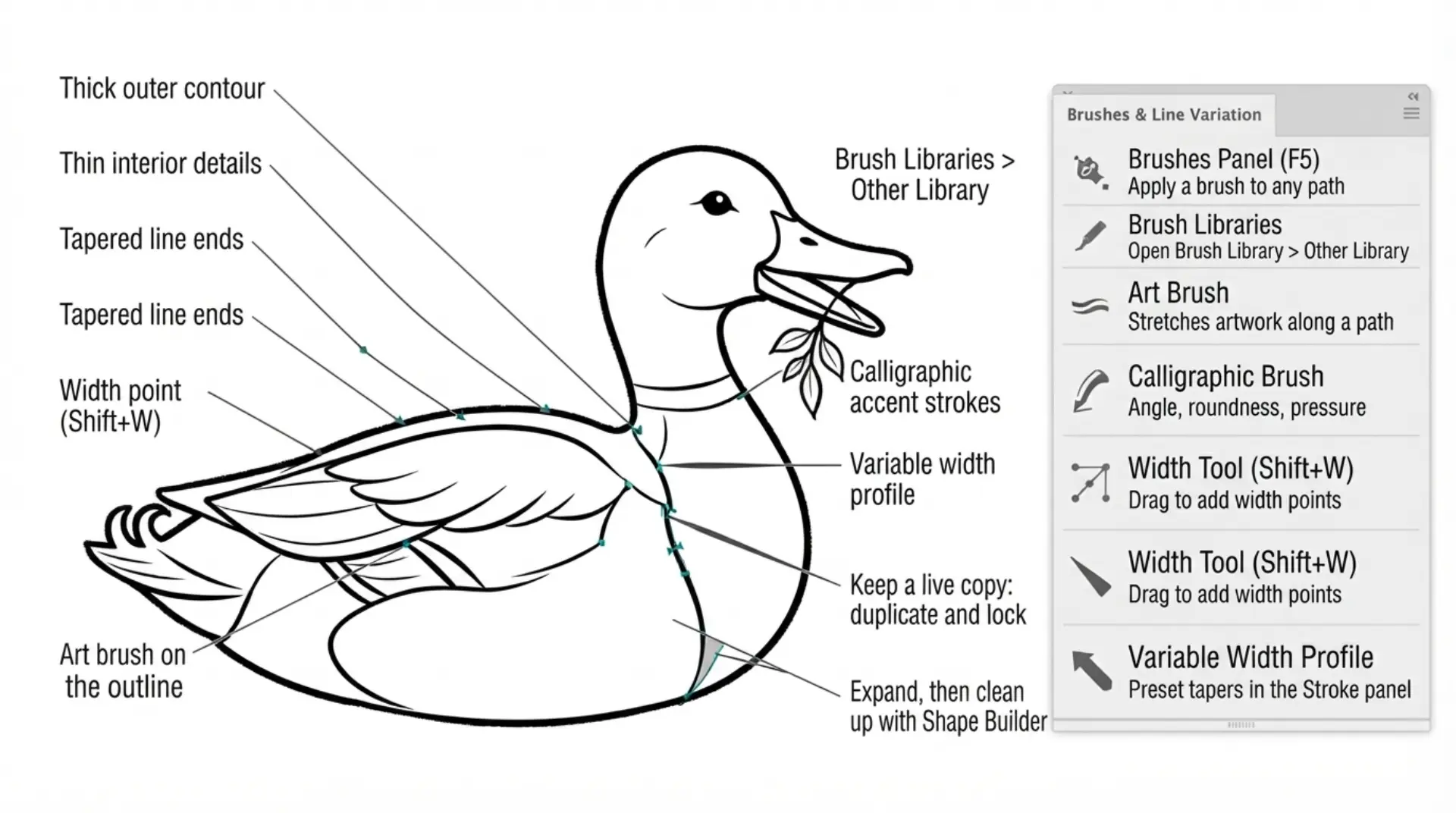
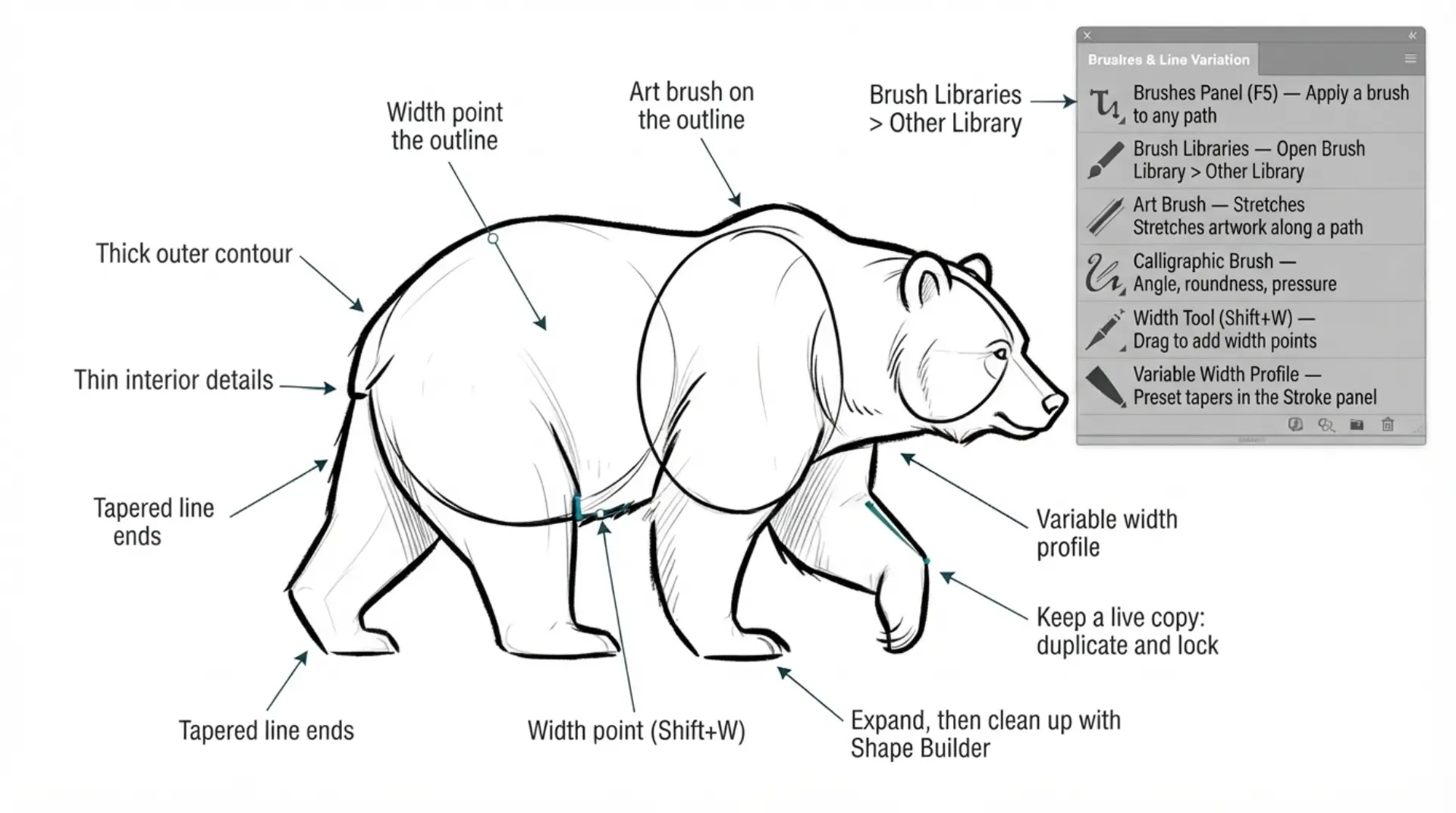
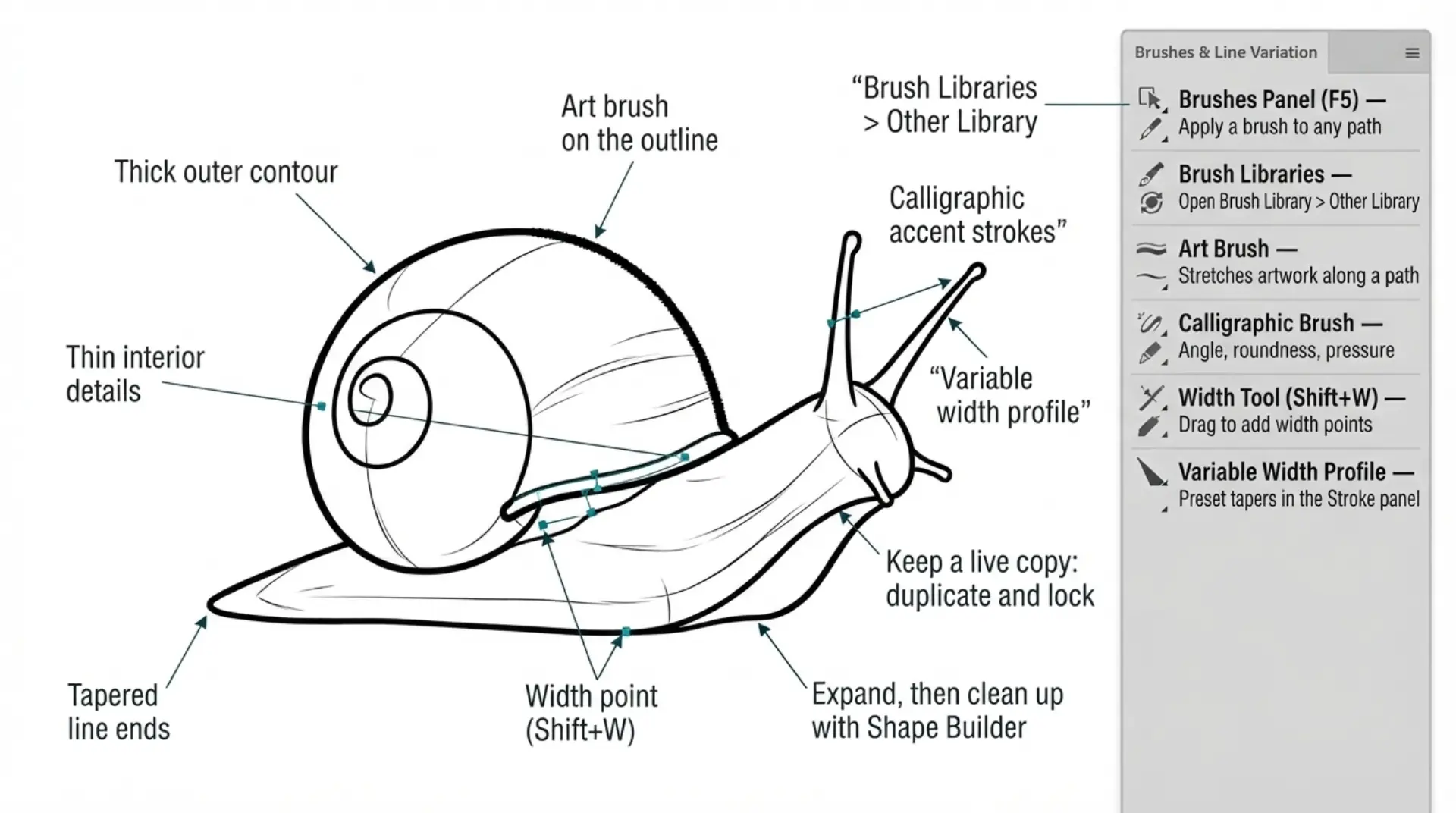
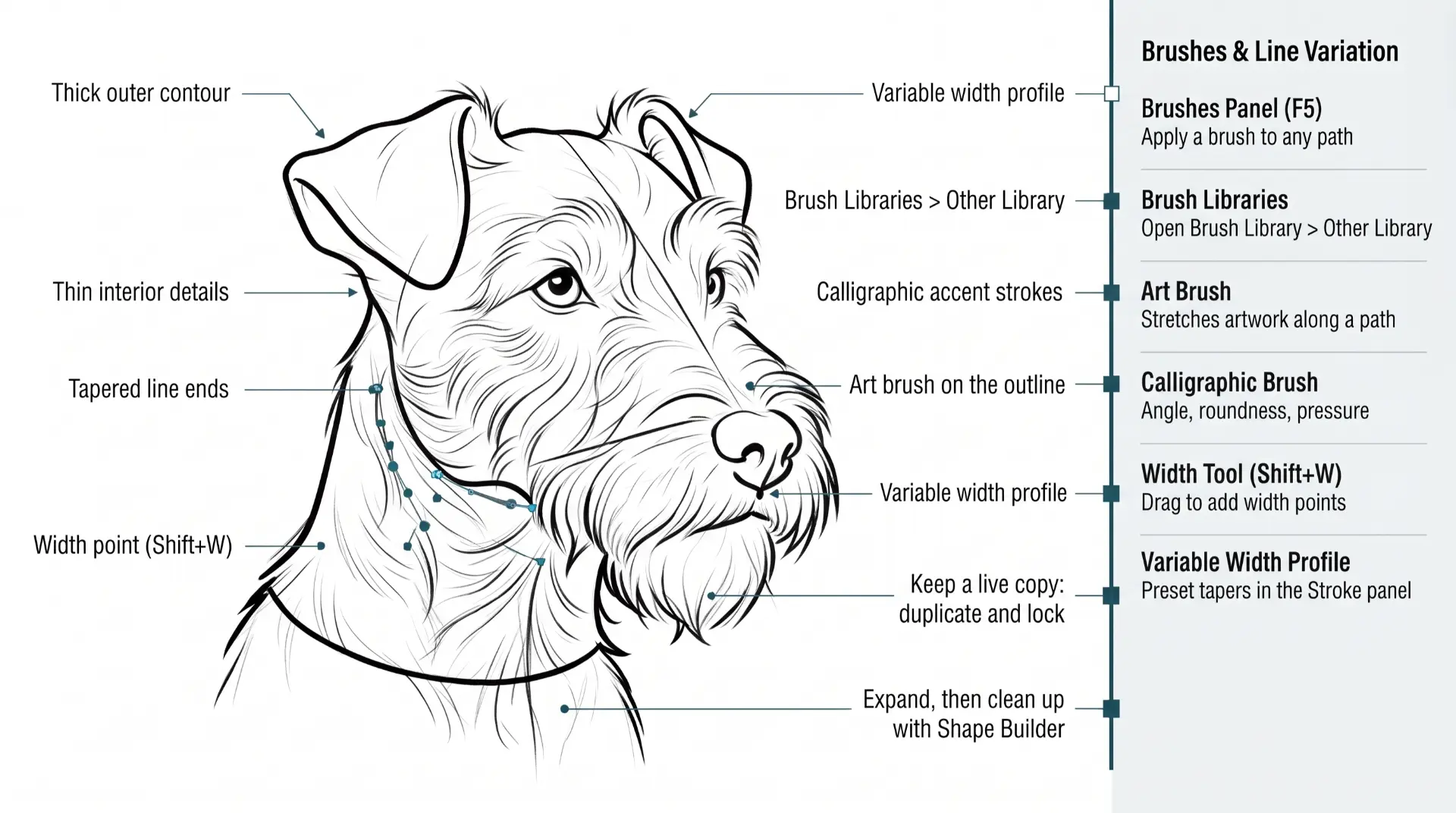
WORKFLOWS + CHECKLISTS

WORKFLOW GUIDES

The Workflows and Guides have been specifically designed so you can easily switch out the subject matter to align with your own artwork and designs. FAQ: I have created an FAQ list based on the last 10 years of YouTube comments. This could be a great place if you are looking for quick answers. PRINTABLE CHECKLISTS: If you are new, start with the printable checklists and workflows. FREE TOOLS: I have introduced new tools to assist you with your workflows; these can be found on the Free Resources page of the website. The tools are also organized throughout the workflow.
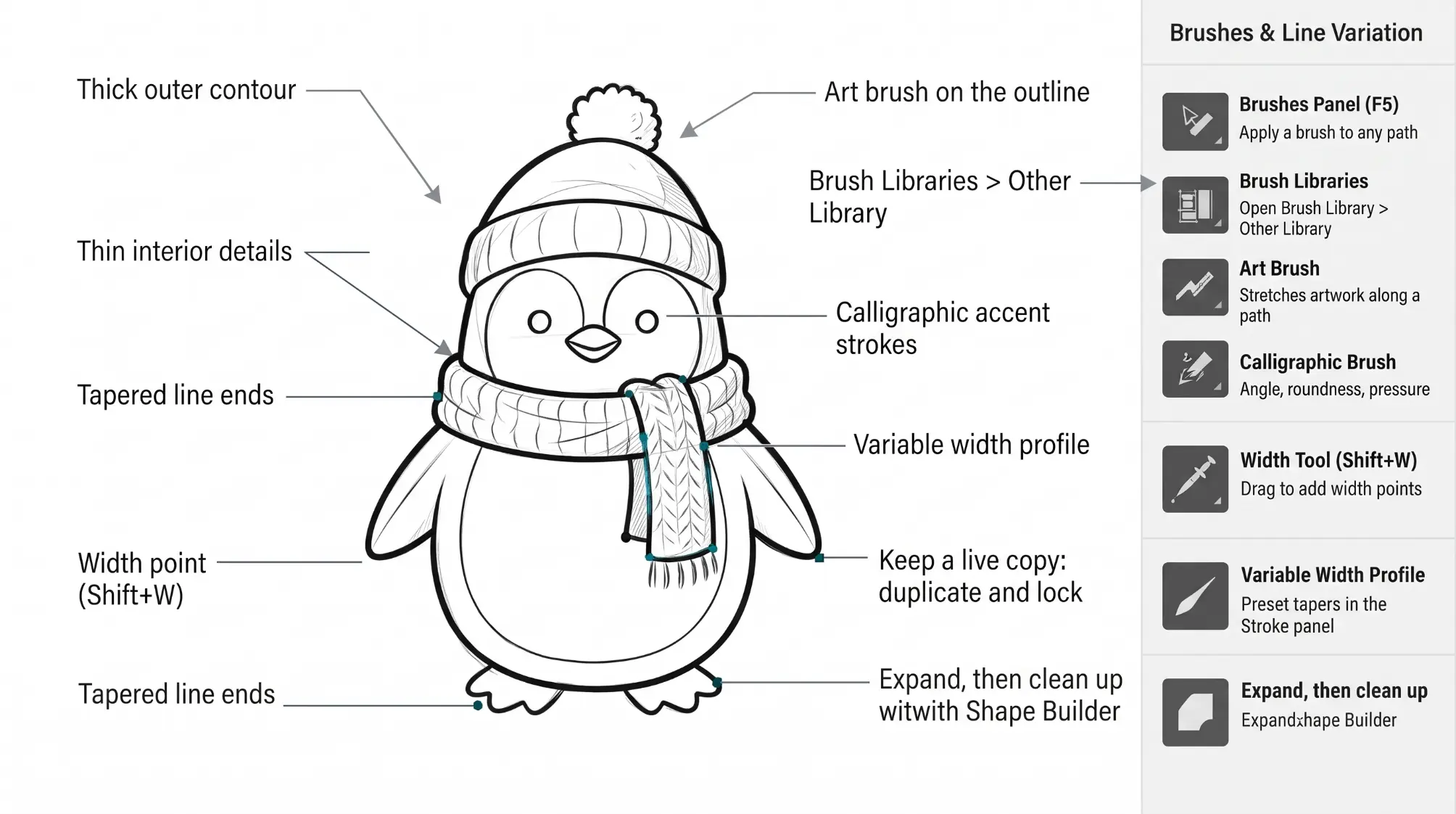
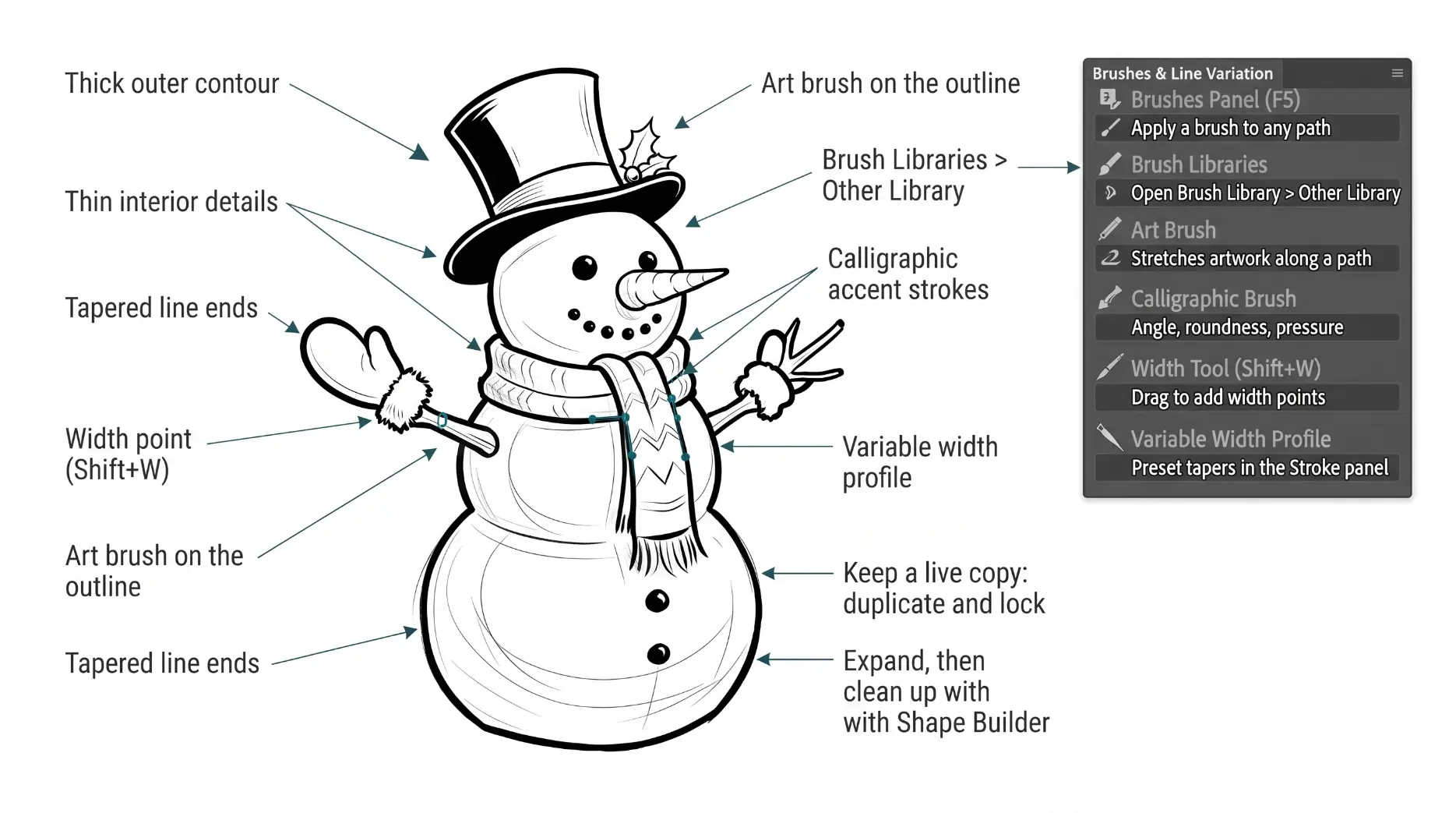
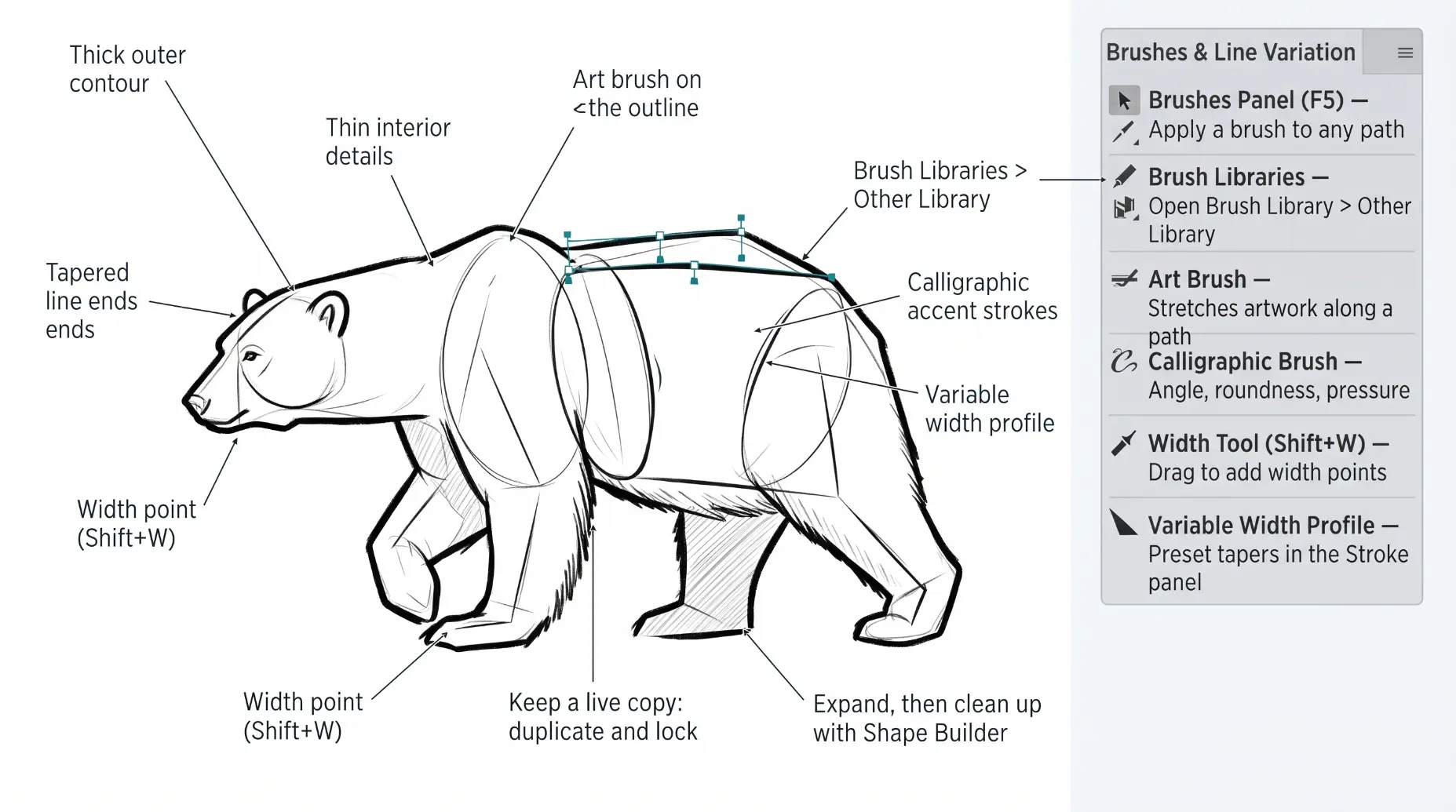
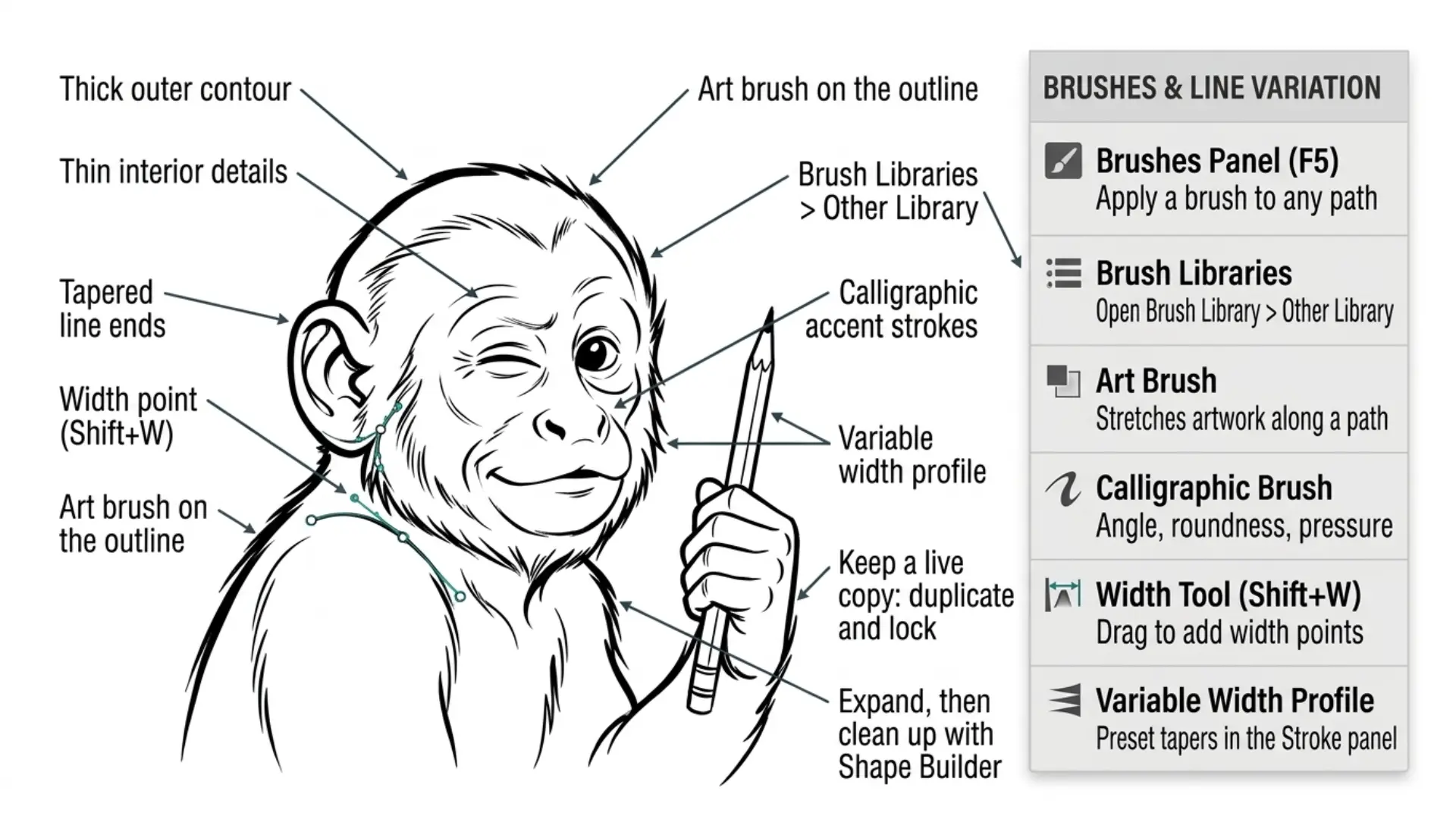
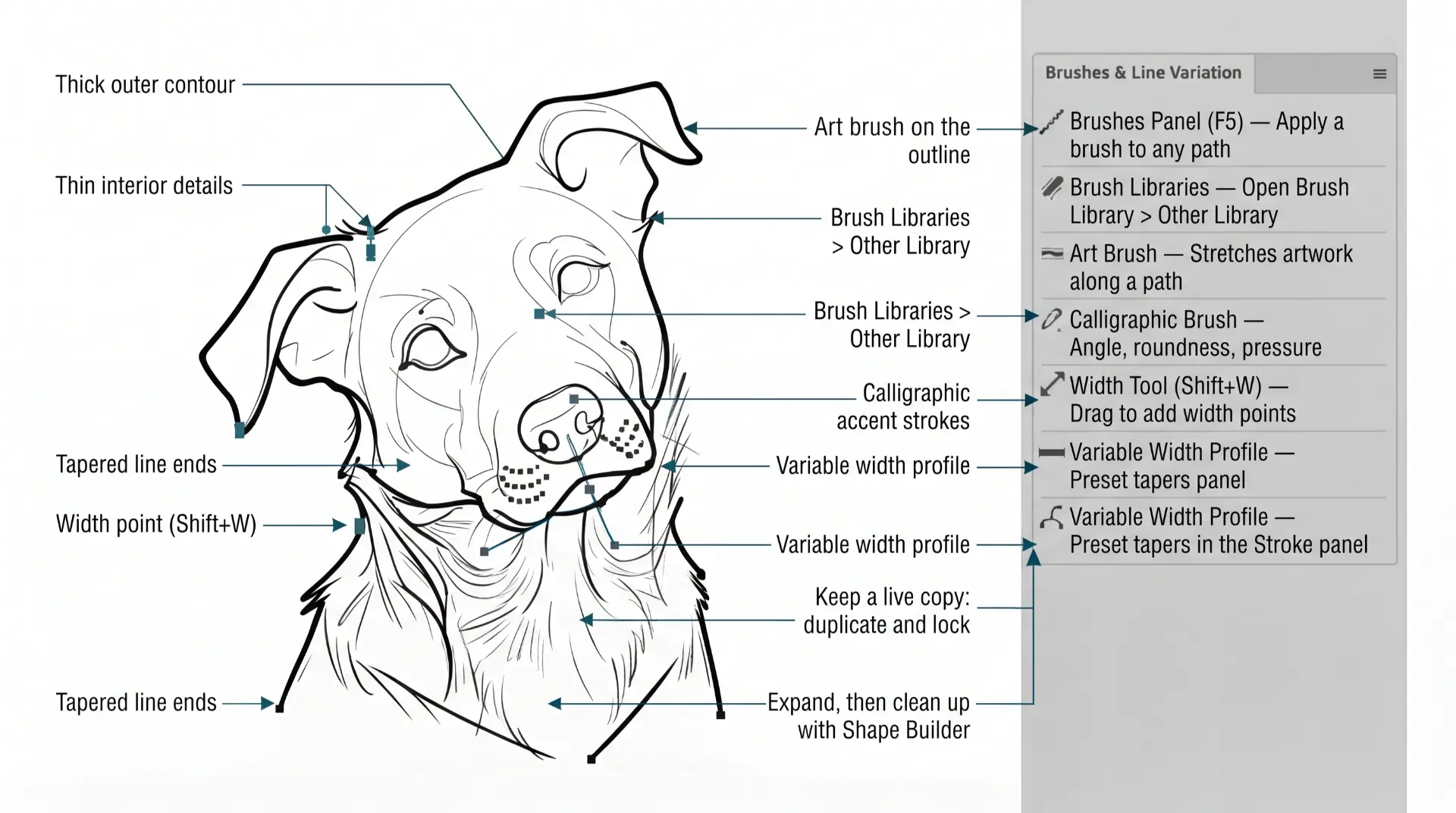
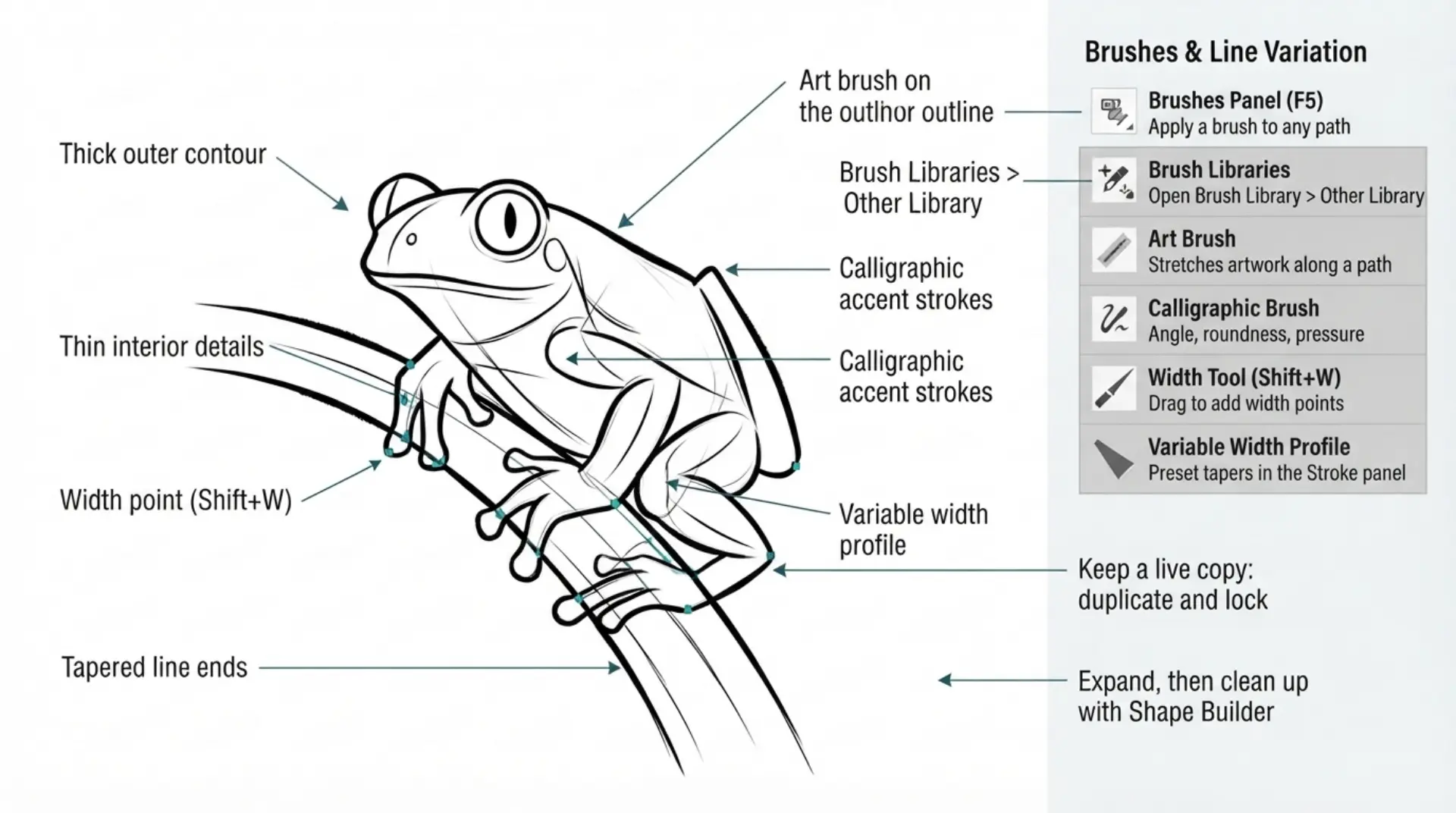
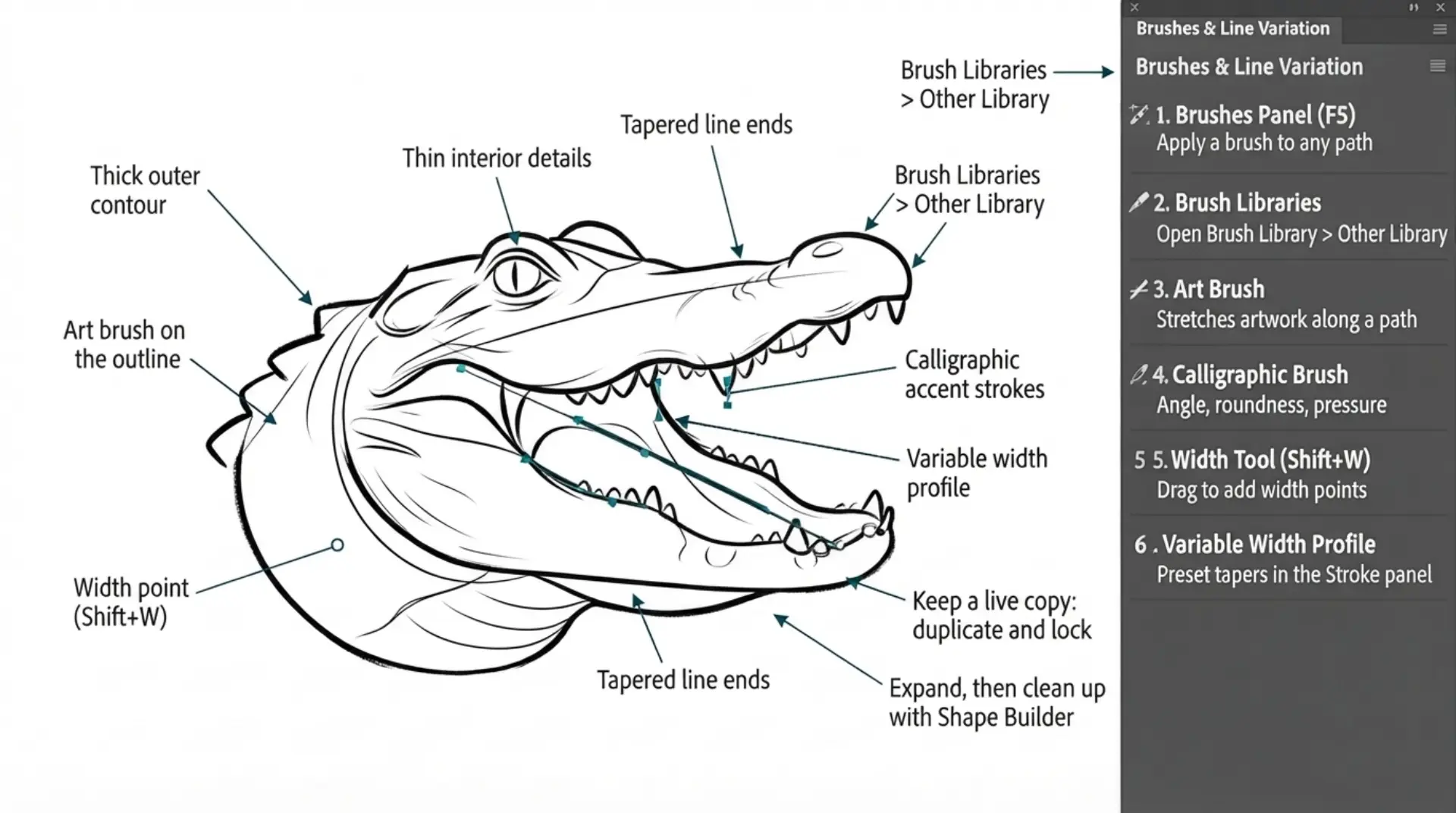
TUTORIALS: I have organized tutorials by core areas of your Workflow: Building, Editing, and Coloring. LEARNING TARGET (1): Understand the Building Tools and Options. LEARNING TARGET (2): Apply Line Variation along with Live and Expanded Editing Tools. LEARNING TARGET (3): Apply Color, Values, and Gradients using Advanced Coloring Techniques.
GETTING STARTED: Our Getting Started Guides will walk you through the process of downloading, saving, and gathering resources for your own artwork.  LEARNING TARGET (1): Download Stock Photos to use as a Resource Images. LEARNING TARGET (2): Download and Save Brush Libraries. LEARNING TARGET (3): Download or Save Color Swatches.
BEGINNER: The major decision you'll need to make is your starting point and build mode. First, determine whether you have drawings and sketches ready to use, or if you will be starting from stock photos. We are looking to align the starting point, build mode, and export size. 
INTERMEDIATE: The purpose of our Beginner Guides and Tutorials is to provide an overview of a workflow, allowing you to see the steps in sequence. These are designed to assist you as you go through our Free Tools and Workflow Guides. Clarifying these details will simplify your learning process in Adobe Illustrator.  
ADVANCED: Pay attention to the Sequence of Events, Resources, and Tool Options as it relates to building a "Workflow." As you create your artwork, outline the steps in your workflow. Start with an initial workflow, then look to streamline or add AI components. 
STARTING POINT: The major decision you'll need to make is your starting point and build mode. First, determine whether you have drawings and sketches ready to use, or if you will be starting from stock photos. We are looking to align the starting point, build mode, and export size. 
PRIMARY BUILDING: The purpose of our Beginner Guides and Tutorials is to provide an overview of a workflow, allowing you to see the steps in sequence. These are designed to assist you as you go through our Free Tools and Workflow Guides. Clarifying these details will simplify your learning process in Adobe Illustrator.  
FILE EXPORT: As you create your own original artwork, think about where you are posting, exporting, and uploading. Start with the end in mind, all requirements must be addressed before starting your workflow.  I have created a full series of artboard, social, and POD size and requirement tools for you to use. 
beginner adobe illustrator tutorial whale
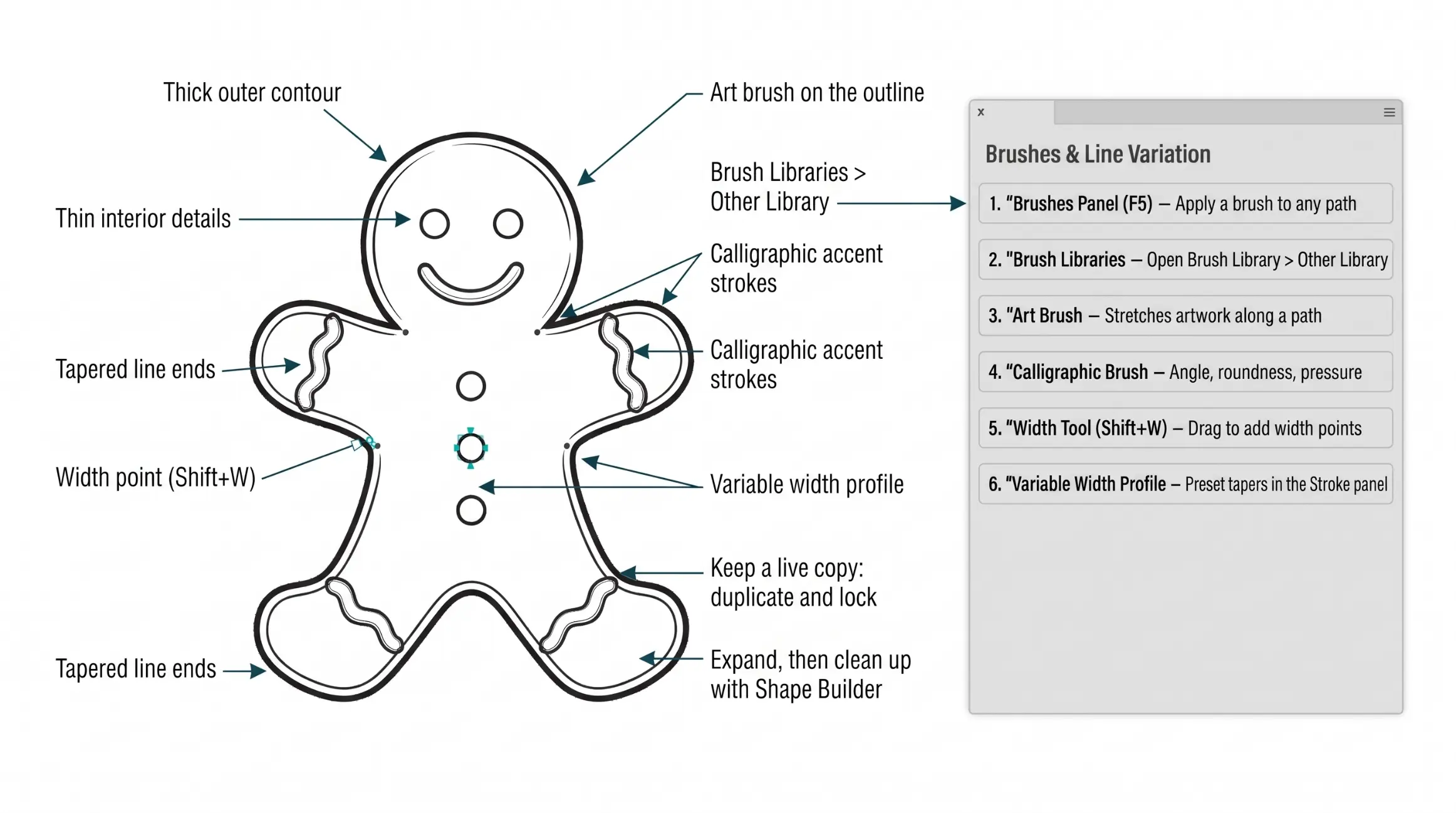
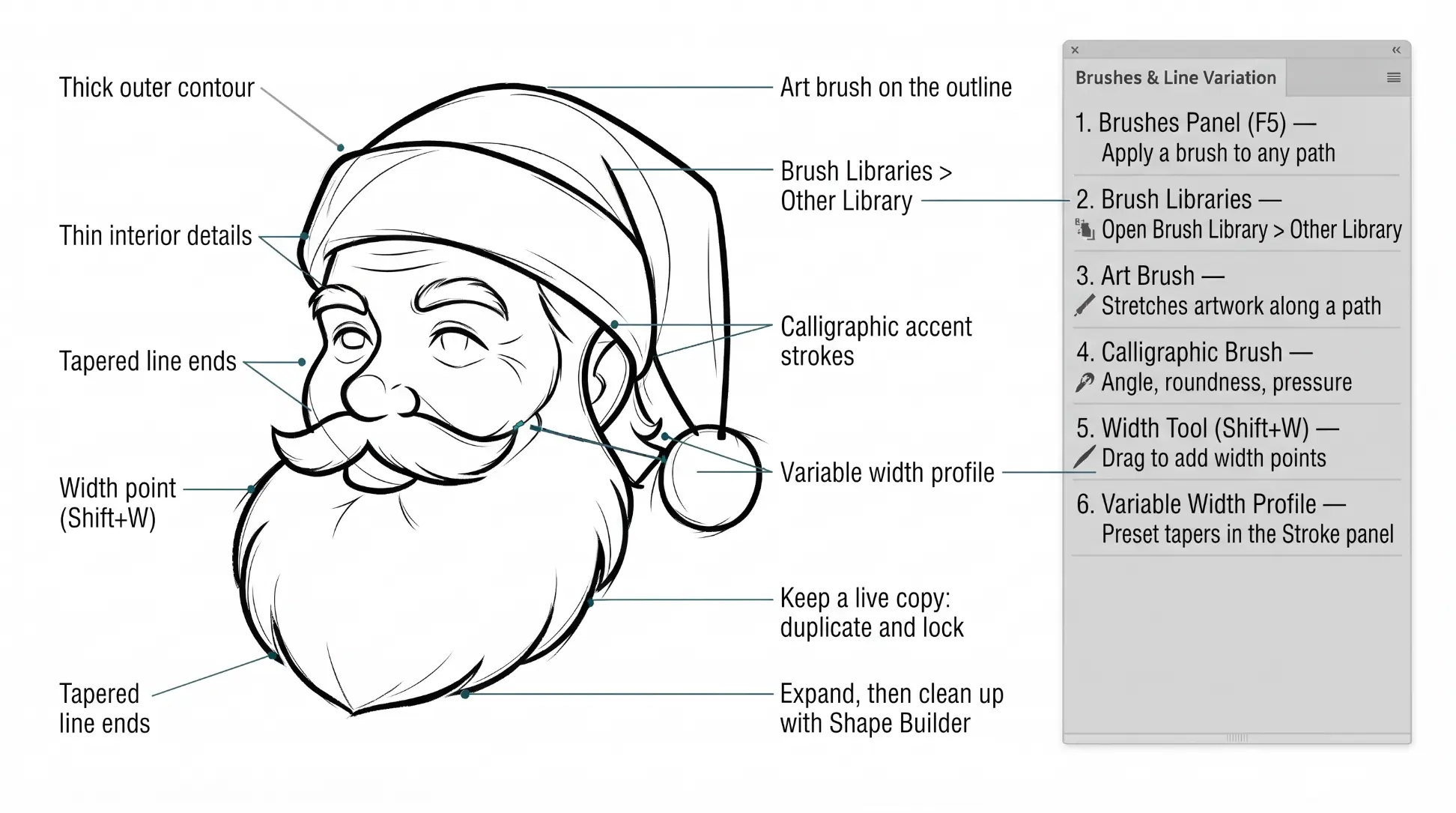
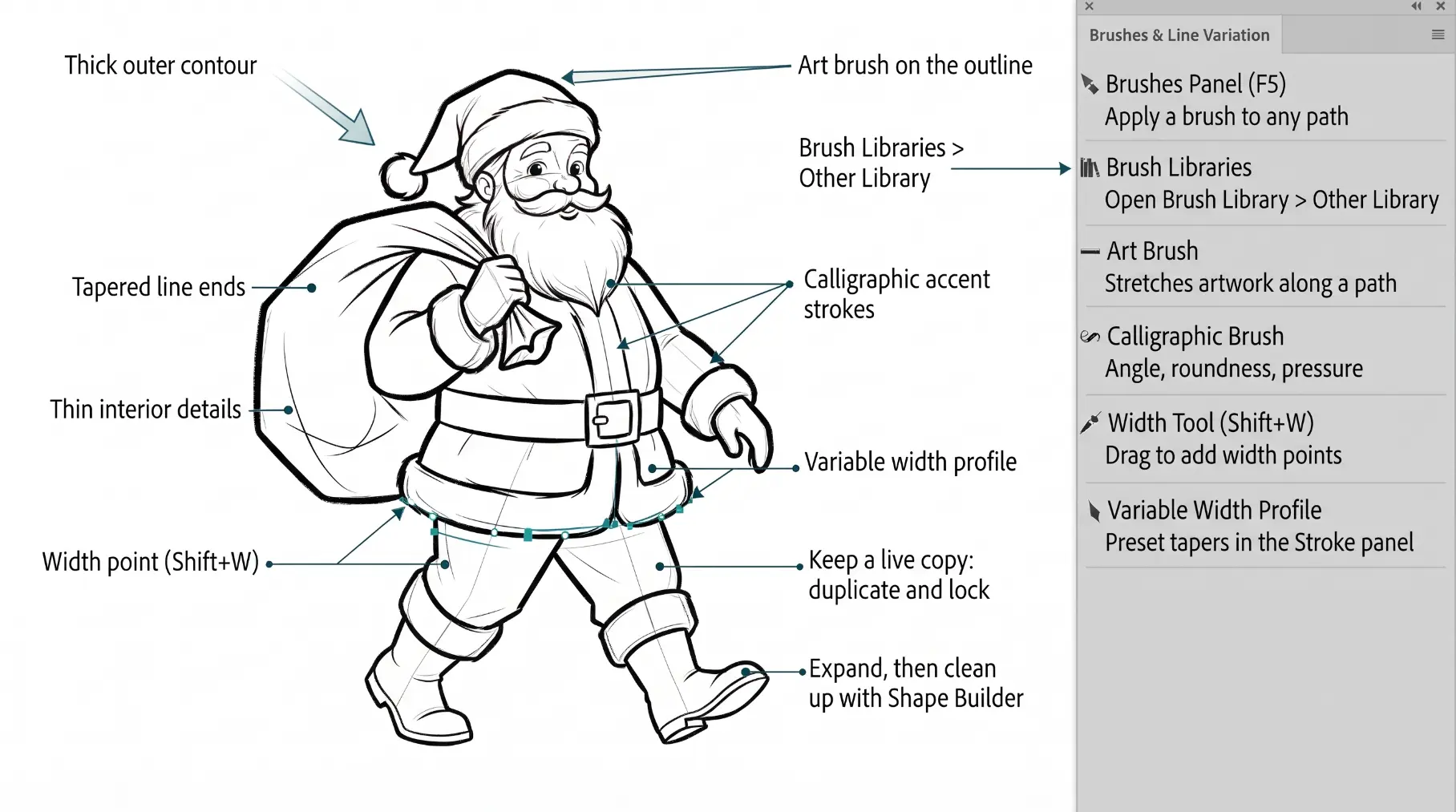
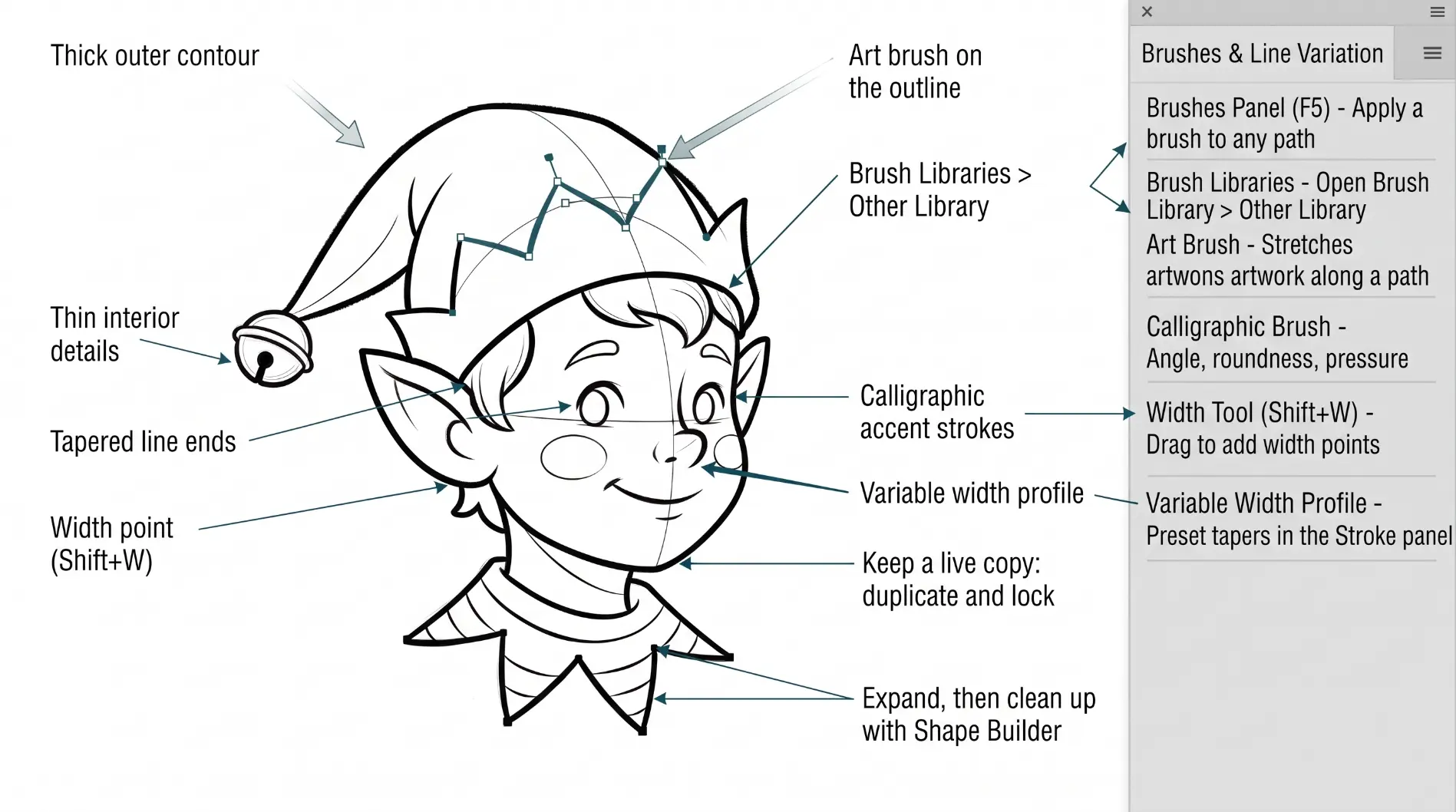
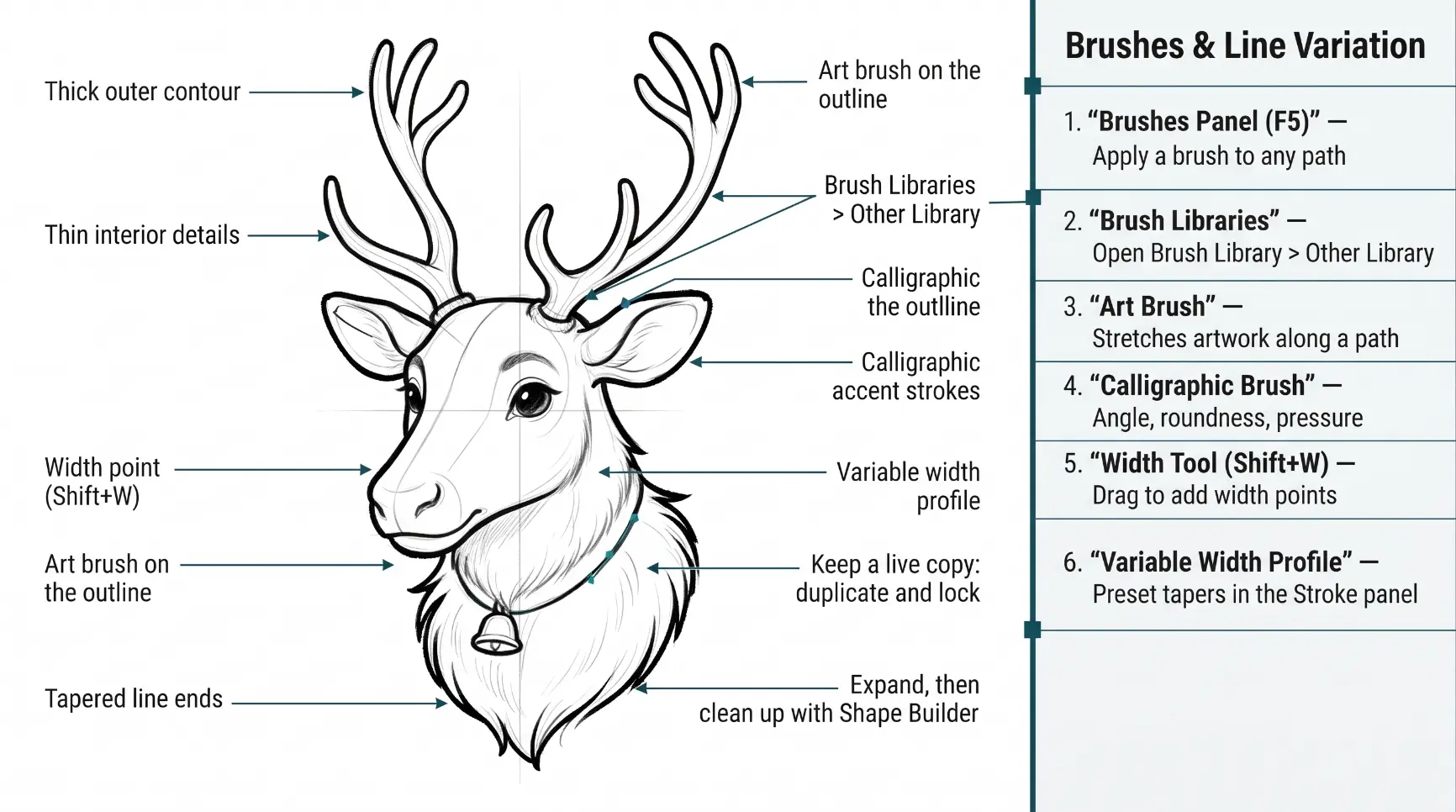
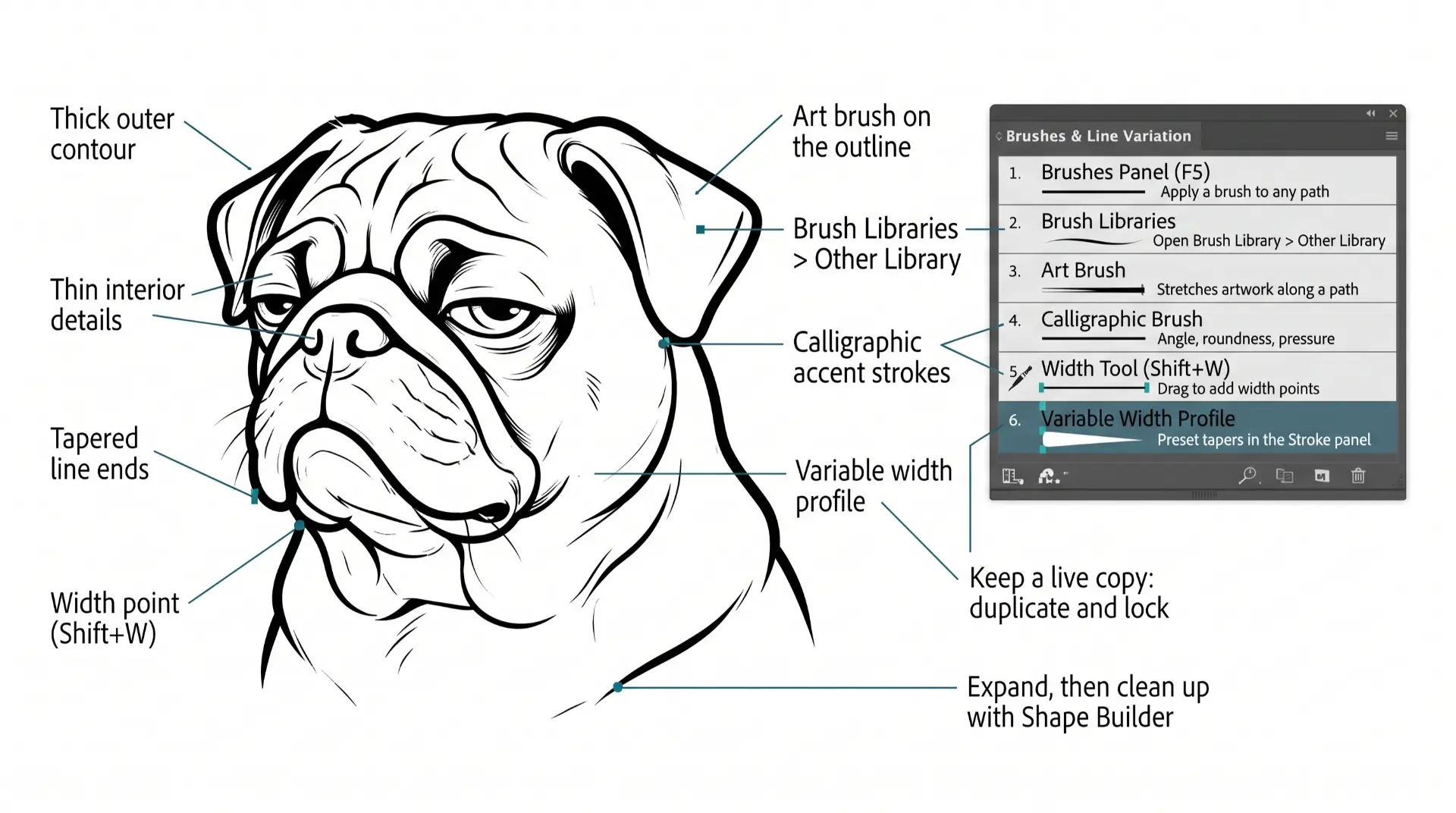
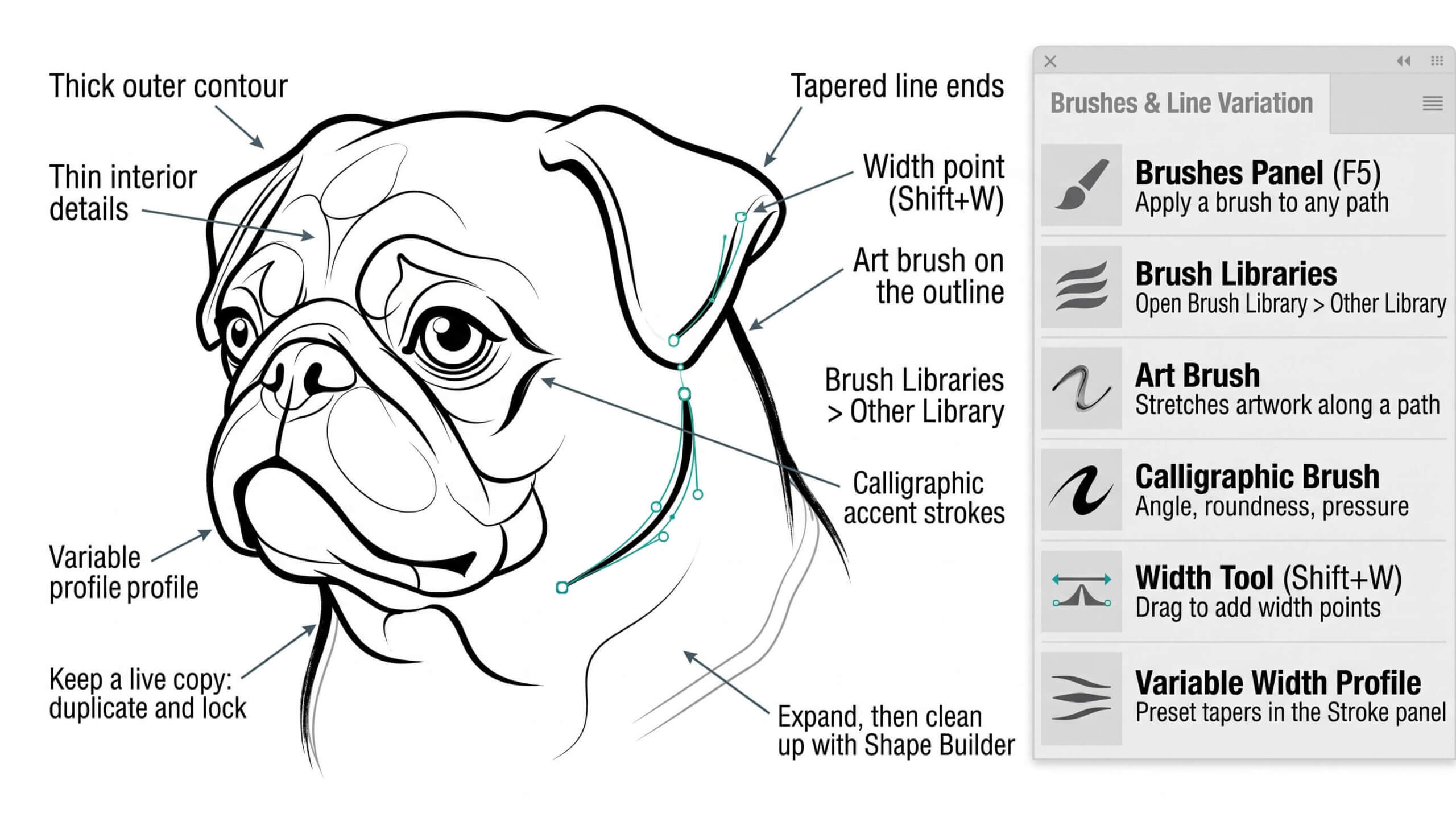
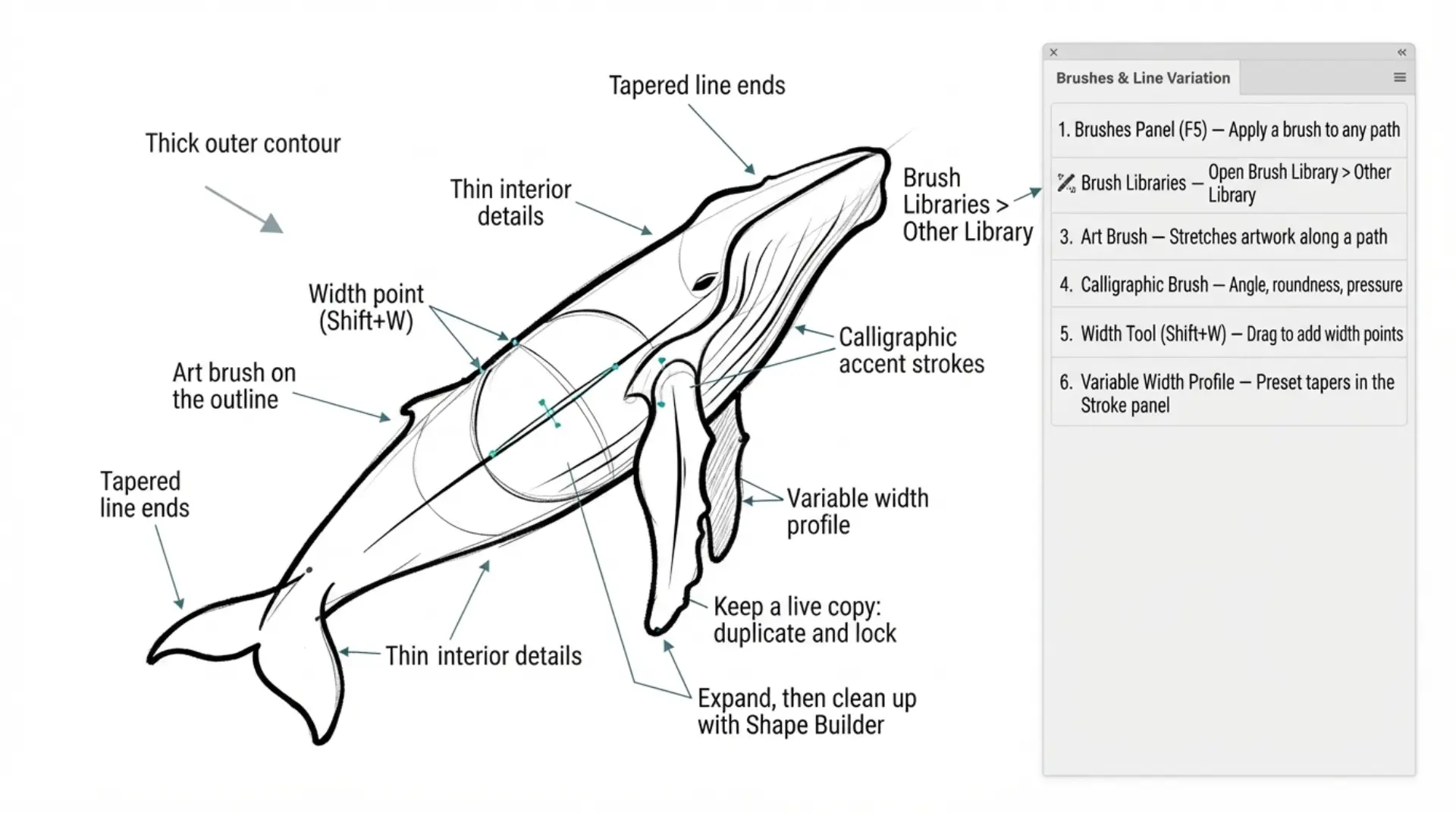
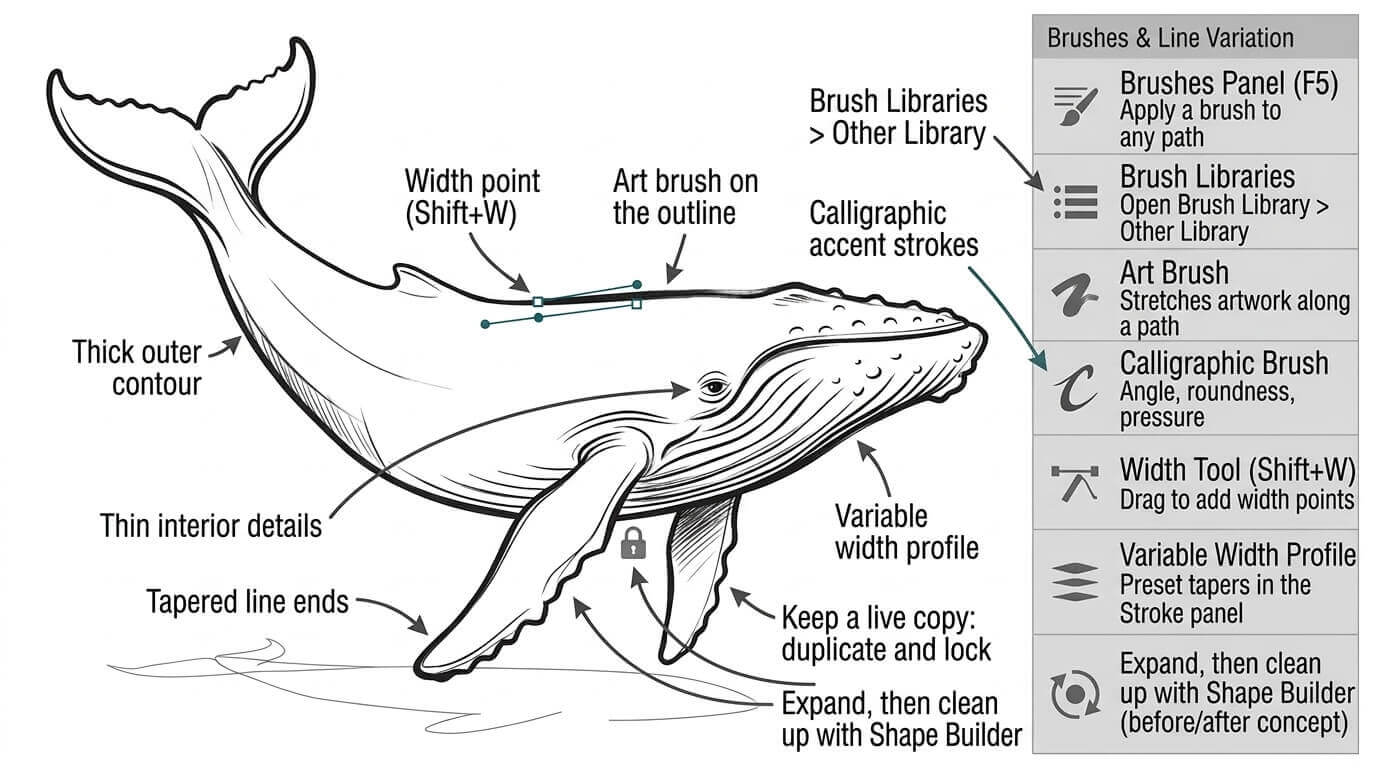
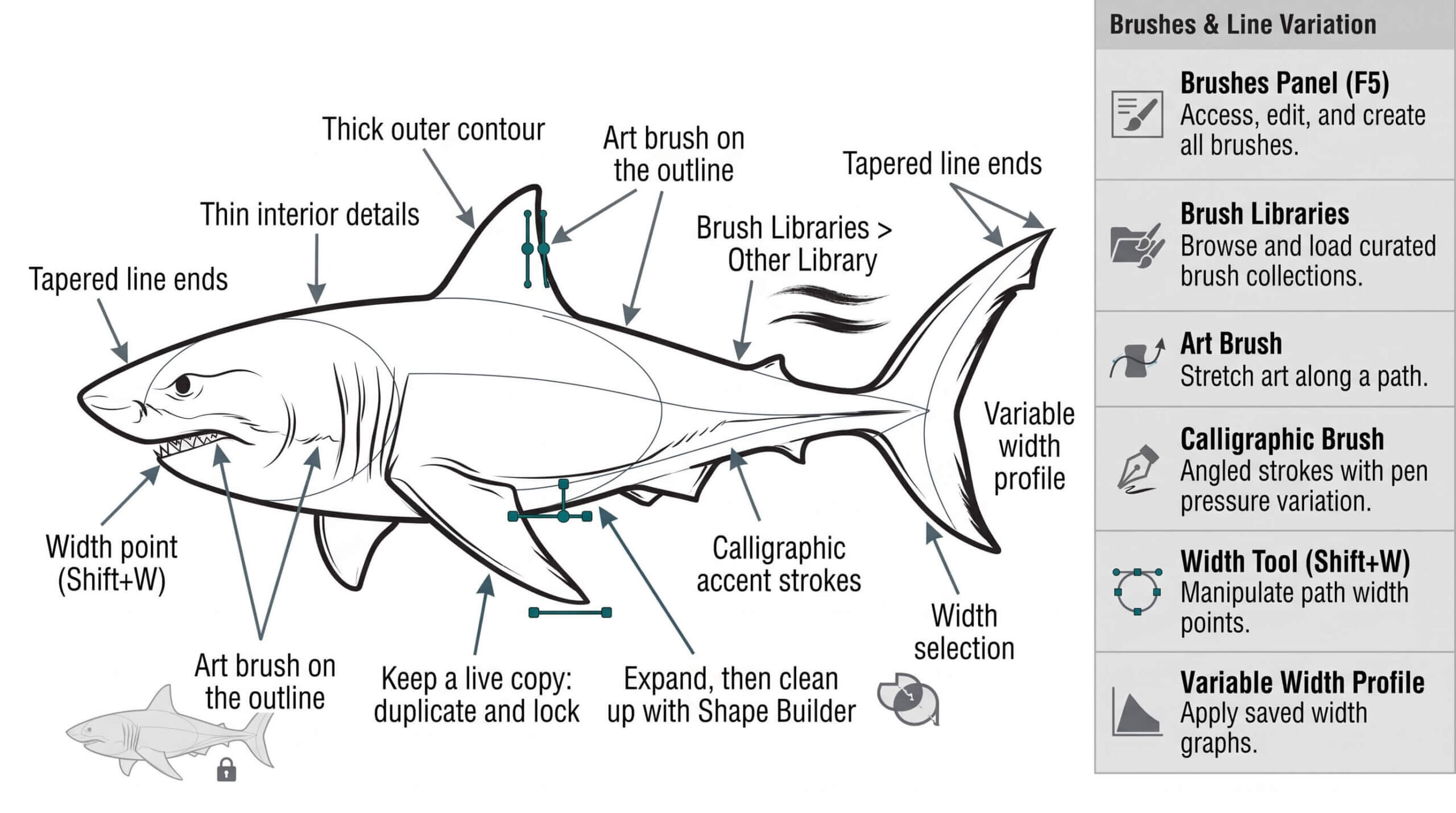
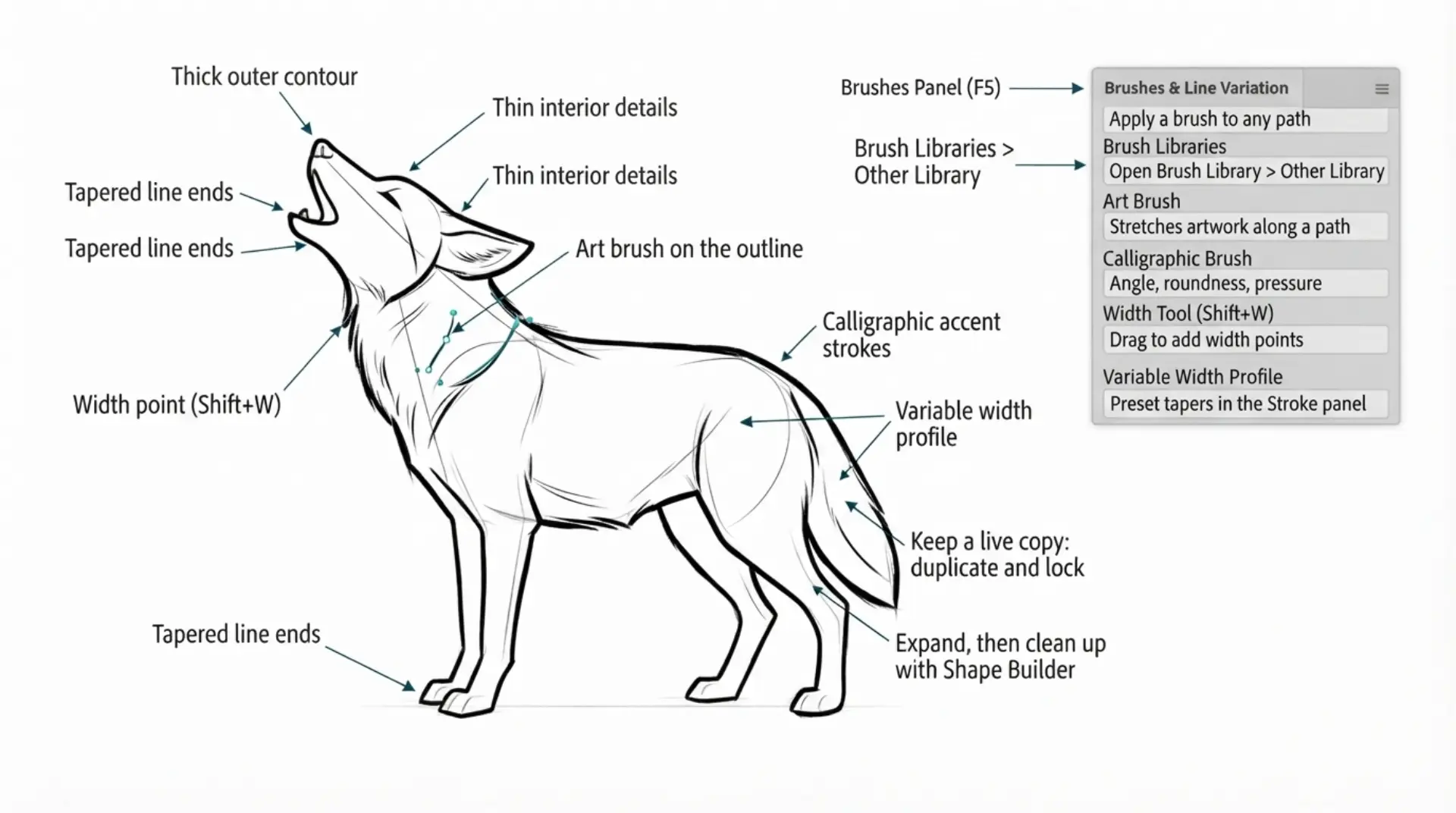
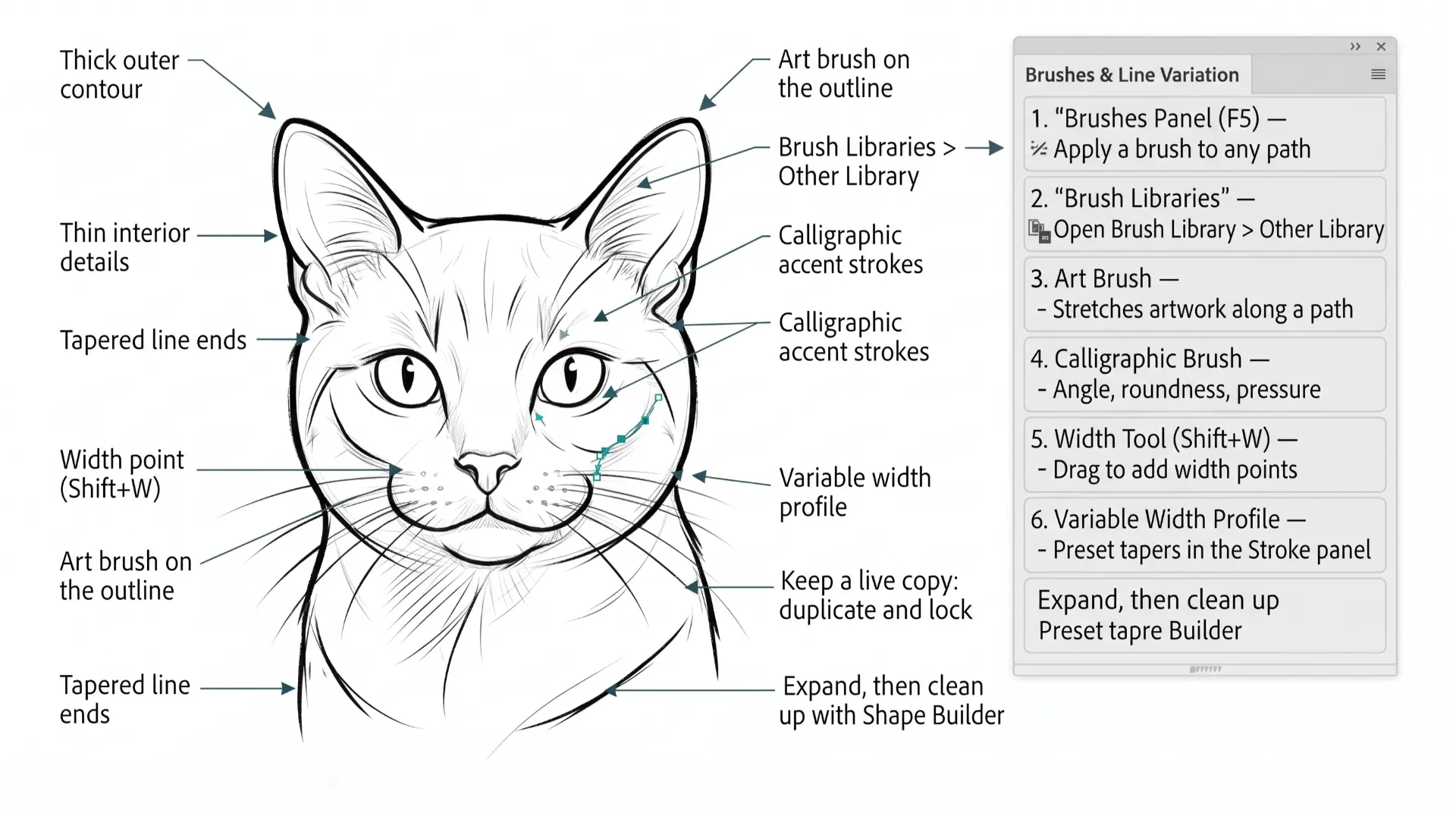
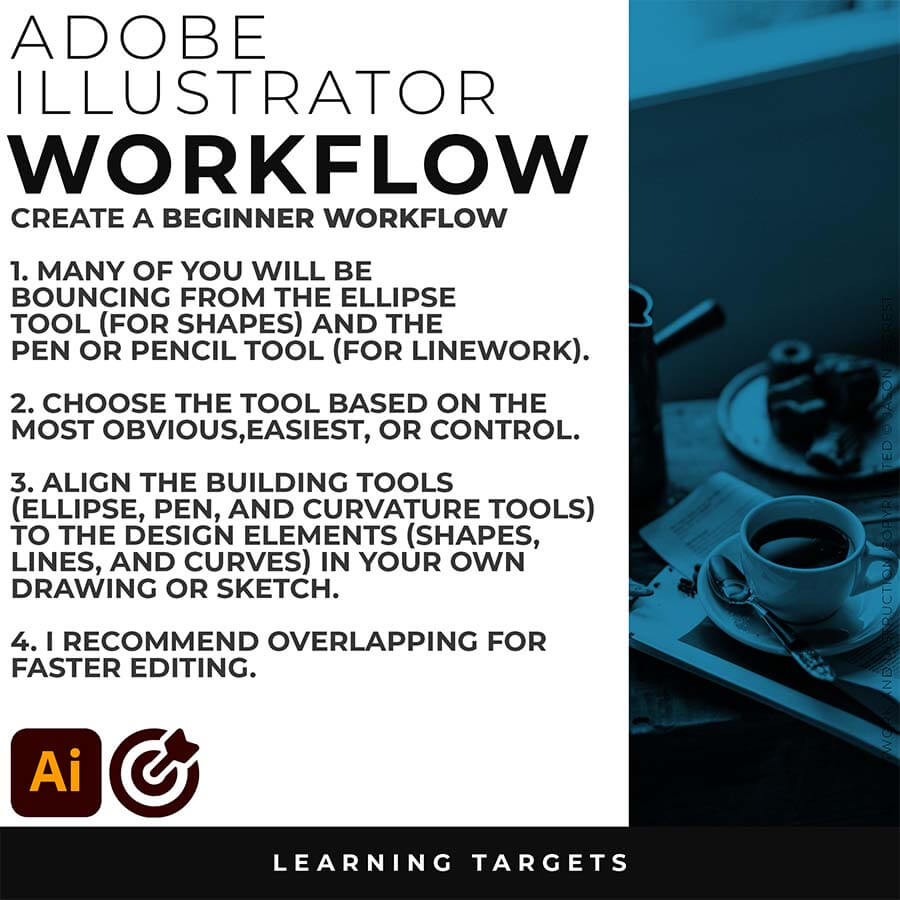
SKETCH TO BRUSHES WORKFLOW: If you are frustrated with the building in Adobe Illustrator and the Pen Tool, then just skip it. I have given you a Printable AI Workflow Guide (below). If you are new, start with our Free Resources and our Practice Exercise Builder. → FREE RESOURCES GUIDE  / GETTING STARTED GUIDE
beginner adobe illustrator tutorial whale

BEGINNER GUIDES: The major decision you'll need to make is your starting point and build mode. First, determine whether you have drawings and sketches ready to use, or if you will be starting from stock photos. We are looking to align the starting point, build mode, and export size. →  BEGINNER GUIDE 1 / BEGINNER GUIDE 2 / BEGINNER GUIDE 3 / BEGINNER GUIDE 4 / BEGINNER GUIDE 5 / BEGINNER GUIDE 6
beginner adobe illustrator tutorial whale

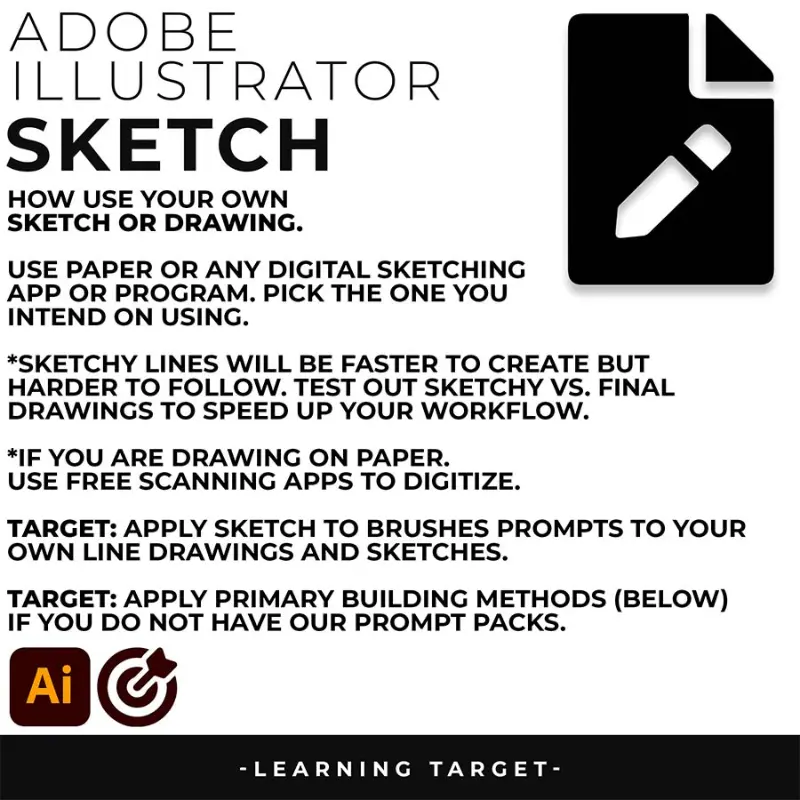
SKETCH: A rough, loose sketch works fine, since the AI is built to clean it up, not judge your draftsmanship—but a sketch it can't see clearly will produce a result that drifts from what you actually drew. I recommend a higher quality drawing rather than leaving it up to AI.
beginner adobe illustrator tutorial pug
SKETCH TO BRUSHES: For anything using our Sketch to Brush Prompt Packs, a clean scan or photo of your sketch matters more than a perfect drawing. Even lighting, with no shadows or glare across the paper, and real contrast between your pencil lines and the paper make a genuine difference in how accurately the AI reads your linework.
beginner adobe illustrator tutorial coyote
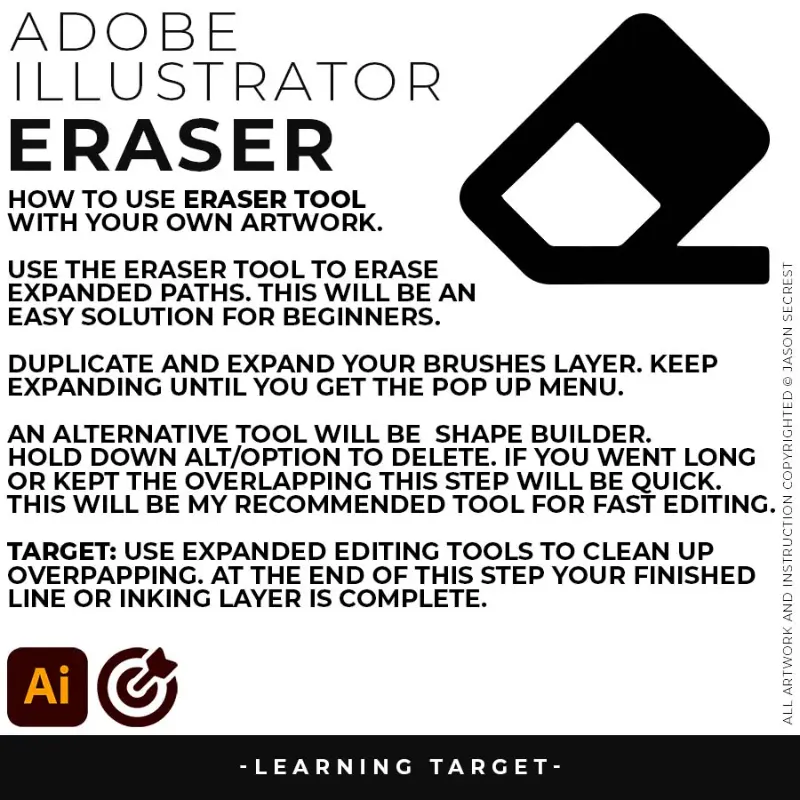
EDITING: Jump straight to editing. If you are using prompts directly in Adobe Illustrator - Sketch to Concept then you will not need to vectorize your design. If you are using AI models, look to vectorize or use Image Trace in Adobe Illustrator. Use Expanded Editing Tools and Path Simplify for cleanup.
ADOBE ILLUSTRATOR

BEGINNER GUIDE

BEGINNER GUIDE

PEN TOOL WORKFLOW
ADOBE ILLUSTRATOR

WORKFLOW GUIDES

WORKFLOW GUIDES

beginner adobe illustrator tutorial whale
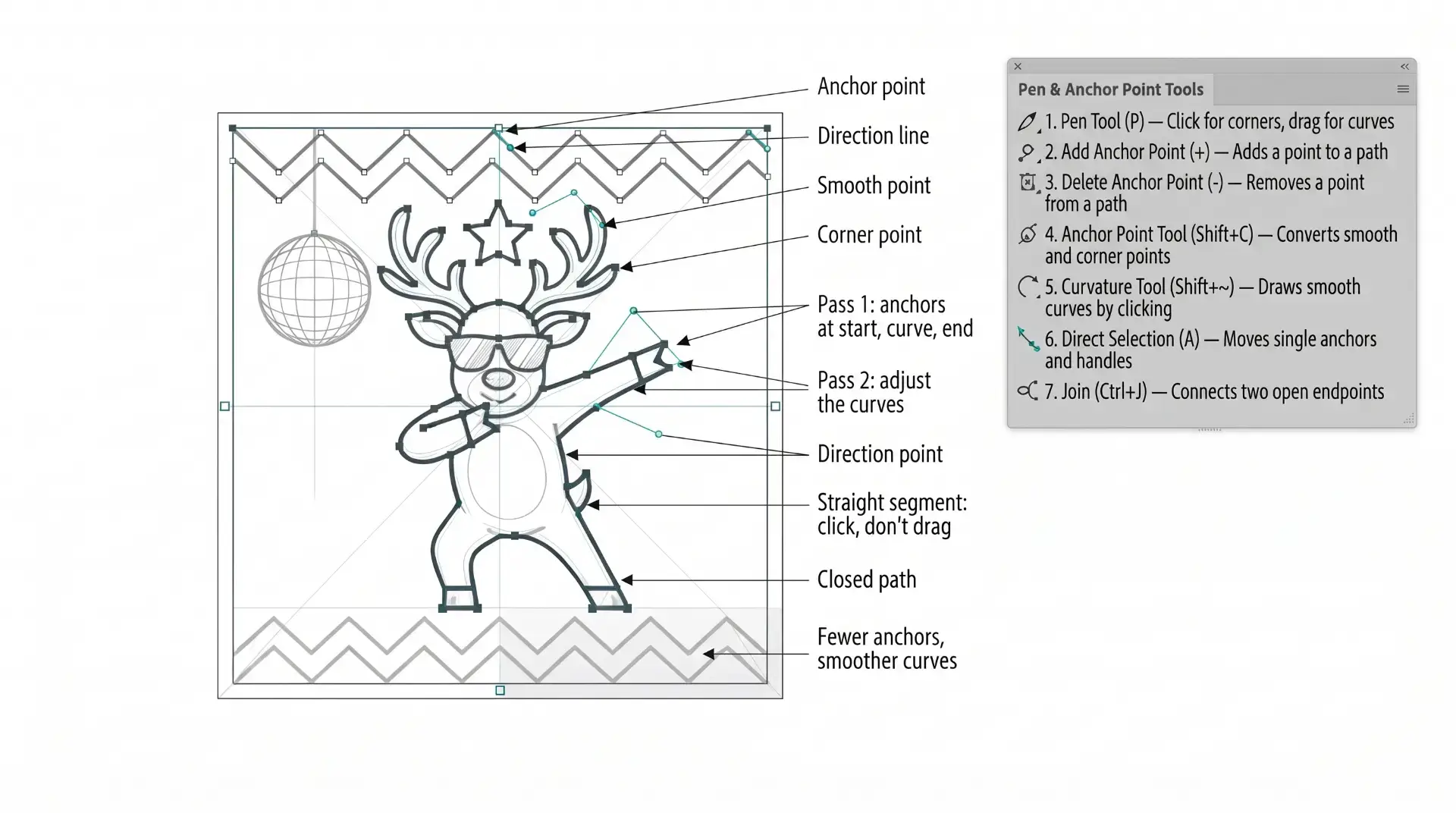
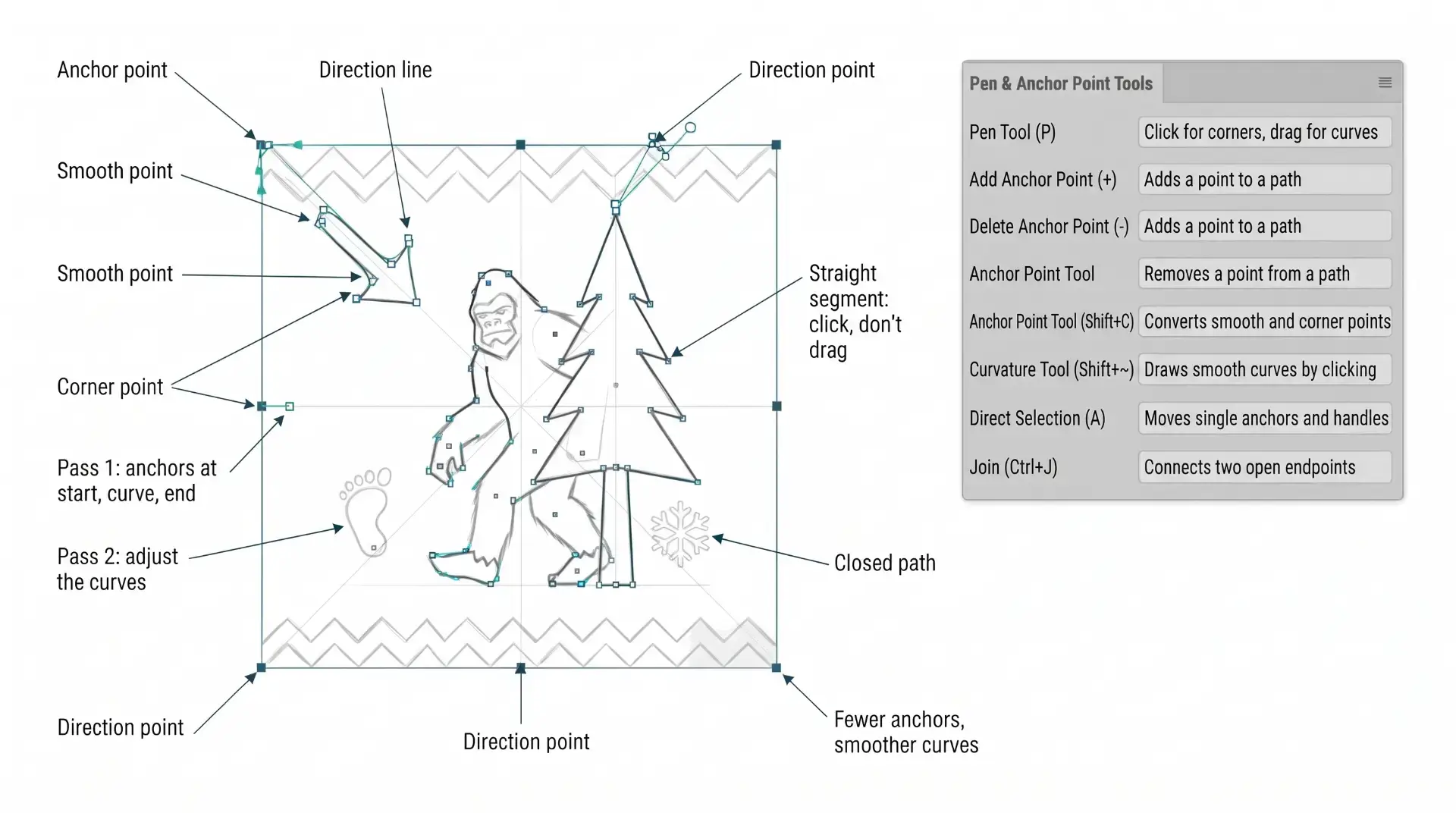
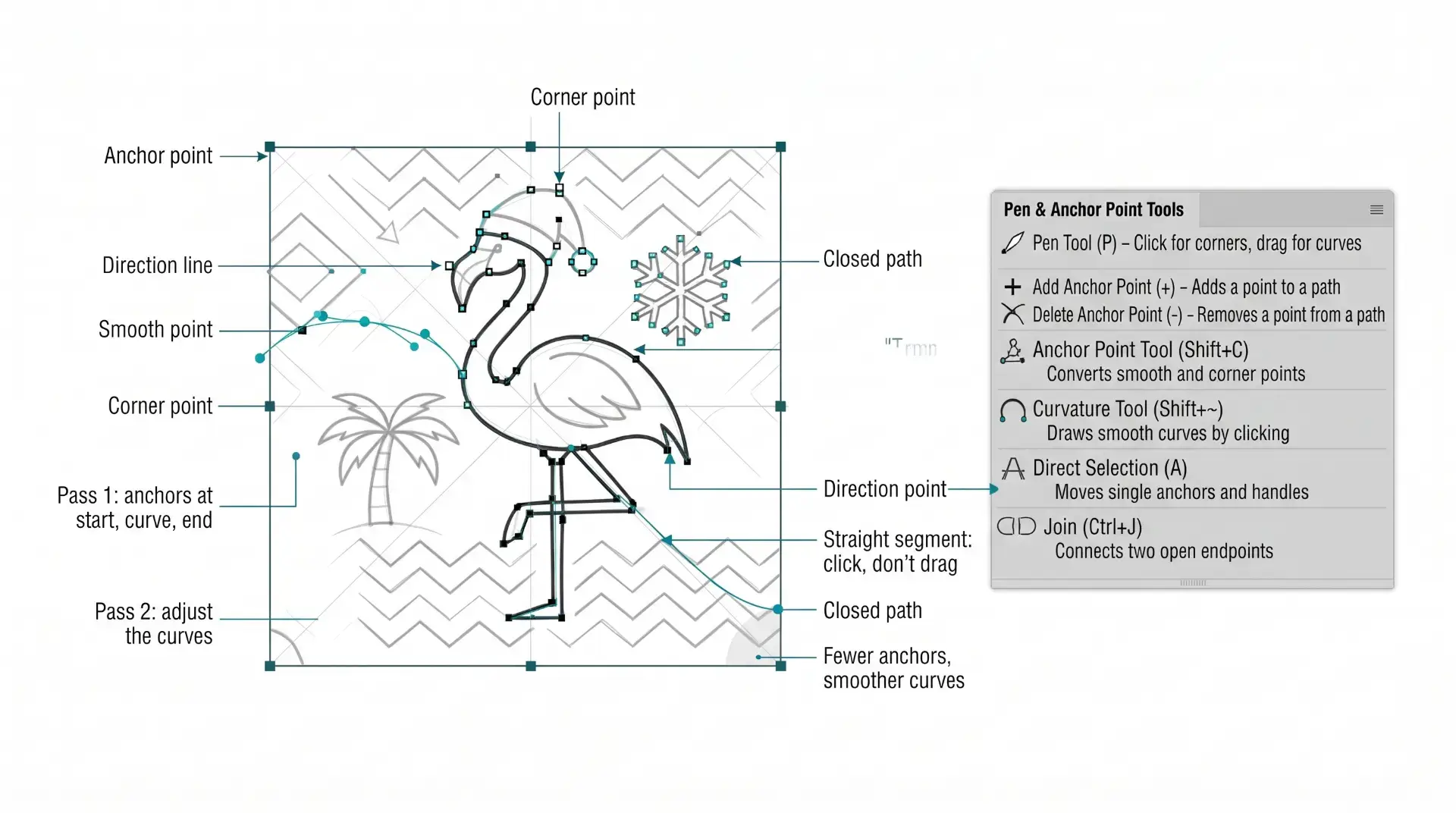
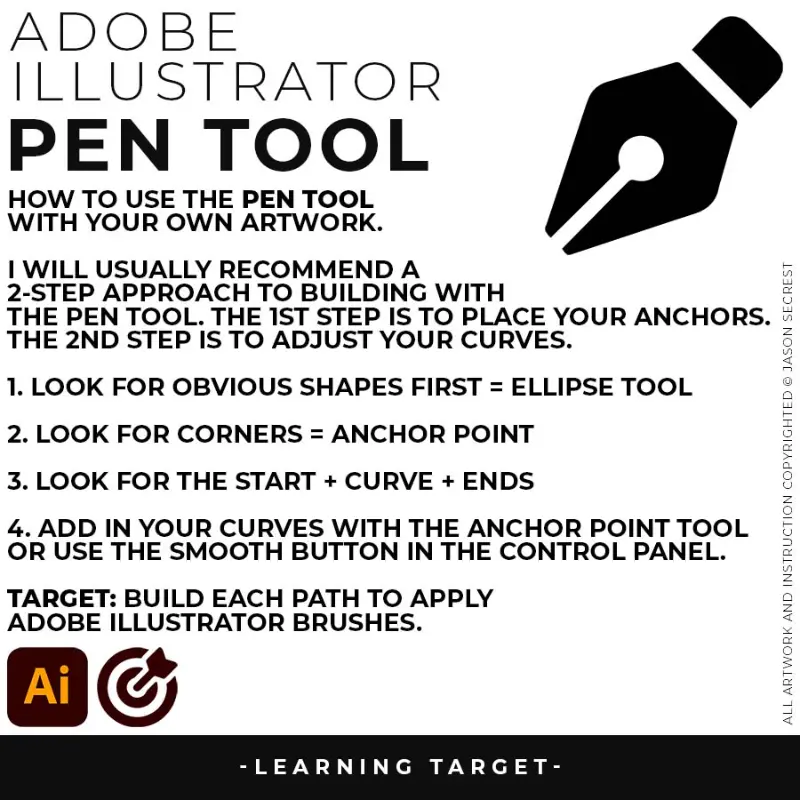
PEN TOOL WORKFLOW: If you are frustrated with the Pen Tool, a simple tip is to break down the process into 2 Steps. I have given you a Printable Pen Tool Workflow Guide (below). If you are new, start with our Free Resources and our Practice Exercise Builder. → FREE RESOURCES GUIDE  / GETTING STARTED GUIDE
beginner adobe illustrator tutorial whale

BEGINNER GUIDES: The major decision you'll need to make is your starting point and build mode. First, determine whether you have drawings and sketches ready to use, or if you will be starting from stock photos. We are looking to align the starting point, build mode, and export size. → BEGINNER GUIDE 7 / BEGINNER GUIDE 8 / BEGINNER GUIDE 9 / BEGINNER GUIDE 10 / BEGINNER GUIDE 11 / BEGINNER GUIDE 12
beginner adobe illustrator tutorial whale

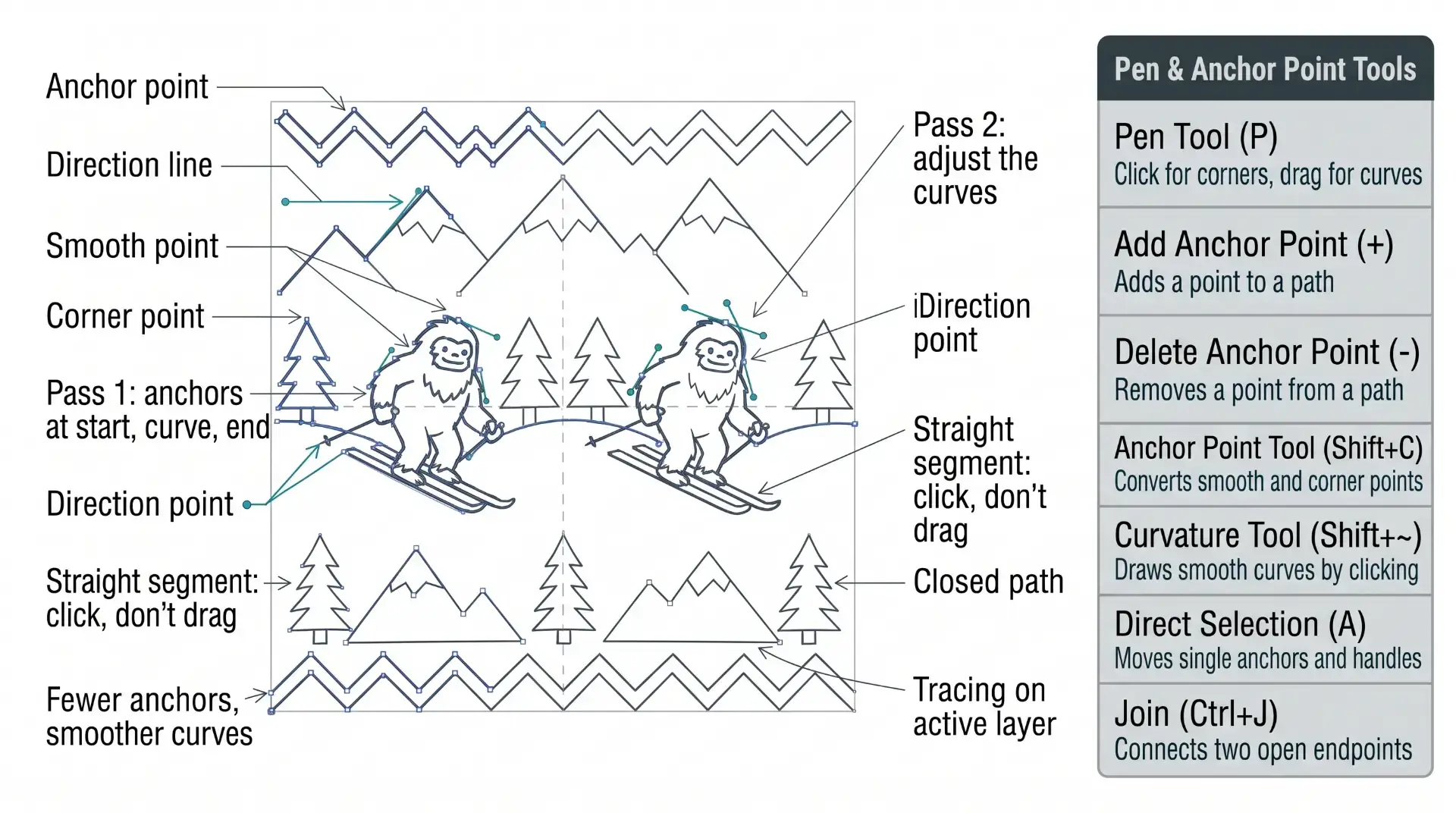
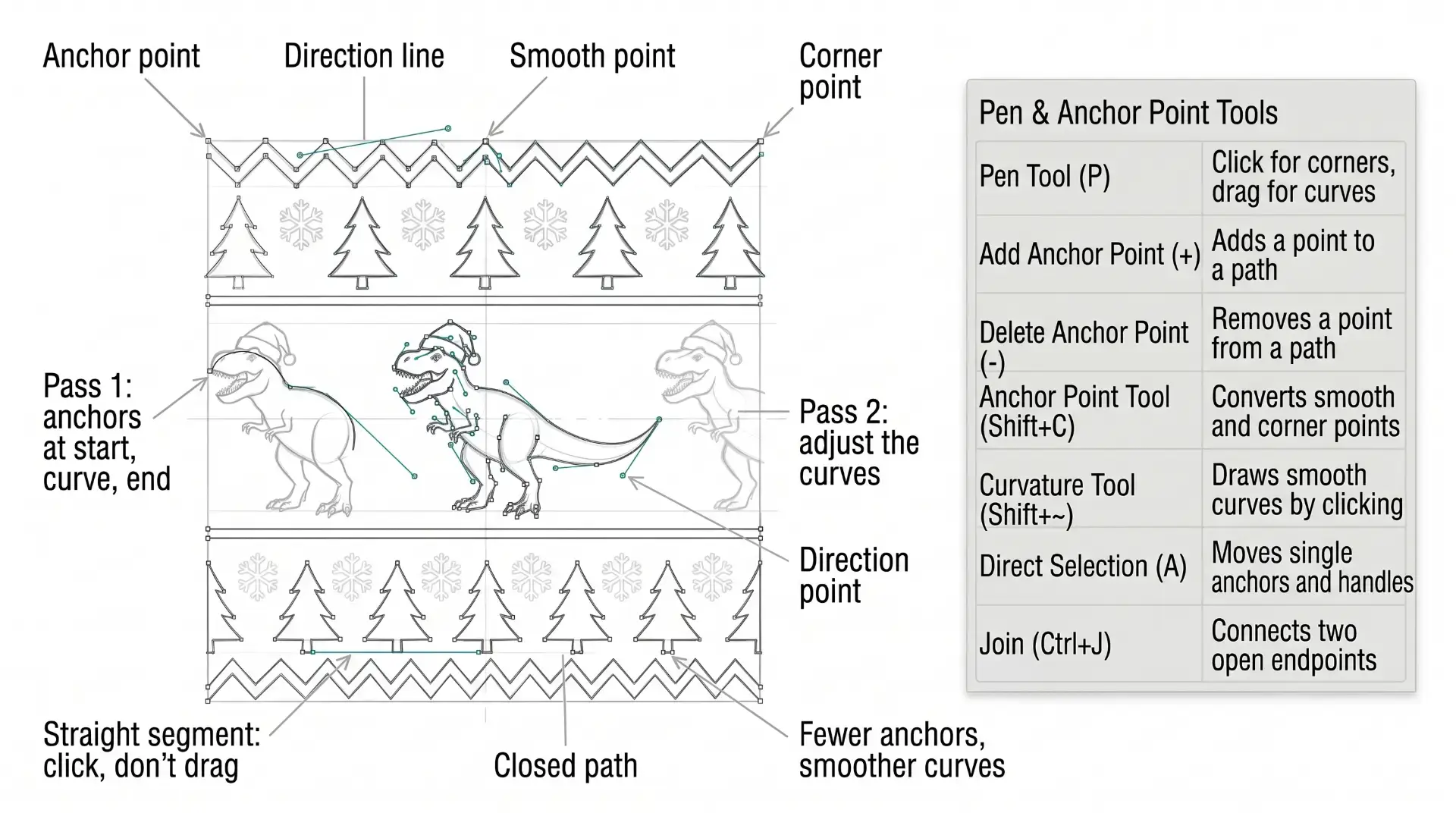
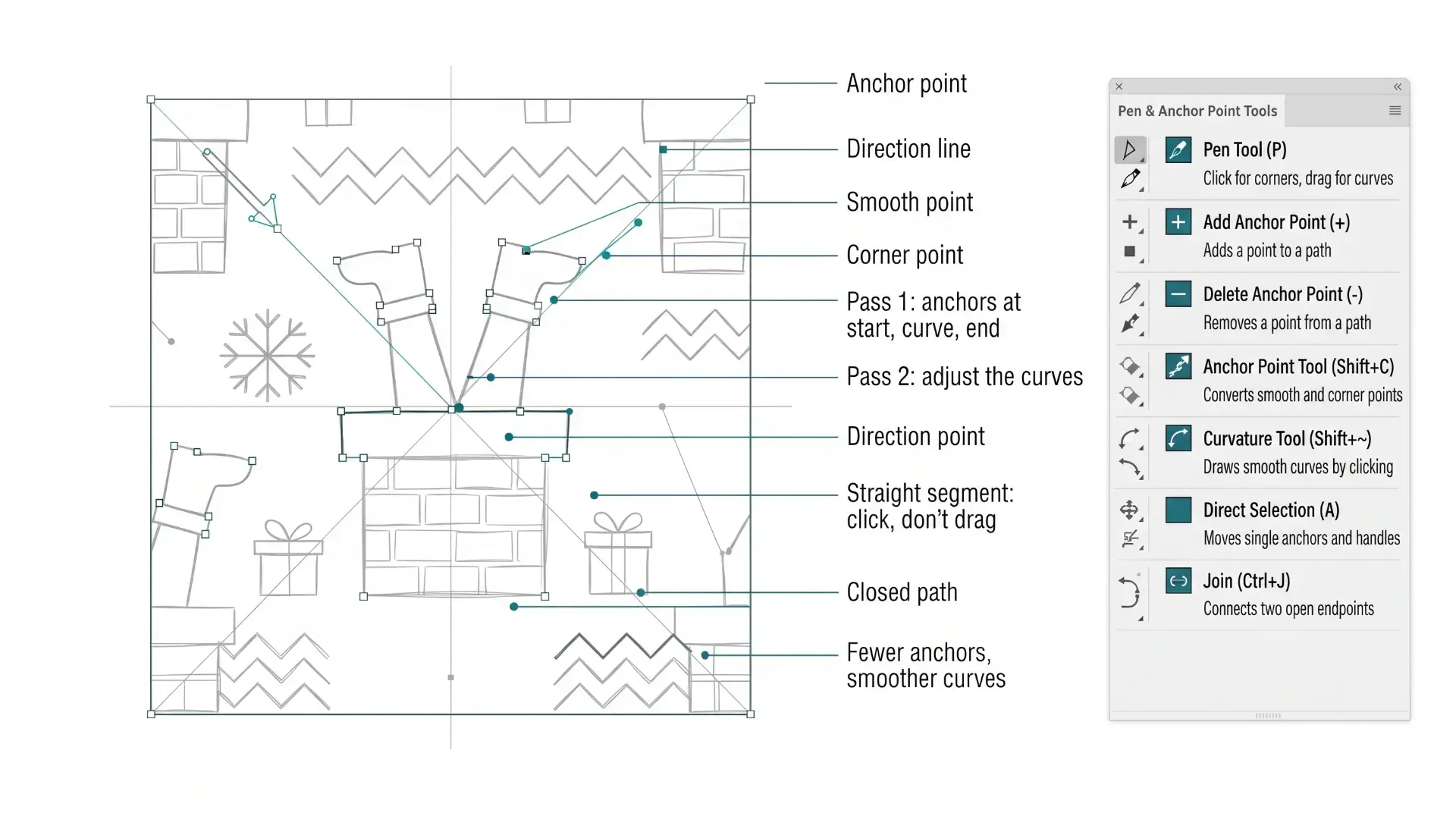
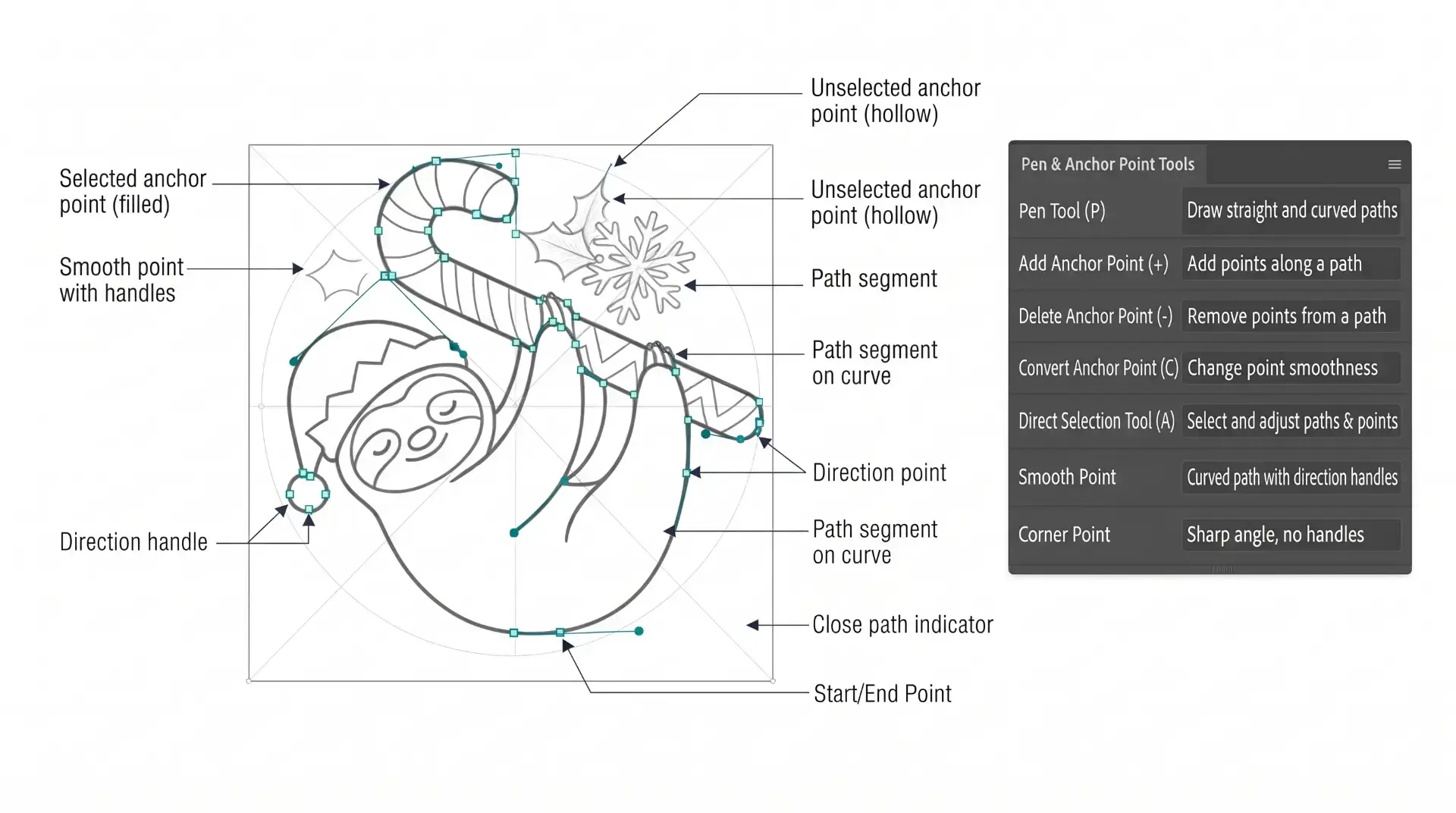
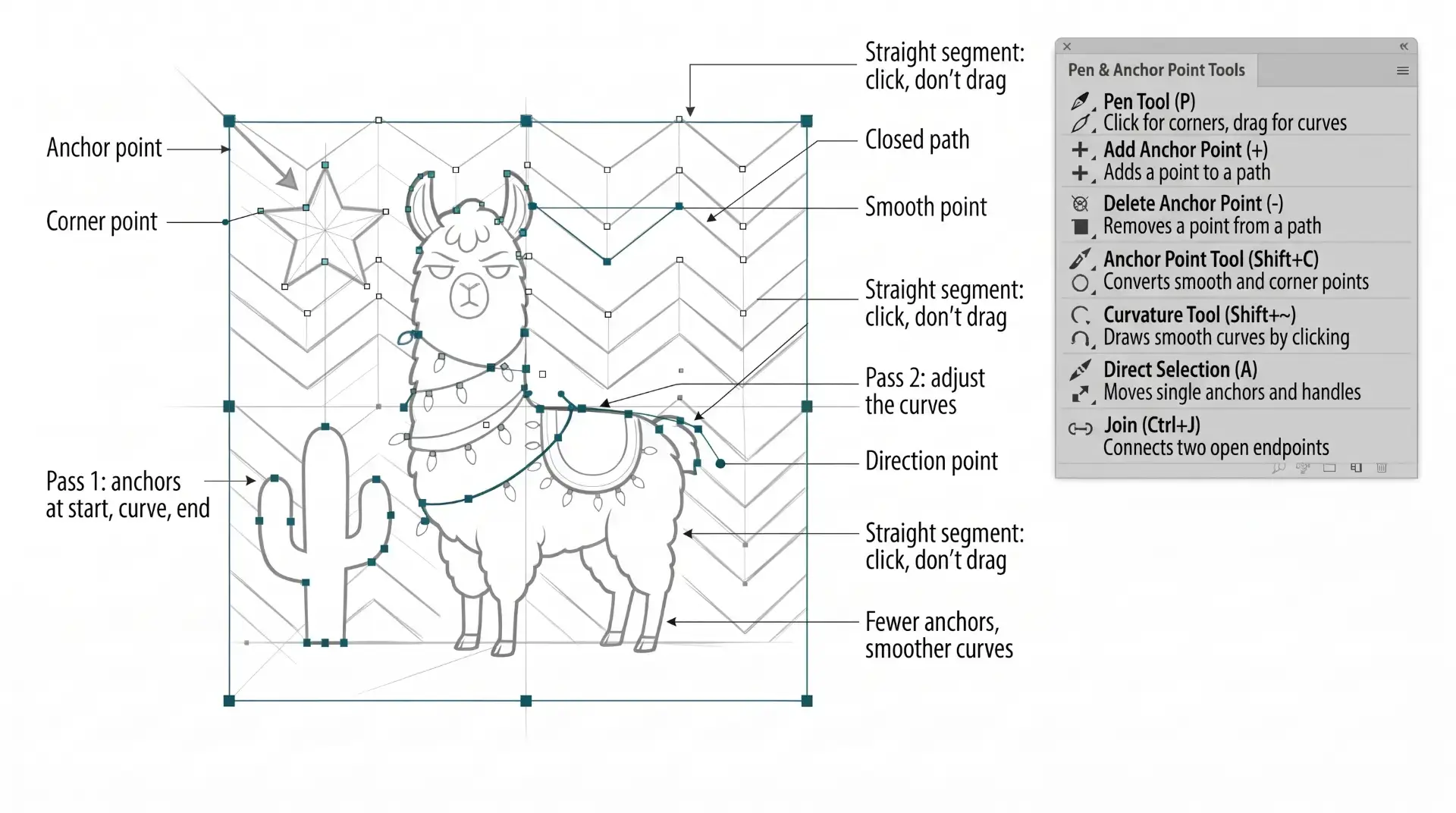
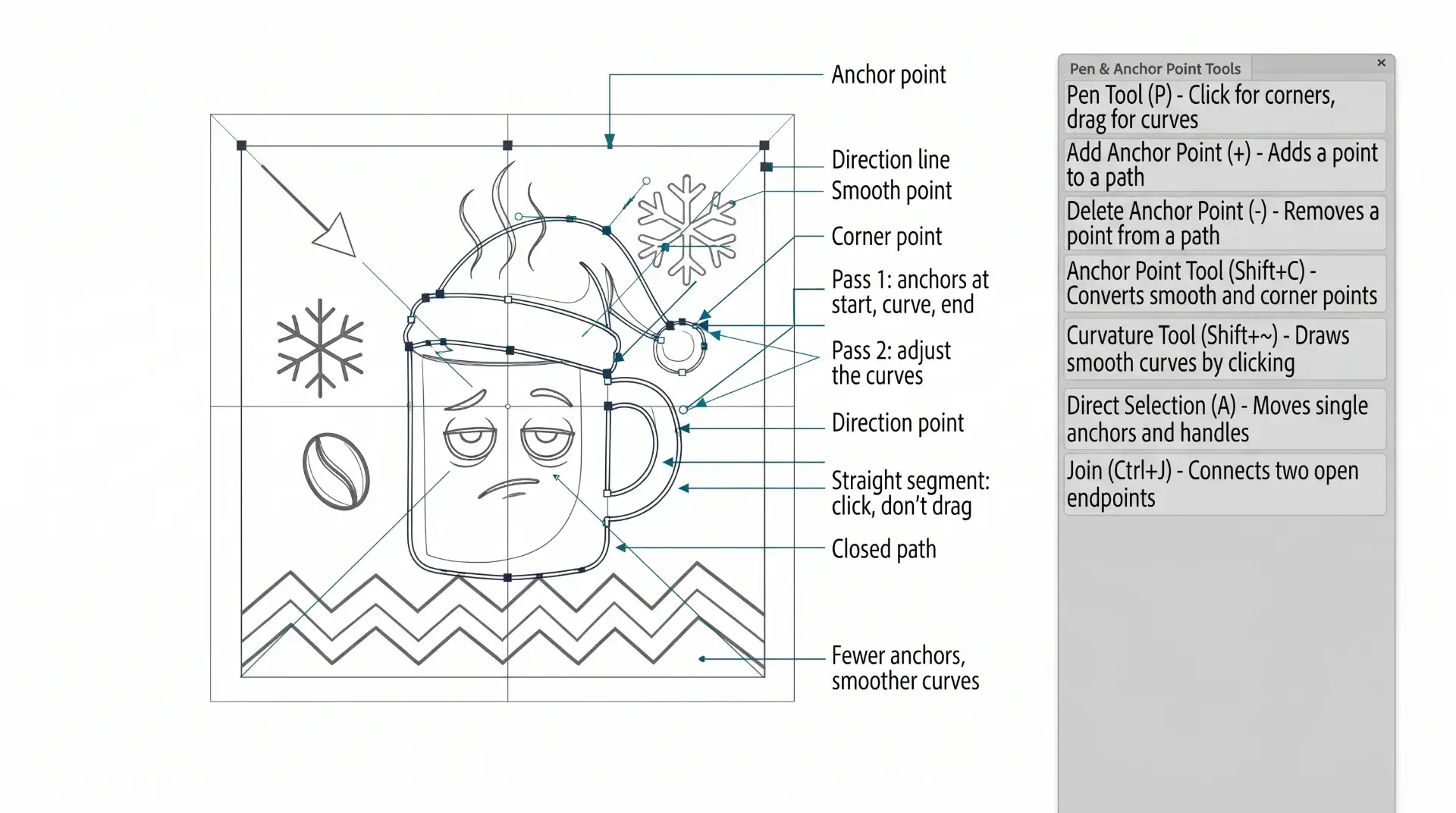
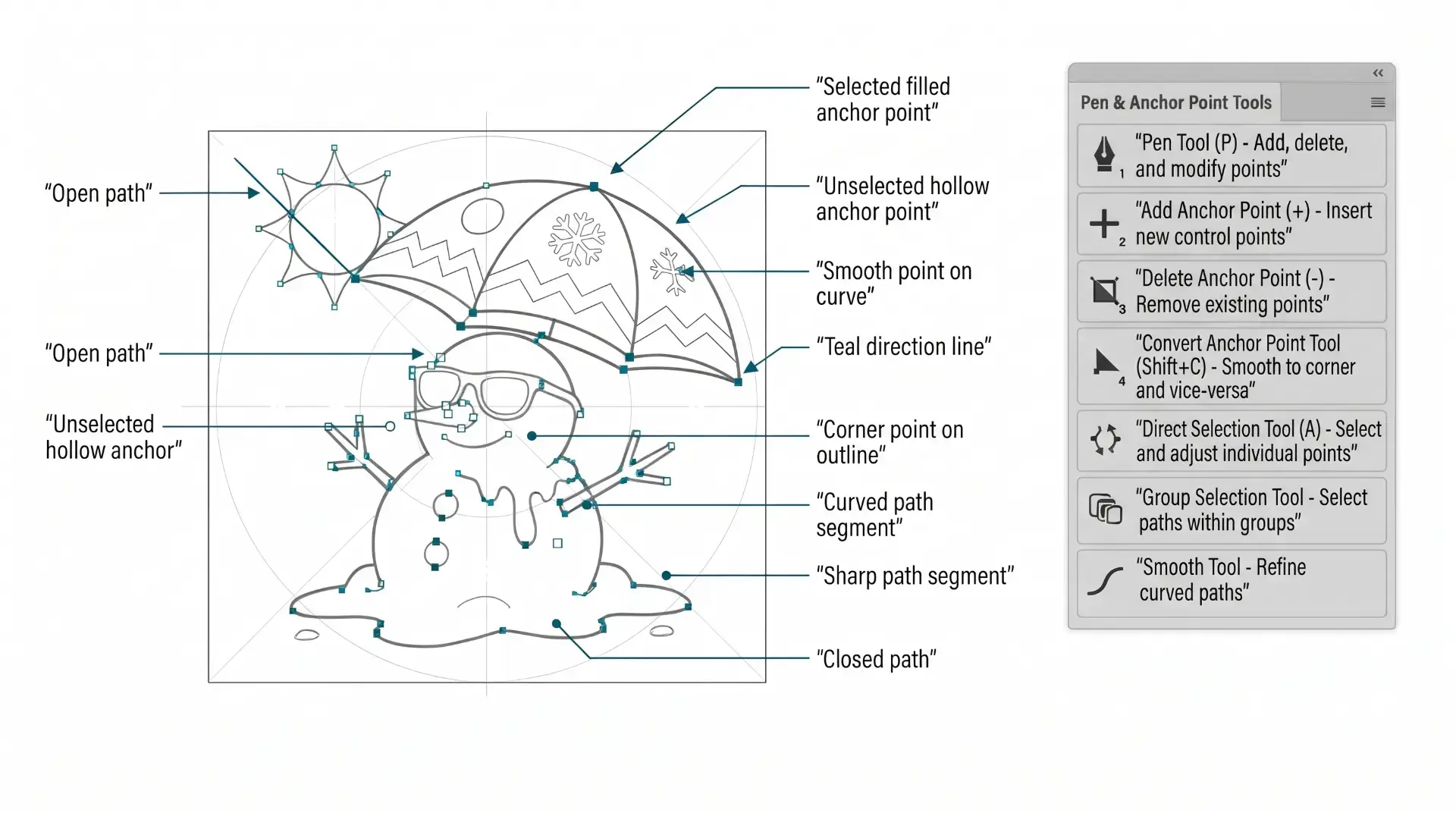
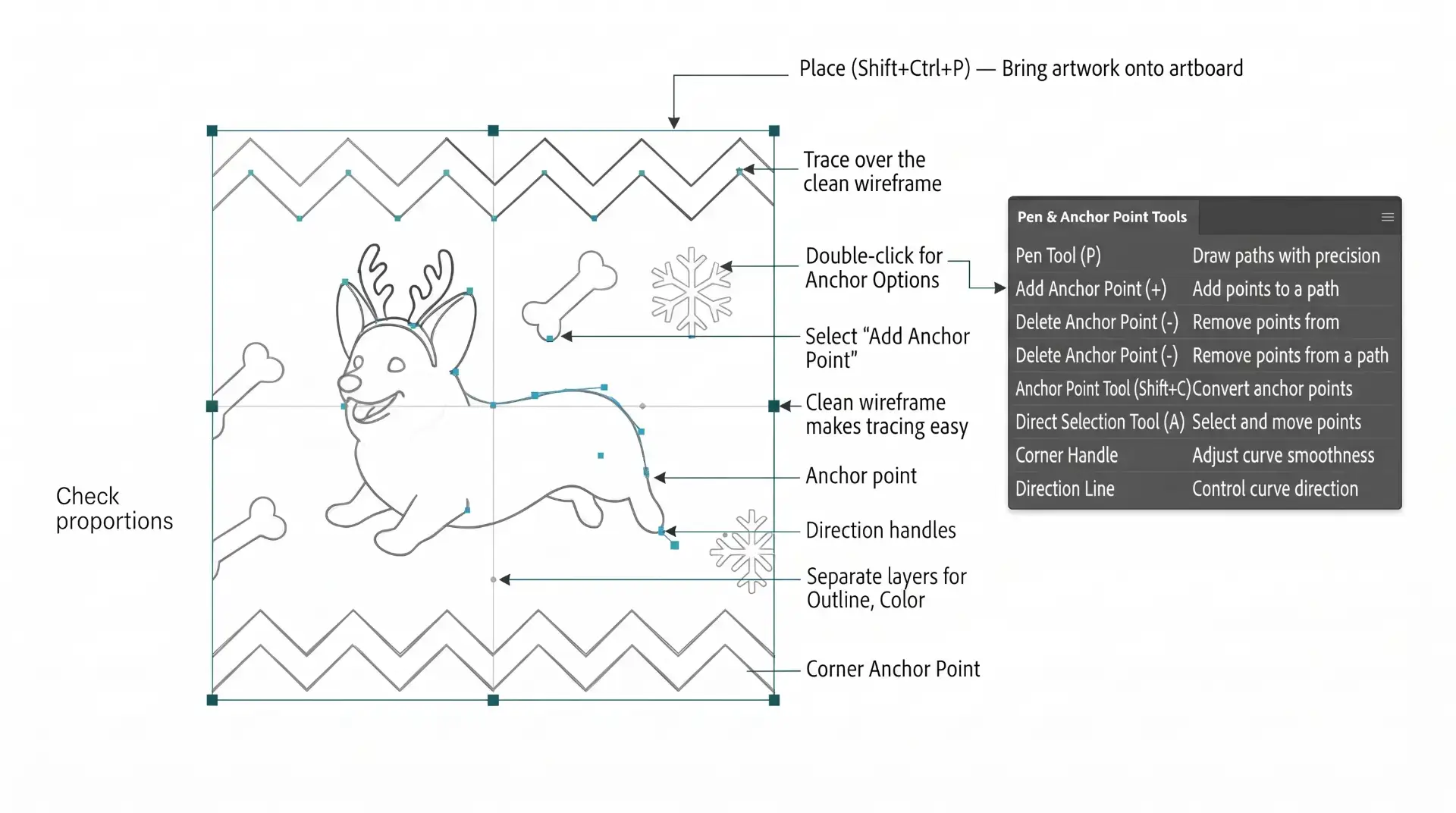
PEN TOOL: If you are frustrated with the Pen Tool, a simple tip is to break down the process into 2 Steps. The first step is to just apply Anchor Points to the start-curve-end of a line or path. The second step is to adjust the Curves with the Anchor Point Tool or Smooth Curve Button in the Control Panel.
beginner adobe illustrator tutorial pug
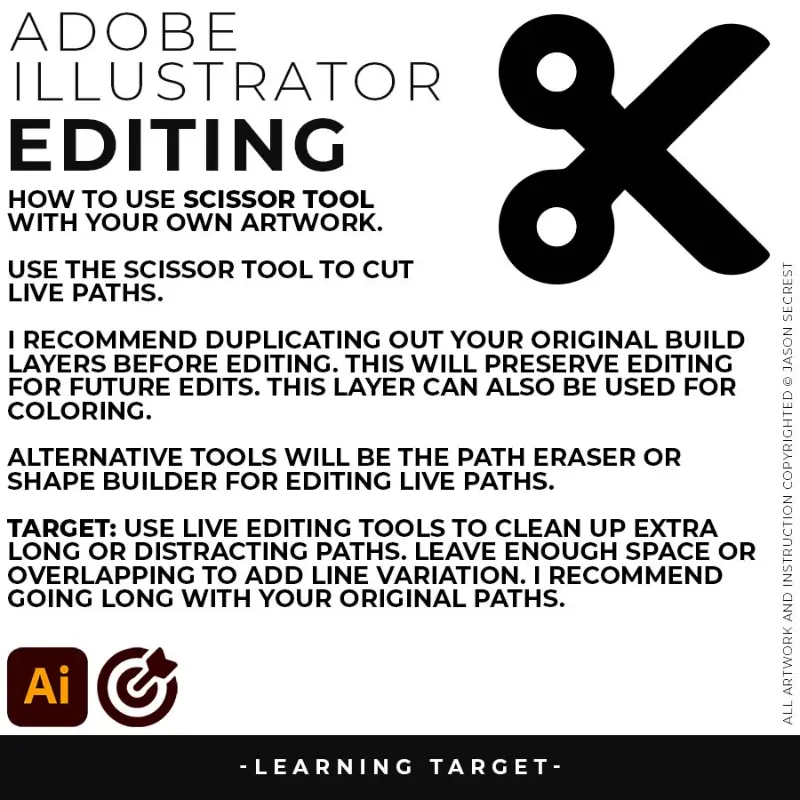
LIVE EDITING: While you are building in Adobe Illustrator, you can use the “Live” Editing Tools to Cut and Edit Paths. Some of the basic tools will be the Scissor Tool, Path Eraser, or Shape Builder. I do recommend going long with your initial Paths.
beginner adobe illustrator tutorial coyote
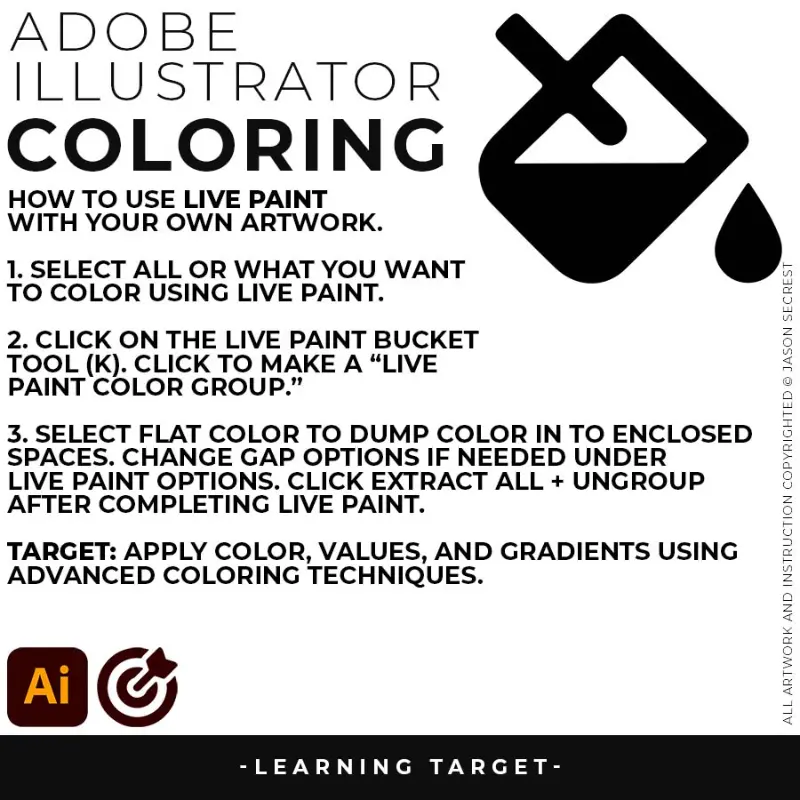
LIVE PAINT OR FILLS: Coloring will be extremely easy using Live Paint Bucket. The goal of Live Paint is to create Shapes that we can color using Fills. Once you have completed the Live Paint Group, it is important to Expand and Upgroup. We will leverage these shapes for our Values and Gradients.
ADOBE ILLUSTRATOR

BEGINNER GUIDE

BEGINNER GUIDE

PEN TOOL WORKFLOW
ADOBE ILLUSTRATOR

WORKFLOW GUIDES

WORKFLOW GUIDES

beginner adobe illustrator tutorial whale
SHAPE-BASED WORKFLOW: A good place to start if you are new to Adobe Illustrator is our Beginner Guide (Shapes). I have given you a Printable Shape-Based Workflow Guide (below). If you are new, start with our Free Resources and our Practice Exercise Builder. → FREE RESOURCES GUIDE  / GETTING STARTED GUIDE
beginner adobe illustrator tutorial whale

BEGINNER GUIDES: The major decision you'll need to make is your starting point and build mode. First, determine whether you have drawings and sketches ready to use, or if you will be starting from stock photos. We are looking to align the starting point, build mode, and export size. → BEGINNER GUIDE 13 / BEGINNER GUIDE 14 / BEGINNER GUIDE 15 / BEGINNER GUIDE 16 / BEGINNER GUIDE 17 / BEGINNER GUIDE 18
beginner adobe illustrator tutorial coyote
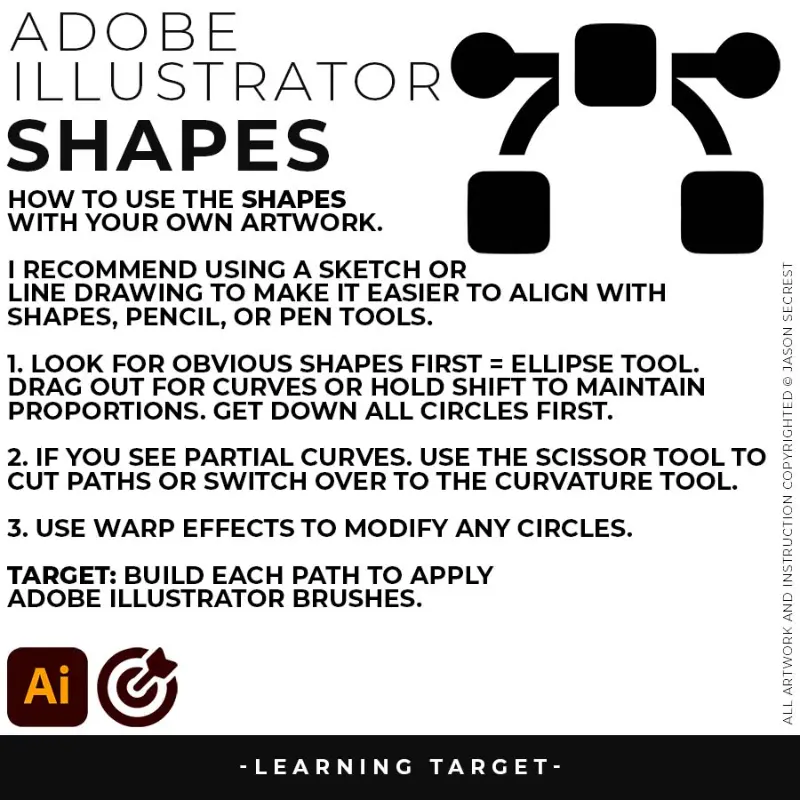
ELLIPSE TOOL: A good place to start if you are new to Adobe Illustrator is our Beginner Guide (Shapes). We will be going through Building with Shapes, Align Panel, Pathfinder, and Basic Color Fills. There are Beginner Guides for the Pen Tool and Tablet if you are new to the website or Adobe Illustrator.
beginner adobe illustrator tutorial coyote
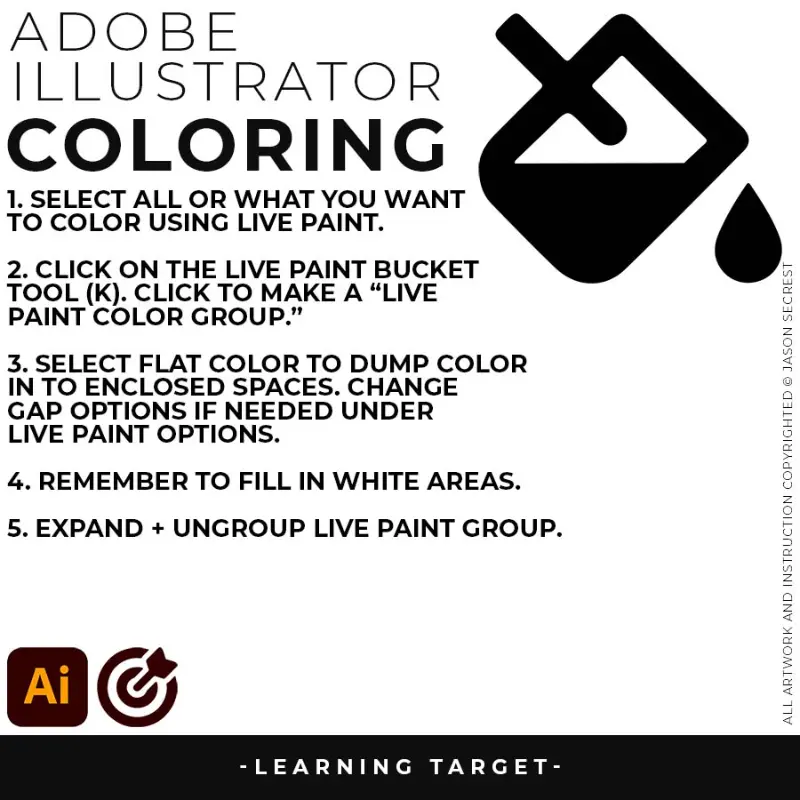
LIVE PAINT OR FILLS: Coloring will be extremely easy using Live Paint Bucket. The goal of Live Paint is to create Shapes that we can color using Fills. Once you have completed the Live Paint Group, it is important to Expand and Upgroup. We will leverage these shapes for our Values and Gradients.
beginner adobe illustrator tutorial coyote
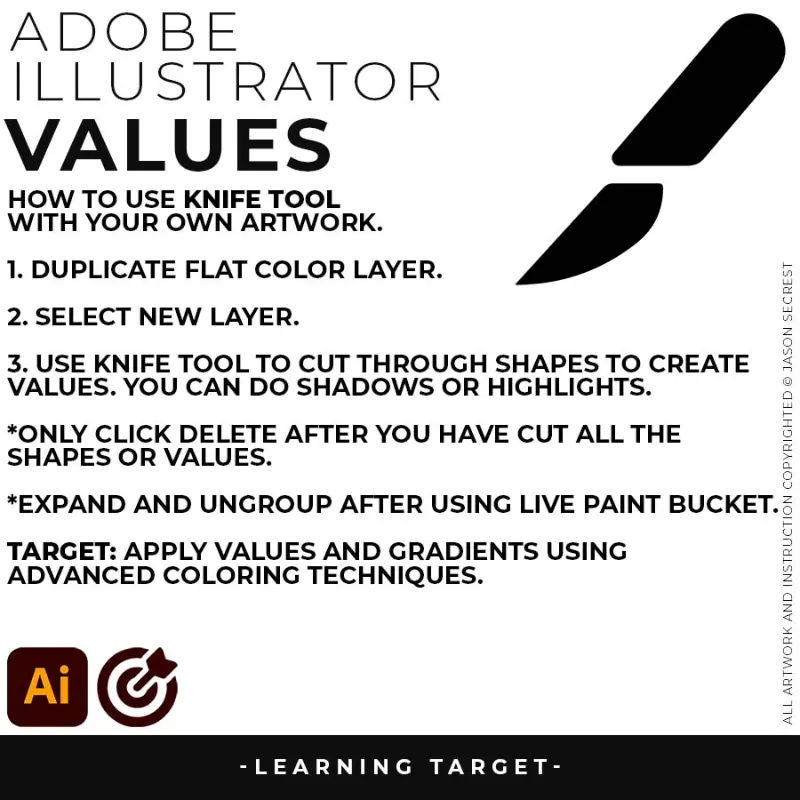
VALUES: Vector designs look flat when they lack a defined light source and a strong value contrast between the foreground, mid-ground, and background elements. Without clear shadows, character shapes lose their roundness. Use the Knife Tool to slice crisp, graphic shadow blocks into the flat color layers, instantly creating clear dimensionality and a professional pop-art style depth.
ADOBE ILLUSTRATOR

BEGINNER GUIDE

BEGINNER GUIDE

SHAPE BASED WORKFLOW
ADOBE ILLUSTRATOR

WORKFLOW GUIDES

WORKFLOW GUIDES

beginner adobe illustrator tutorial whale
PENCIL TOOL WORKFLOW: Many of you are looking to use your Tablet with Adobe Illustrator. I have given you a Printable Tablet-Based Workflow Guide (below). If you are new, start with our Free Resources and our Practice Exercise Builder. → FREE RESOURCES GUIDE  / GETTING STARTED GUIDE
beginner adobe illustrator tutorial whale

BEGINNER GUIDES: The major decision you'll need to make is your starting point and build mode. First, determine whether you have drawings and sketches ready to use, or if you will be starting from stock photos. We are looking to align the starting point, build mode, and export size. → BEGINNER GUIDE 19 / BEGINNER GUIDE 20 / BEGINNER GUIDE 21 / BEGINNER GUIDE 22 / BEGINNER GUIDE 23 / BEGINNER GUIDE 24
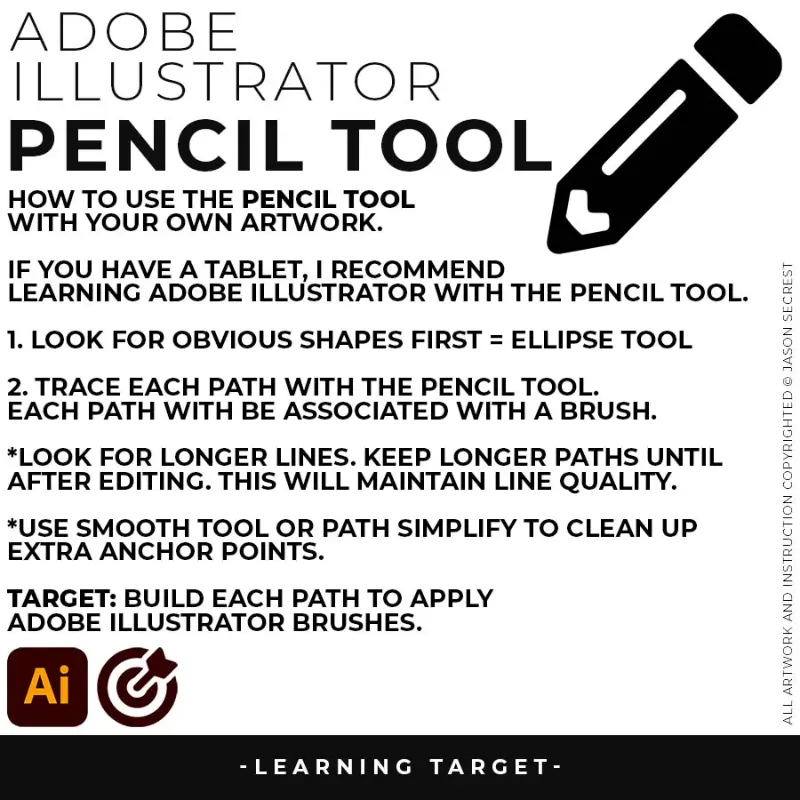
beginner adobe illustrator tutorial coyote
PENCIL TOOL: Many of you are looking to use your Tablet with Adobe Illustrator. I am going to recommend breaking down your current tablet workflow into multiple steps. I do see a lot of mistakes when people try to combine too many steps all at once with their new tablets.
beginner adobe illustrator tutorial coyote
LIVE EDITING: While you are building in Adobe Illustrator, you can use the “Live” Editing Tools to Cut and Edit Paths. Some of the basic tools will be the Scissor Tool, Path Eraser, or Shape Builder. I do recommend going long with your initial Paths.
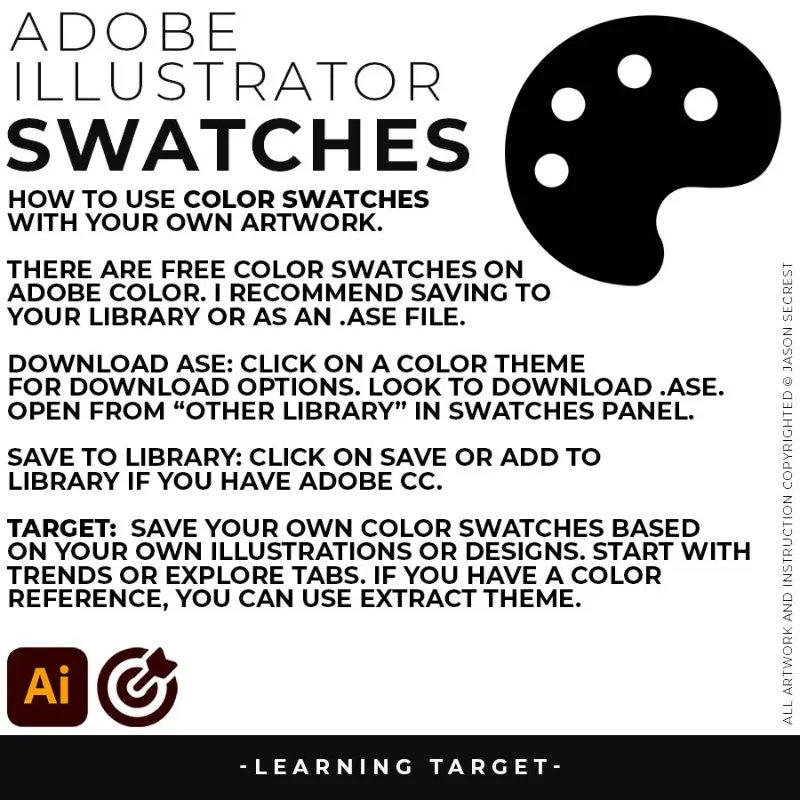
beginner adobe illustrator tutorial coyote
KNIFE TOOL: After using Live Paint, Expand and Ungroup. Use a Duplicated Flat Color Layer for your Value Layers. The Knife Tool will cut Shapes. I recommend cutting out all of the shapes first before deleting them. You can use this technique for Highlights, Shadows, or Cast Shadows.
ADOBE ILLUSTRATOR

BEGINNER GUIDE

BEGINNER GUIDE

PENCIL TOOL WORKFLOW
ADOBE ILLUSTRATOR

WORKFLOW GUIDES

WORKFLOW GUIDES

beginner adobe illustrator tutorial whale
PATTERN WORKFLOW: The Pattern Workflow will utilize the Pen Tool and Shape Tools as the main building components. I have given you a Printable Pattern Workflow Guide (below). If you are new, start with our Free Resources and our Practice Exercise Builder. → FREE RESOURCES GUIDE  / GETTING STARTED GUIDE
beginner adobe illustrator tutorial whale

BEGINNER GUIDES: The major decision you'll need to make is your starting point and build mode. First, determine whether you have drawings and sketches ready to use, or if you will be starting from stock photos. We are looking to align the starting point, build mode, and export size. → PATTERN GUIDE 1 / PATTERN GUIDE 2 / PATTERN GUIDE 3 / PATTERN GUIDE 4 / PATTERN GUIDE 5 / PATTERN GUIDE 6

beginner adobe illustrator tutorial whale

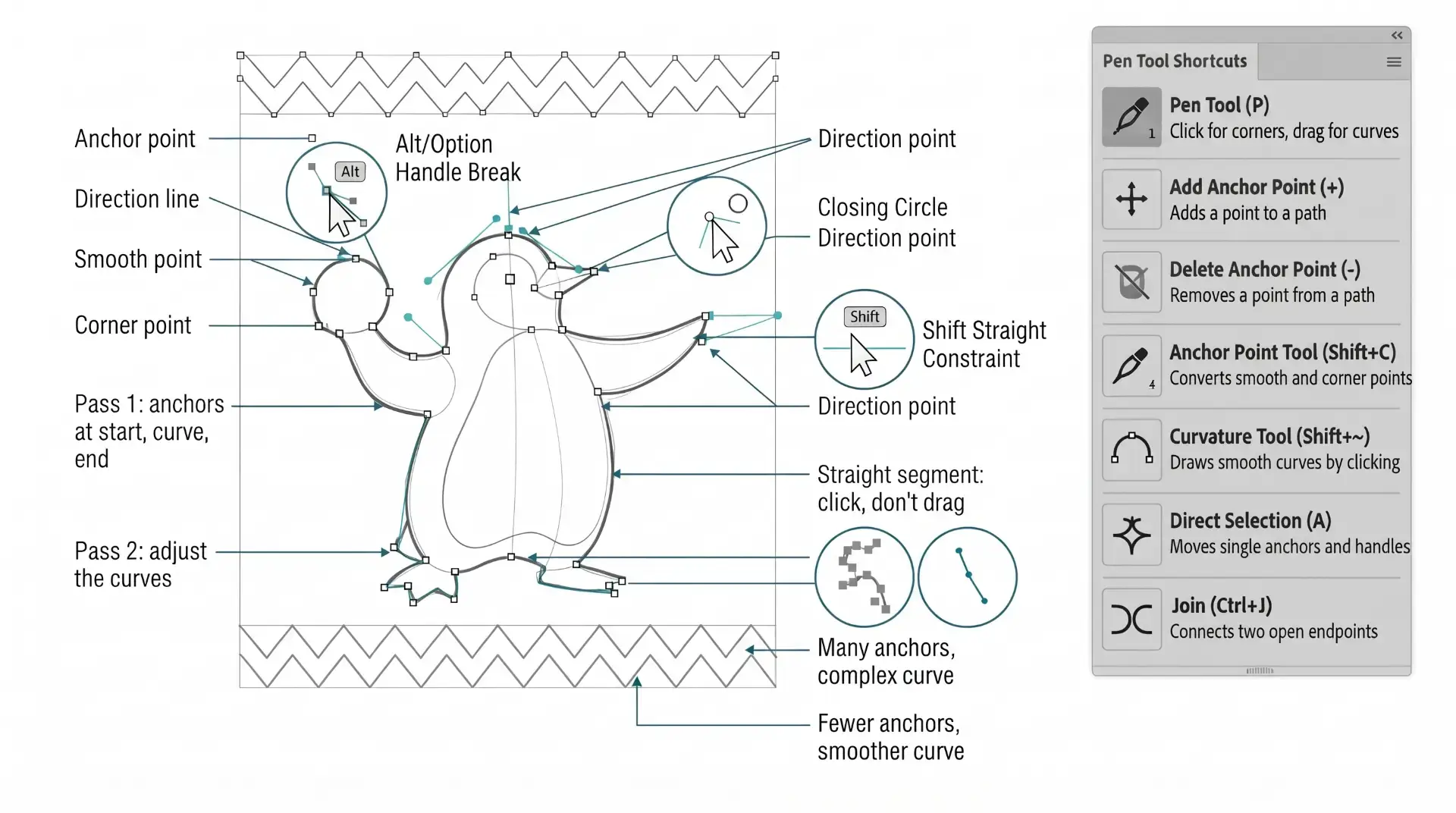
PEN TOOL: If you are frustrated with the Pen Tool, a simple tip is to break down the process into 2 Steps. The first step is to just apply Anchor Points to the start-curve-end of a line or path. The second step is to adjust the Curves with the Anchor Point Tool or Smooth Curve Button in the Control Panel.

beginner adobe illustrator tutorial pug
LIVE EDITING: While you are building in Adobe Illustrator, you can use the “Live” Editing Tools to Cut and Edit Paths. Some of the basic tools will be the Scissor Tool, Path Eraser, or Shape Builder. I do recommend going long with your initial Paths.
beginner adobe illustrator tutorial coyote
COLOR SWATCHES: Use Color Swatches from your Library or save them from Adobe Color as an .ASE File. Open Swatch Library from the “Other Library” Option. Most Color Themes will use Hues as the Base Color. We will be using Live Paint to create our Basic Fills or Flat Color Layer.
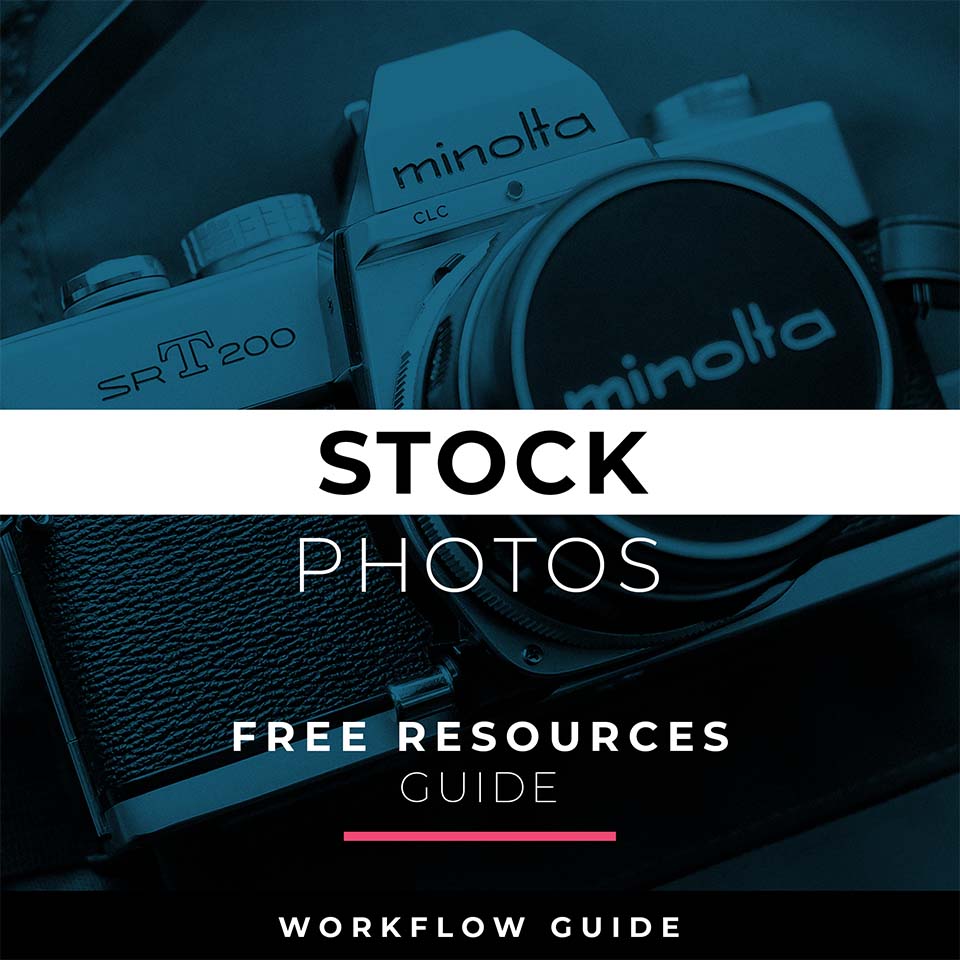
ADOBE ILLUSTRATOR

BEGINNER GUIDE

BEGINNER GUIDE

PEN TOOL WORKFLOW
ADOBE ILLUSTRATOR

WORKFLOW GUIDES

WORKFLOW GUIDES

FREE RESOURCES GUIDE

Written, step-by-step Adobe Illustrator workflows for total beginners. Start with Free Resources + Getting Started Guides. If you draw, jump to Tablet → Drawing. If you build clean type, go Pen Tool → Text. Every guide is a written, step-by-step reference to use with your own artwork and designs. Workflow Guides are hosted through Teachable - if you are logged in you will find the links inside of the Student Dashboard. →  CHOOSE YOUR DONATION →  ACCOUNT LOGIN 

Image
FREE RESOURCES GUIDE: A curated collection of free fonts, textures, mockups, stock images, and design tools — organized by category and use case.
beginner adobe illustrator tutorial pug
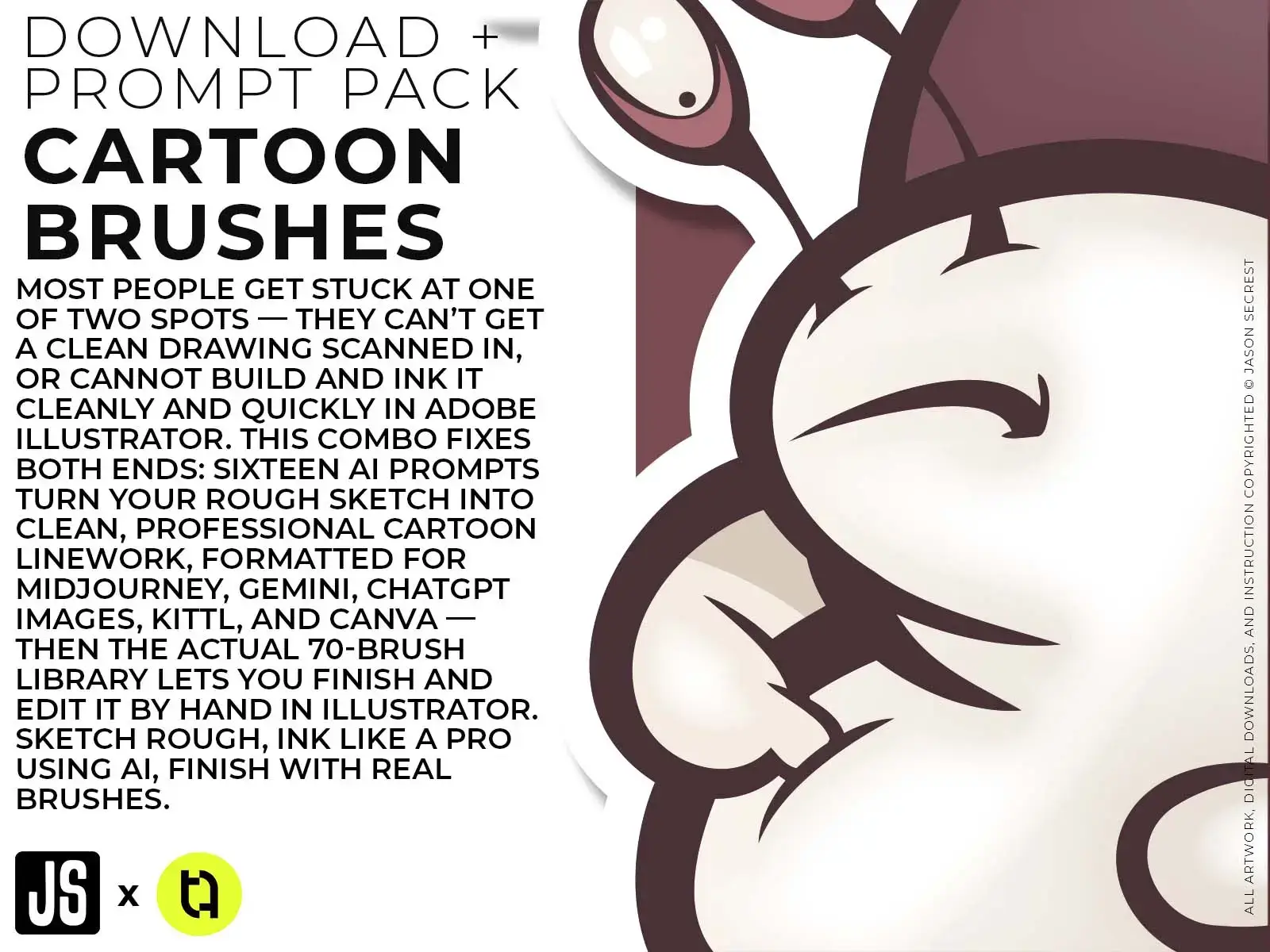
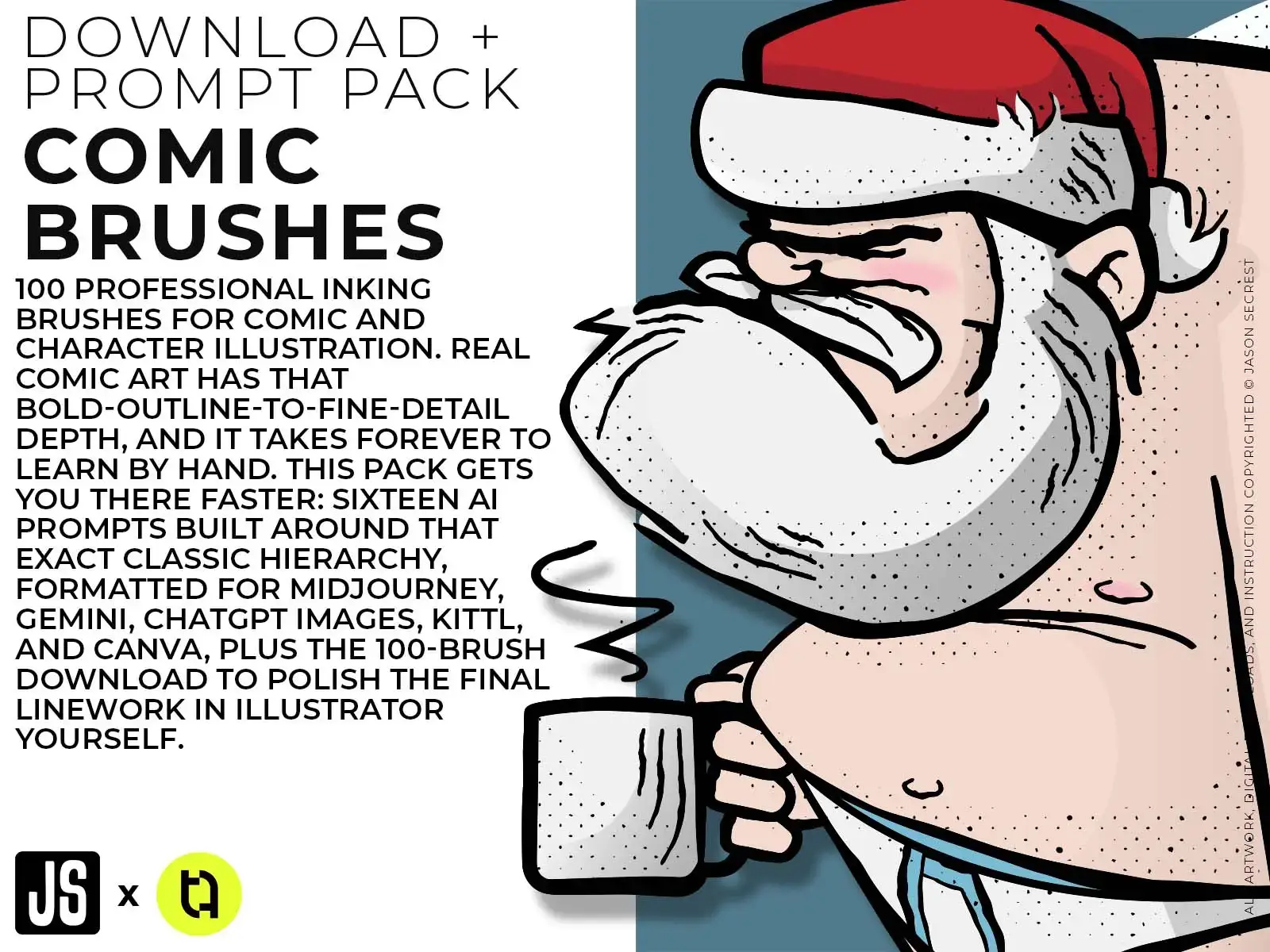
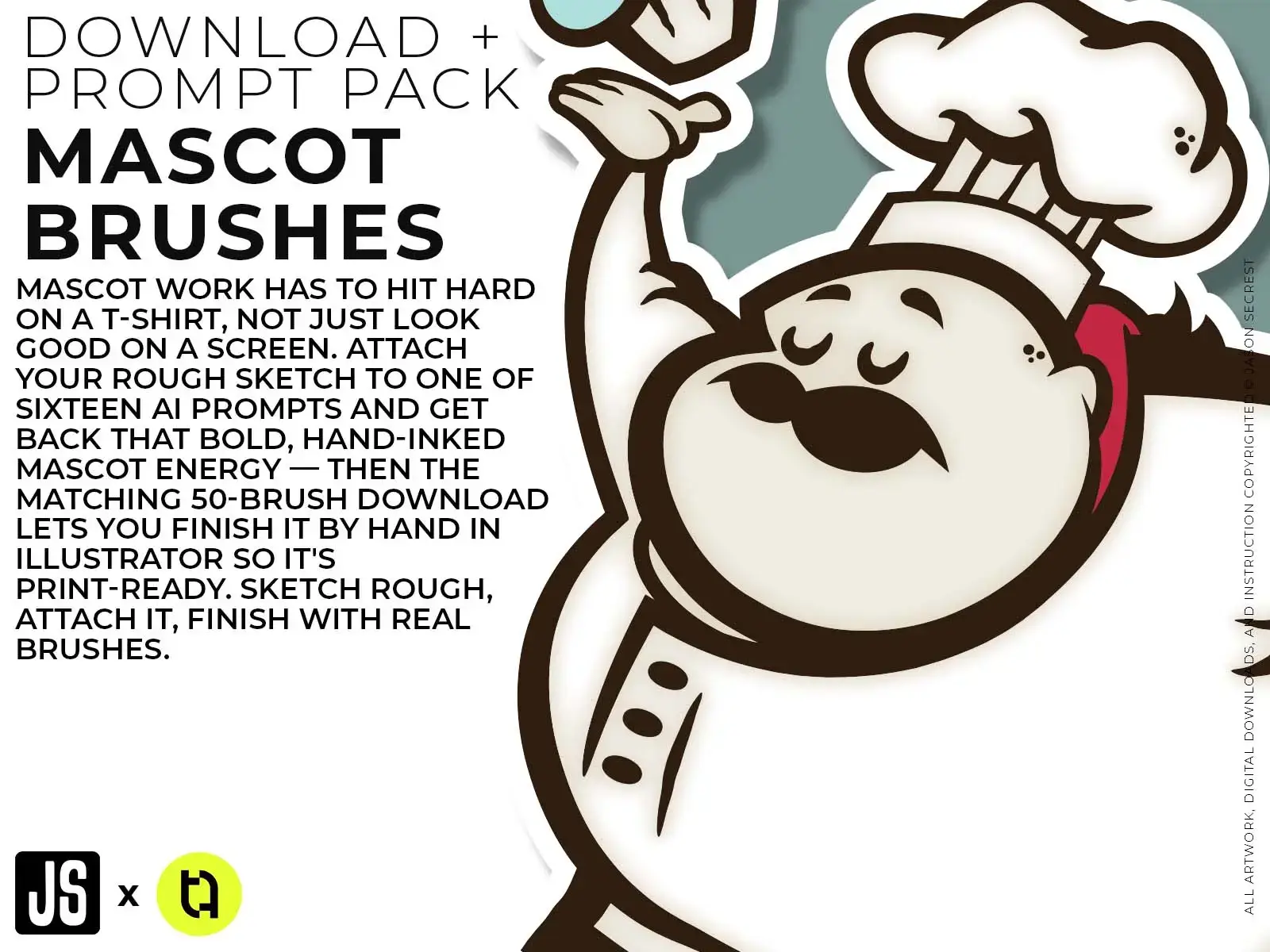
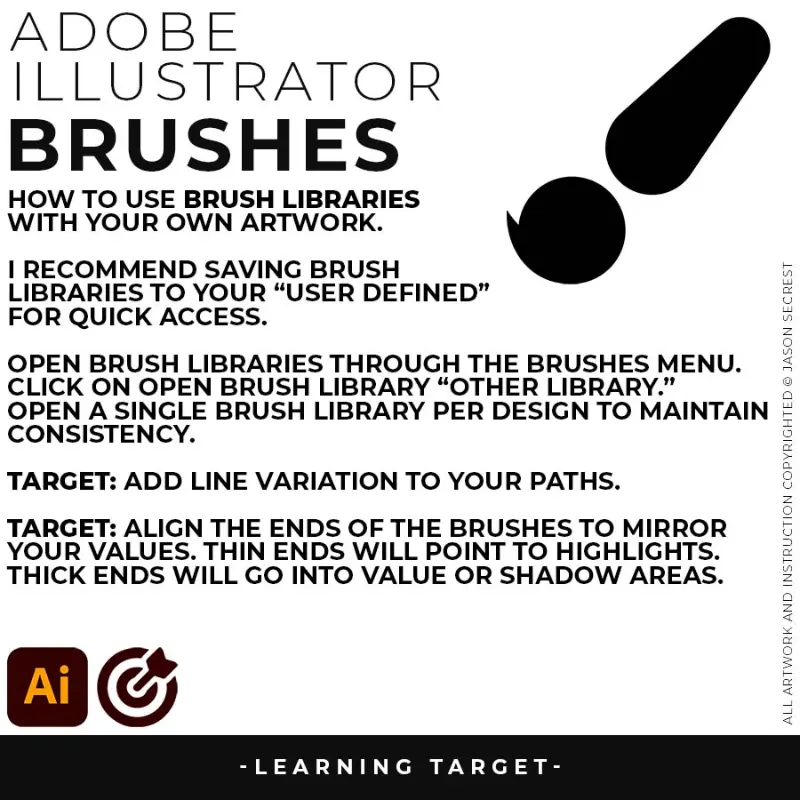
DOWNLOAD BRUSHES: Many of you are jumping over from YouTube looking to download our (Updated) Adobe Illustrator Brushes. Digital Downloads will come to you through our friends at Teachable. Brush Libraries include our 70 Cartoon, 100 Comic Strip, and 50 Vintage Mascot Brushes.
beginner adobe illustrator tutorial pug
DOWNLOAD RESOURCES: In our Beginner Guides, Tutorials, and YouTube Playlists, I use Stock Photos, Drawing Templates, Resource Guides, Color Swatches, and Fonts to create my artwork. LEARNING TARGET: Download Stock Photos, Templates, Color Swatches, and Font Families to use with your artwork.
beginner adobe illustrator tutorial pug
FREE RESOURCES GUIDE: A curated collection of free fonts, textures, mockups, stock images, and design tools — organized by category and use case.
beginner adobe illustrator tutorial pug
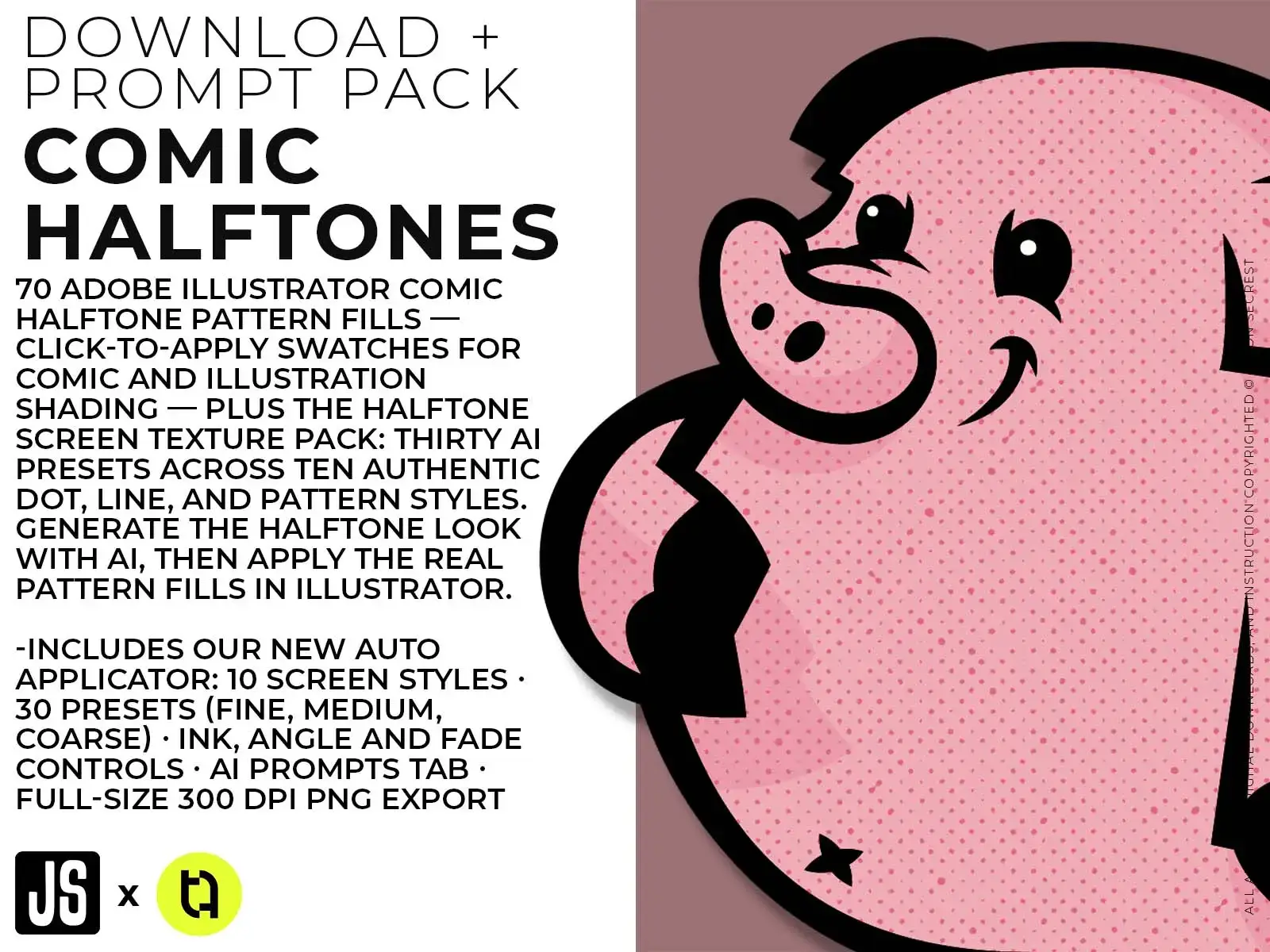
RESOURCE GUIDES: Digital Downloads will come through our friends at Teachable. Once you have downloaded and extracted the Resource Folders, they are ready to be used in Adobe Illustrator. LEARNING TARGET: Understand how to apply Brush Libraries, Comic Halftones, and BMP Textures.
FREE RESOURCES GUIDE: A curated collection of free fonts, textures, mockups, stock images, and design tools.

DRAWING GUIDE

Complete one exercise from the Drawing Guide this week. Focus on the fundamentals section if you're a beginner, or the advanced techniques section if you already have a drawing practice. Every guide is a written, step-by-step reference to use with your own artwork and designs. Workflow Guides are hosted through Teachable - if you are logged in you will find the links inside of the Student Dashboard. →  CHOOSE YOUR DONATION →  ACCOUNT LOGIN 
Image
DRAWING GUIDE: A reference guide covering foundational drawing concepts, line confidence, proportion, and observation skills — with practical exercises and tool recommendations matched to your current skill level and software.
beginner adobe illustrator tutorial pug
DOWNLOAD BRUSHES: Many of you are jumping over from YouTube looking to download our (Updated) Adobe Illustrator Brushes. Digital Downloads will come to you through our friends at Teachable. Brush Libraries include our 70 Cartoon, 100 Comic Strip, and 50 Vintage Mascot Brushes.
beginner adobe illustrator tutorial pug
DOWNLOAD RESOURCES: In our Beginner Guides, Tutorials, and YouTube Playlists, I use Stock Photos, Drawing Templates, Resource Guides, Color Swatches, and Fonts to create my artwork. LEARNING TARGET: Download Stock Photos, Templates, Color Swatches, and Font Families to use with your artwork.
beginner adobe illustrator tutorial pug
DRAWING GUIDE: A reference guide covering foundational drawing concepts, line confidence, proportion, and observation skills — with practical exercises and tool recommendations matched to your current skill level and software.
beginner adobe illustrator tutorial pug
RESOURCE GUIDES: Digital Downloads will come through our friends at Teachable. Once you have downloaded and extracted the Resource Folders, they are ready to be used in Adobe Illustrator. LEARNING TARGET: Understand how to apply Brush Libraries, Comic Halftones, and BMP Textures.
DRAWING GUIDE: A reference guide covering foundational drawing concepts, line confidence, proportion, and observation skills — with practical exercises and tool recommendations matched to your current skill level and software.

GETTING STARTED GUIDE

Read through the Getting Started Guide before opening any other tool. Bookmark the recommended learning path and follow it in order. Every guide is a written, step-by-step reference to use with your own artwork and designs. Workflow Guides are hosted through Teachable - if you are logged in you will find the links inside of the Student Dashboard. →  CHOOSE YOUR DONATION →  ACCOUNT LOGIN 
Image
GETTING STARTED GUIDE: Your first Illustrator session sets the foundation for everything that comes after. The decisions you make in the first five minutes — color mode, artboard size, preferences — affect every file you export.
beginner adobe illustrator tutorial pug
DOWNLOAD BRUSHES: Many of you are jumping over from YouTube looking to download our (Updated) Adobe Illustrator Brushes. Digital Downloads will come to you through our friends at Teachable. Brush Libraries include our 70 Cartoon, 100 Comic Strip, and 50 Vintage Mascot Brushes.
beginner adobe illustrator tutorial pug
DOWNLOAD RESOURCES: In our Beginner Guides, Tutorials, and YouTube Playlists, I use Stock Photos, Drawing Templates, Resource Guides, Color Swatches, and Fonts to create my artwork. LEARNING TARGET: Download Stock Photos, Templates, Color Swatches, and Font Families to use with your artwork.
beginner adobe illustrator tutorial pug
GETTING STARTED GUIDE: Your first Illustrator session sets the foundation for everything that comes after. The decisions you make in the first five minutes — color mode, artboard size, preferences — affect every file you export.
beginner adobe illustrator tutorial pug
RESOURCE GUIDES: Digital Downloads will come through our friends at Teachable. Once you have downloaded and extracted the Resource Folders, they are ready to be used in Adobe Illustrator. LEARNING TARGET: Understand how to apply Brush Libraries, Comic Halftones, and BMP Textures.
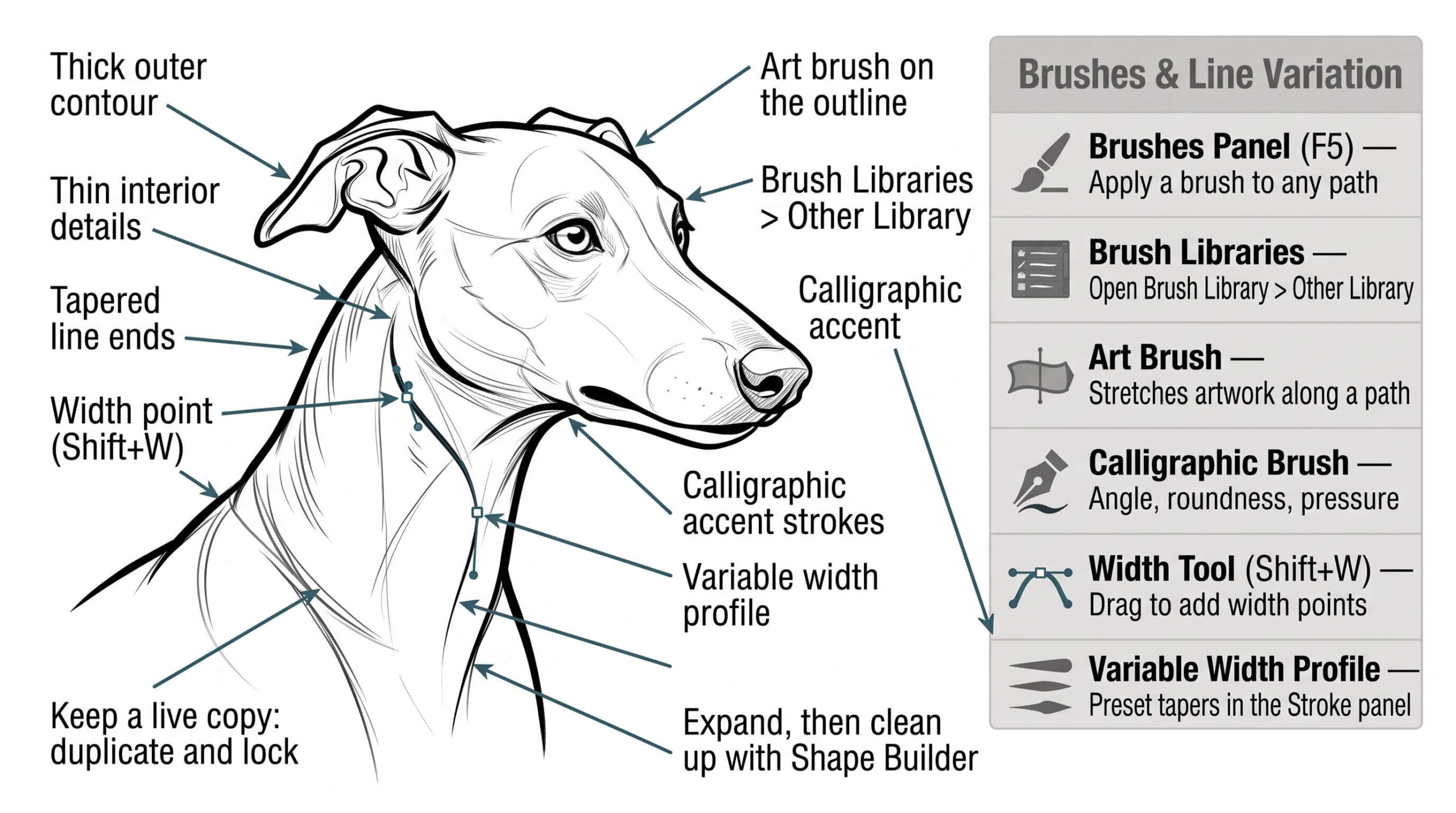
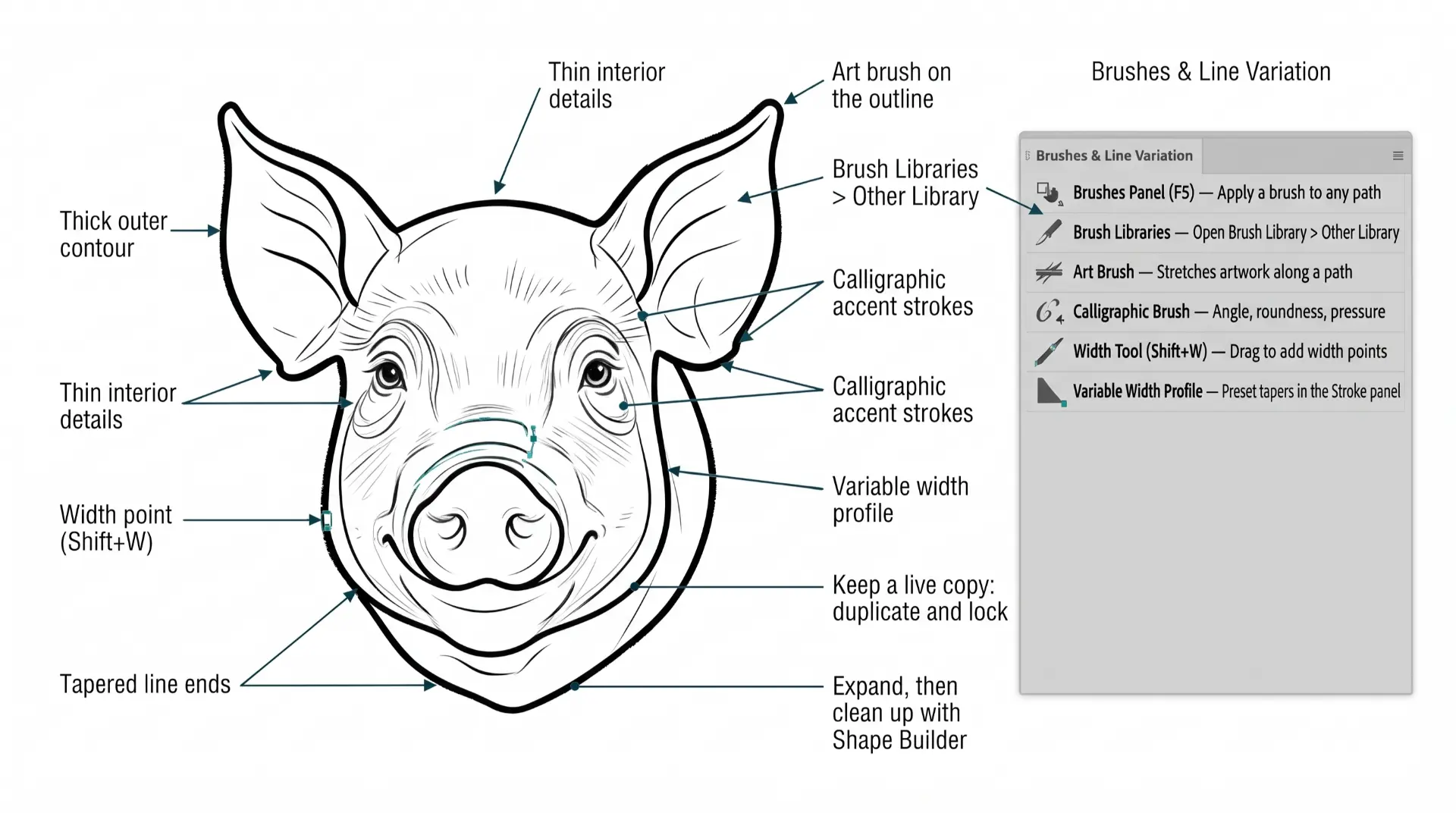
GETTING STARTED GUIDE: Your first Illustrator session sets the foundation for everything that comes after. The decisions you make in the first five minutes — color mode, artboard size, preferences — affect every file you export.

BUILDING GUIDES

Complete the Workflow Builder and print your personalized workflow. Use it as your process checklist for your next three designs. Every guide is a written, step-by-step reference to use with your own artwork and designs. Workflow Guides are hosted through Teachable - if you are logged in you will find the links inside of the Student Dashboard. →  CHOOSE YOUR DONATION →  ACCOUNT LOGIN 
Image
PEN TOOL WORKFLOW: Follow a guided pen tool workflow that walks you through building clean vector paths — from reference image setup through anchor points, curves, and final cleanup — with technique tips matched to your skill level and software.
beginner adobe illustrator tutorial pug
DOWNLOAD BRUSHES: Many of you are jumping over from YouTube looking to download our (Updated) Adobe Illustrator Brushes. Digital Downloads will come to you through our friends at Teachable. Brush Libraries include our 70 Cartoon, 100 Comic Strip, and 50 Vintage Mascot Brushes.
beginner adobe illustrator tutorial pug
DOWNLOAD RESOURCES: In our Beginner Guides, Tutorials, and YouTube Playlists, I use Stock Photos, Drawing Templates, Resource Guides, Color Swatches, and Fonts to create my artwork. LEARNING TARGET: Download Stock Photos, Templates, Color Swatches, and Font Families to use with your artwork.
beginner adobe illustrator tutorial pug
SHAPE-BASED WORKFLOW: Design with intention using a text-first workflow — starting from type, type on path and building up to complex illustrations — with a guided process that develops clean, scalable artwork even if you're not a trained illustrator.
beginner adobe illustrator tutorial pug
RESOURCE GUIDES: Digital Downloads will come through our friends at Teachable. Once you have downloaded and extracted the Resource Folders, they are ready to be used in Adobe Illustrator. LEARNING TARGET: Understand how to apply Brush Libraries, Comic Halftones, and BMP Textures.
PENCIL TOOL WORKFLOW: Build a drawing tablet workflow tailored to your device, software, and drawing style — covering pressure settings, brush configuration, layer structure, and export prep — so your tablet works with your process, not against it.

BHT WORKFLOW GUIDES

Complete the Workflow Builder and print your personalized workflow. Use it as your process checklist for your next three designs. Every guide is a written, step-by-step reference to use with your own artwork and designs. Workflow Guides are hosted through Teachable - if you are logged in you will find the links inside of the Student Dashboard. →  CHOOSE YOUR DONATION →  ACCOUNT LOGIN 
Image
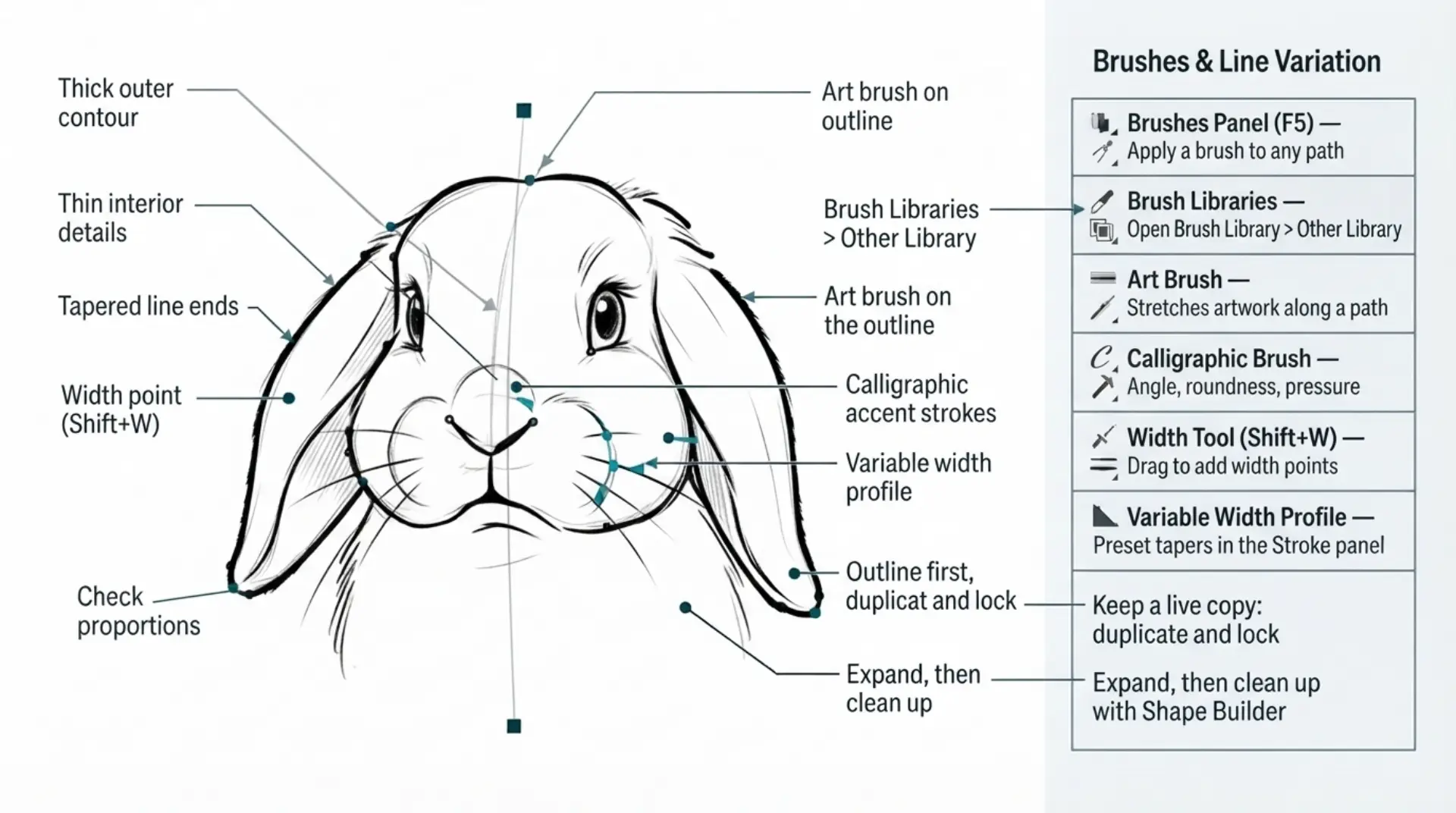
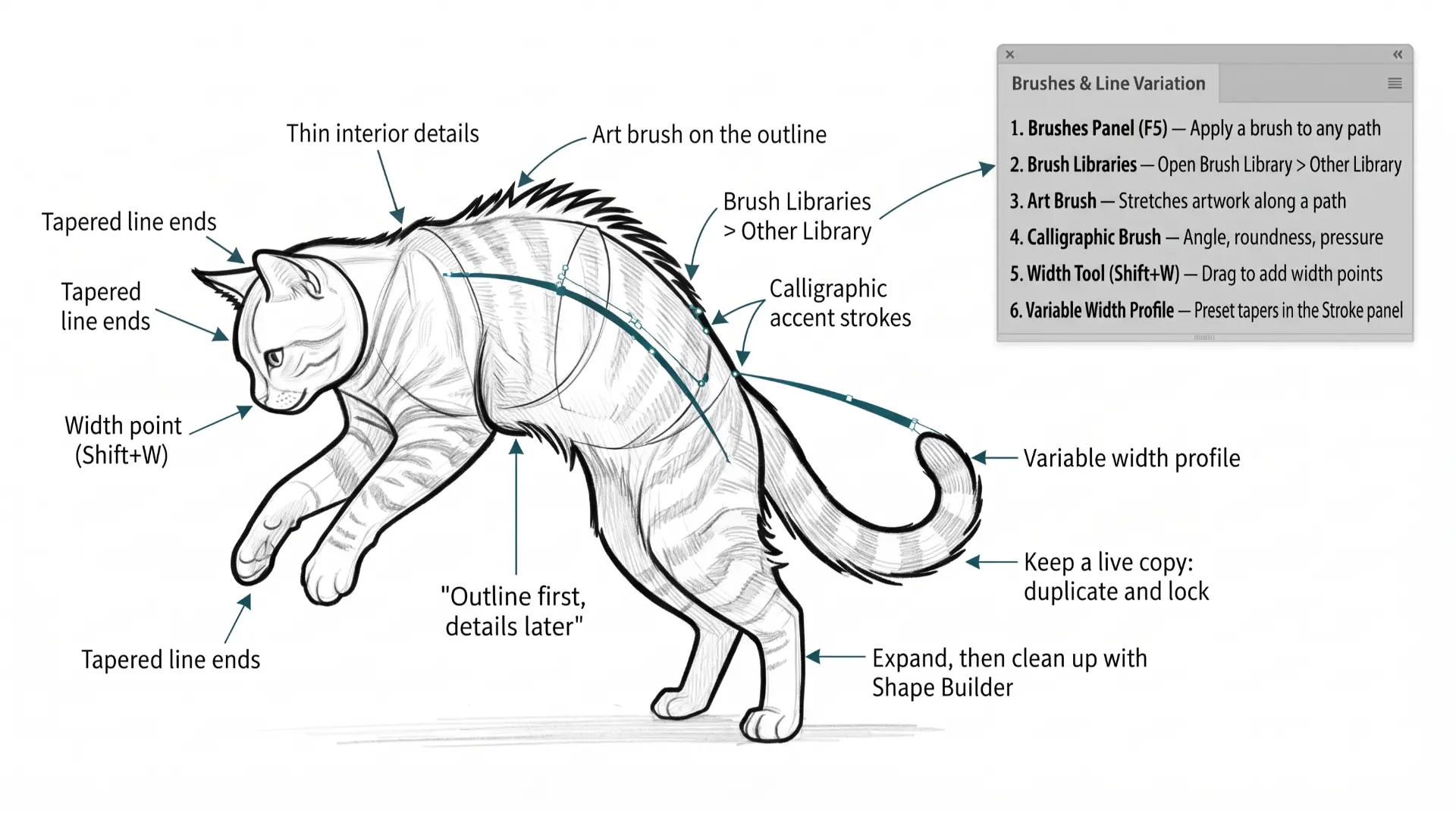
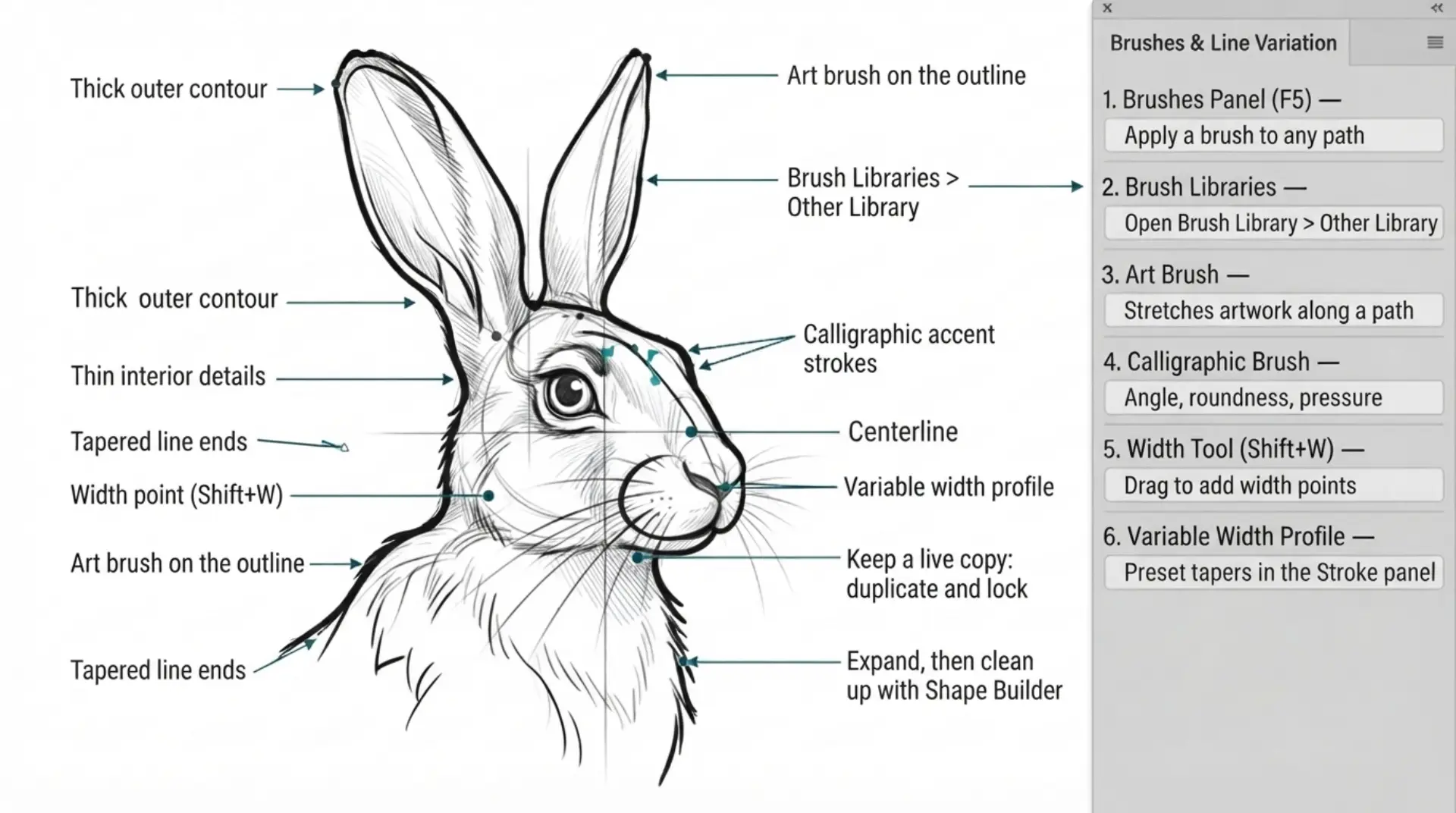
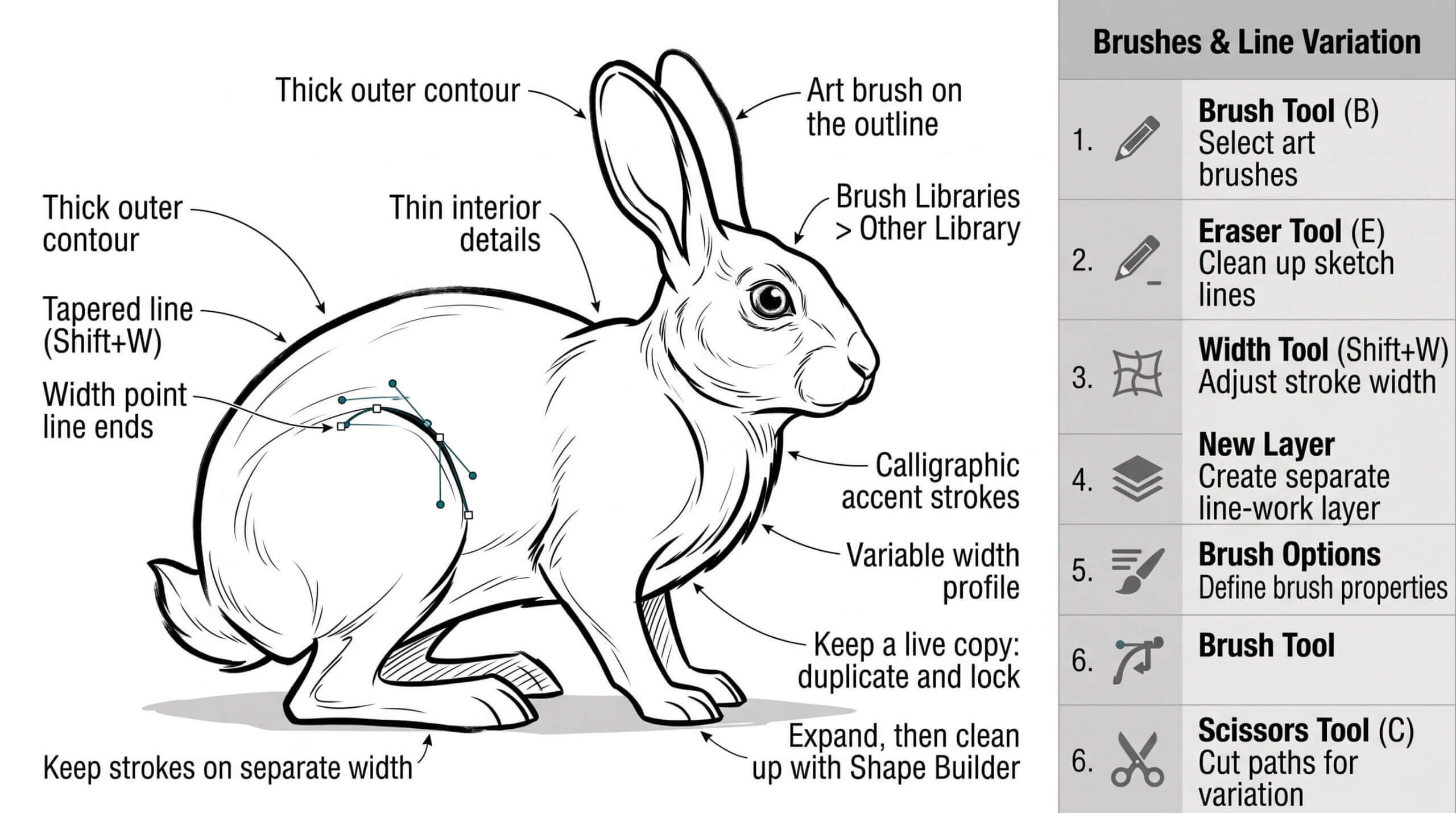
BRUSHES WORKFLOW GUIDE: Define your brush-based creative process — from reference gathering to final export — and receive a customized workflow that matches your program, brush library, and design goals, with recommended settings at every stage.
beginner adobe illustrator tutorial pug
DOWNLOAD BRUSHES: Many of you are jumping over from YouTube looking to download our (Updated) Adobe Illustrator Brushes. Digital Downloads will come to you through our friends at Teachable. Brush Libraries include our 70 Cartoon, 100 Comic Strip, and 50 Vintage Mascot Brushes.
beginner adobe illustrator tutorial pug
DOWNLOAD RESOURCES: In our Beginner Guides, Tutorials, and YouTube Playlists, I use Stock Photos, Drawing Templates, Resource Guides, Color Swatches, and Fonts to create my artwork. LEARNING TARGET: Download Stock Photos, Templates, Color Swatches, and Font Families to use with your artwork.
beginner adobe illustrator tutorial pug
HALFTONES WORKFLOW GUIDE: Build your halftone workflow from the ground up — choosing your software, halftone style, and application method — and receive a step-by-step process guide with the exact settings and sequence for clean, professional halftone results.
beginner adobe illustrator tutorial pug
RESOURCE GUIDES: Digital Downloads will come through our friends at Teachable. Once you have downloaded and extracted the Resource Folders, they are ready to be used in Adobe Illustrator. LEARNING TARGET: Understand how to apply Brush Libraries, Comic Halftones, and BMP Textures.
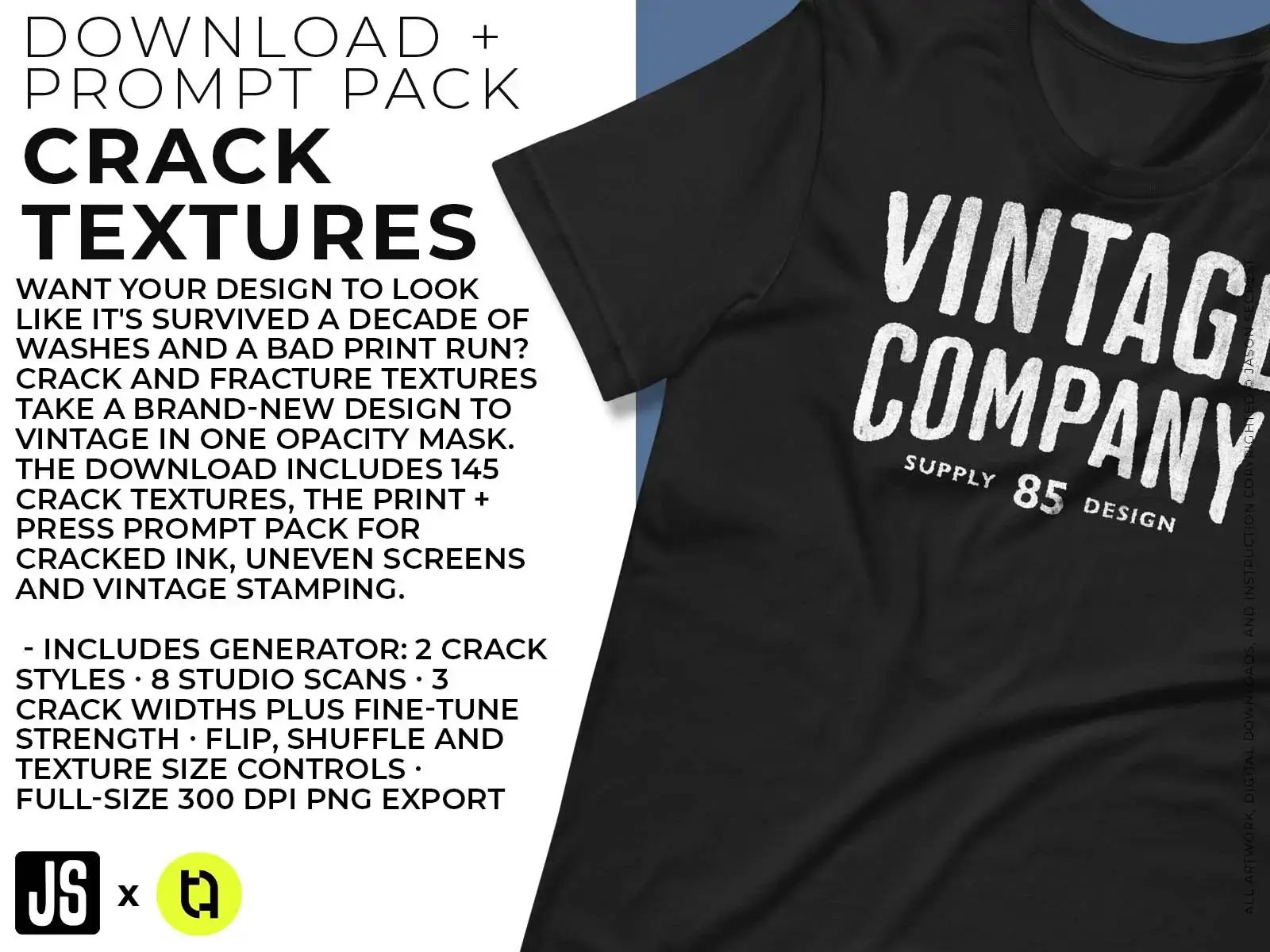
TEXTURES WORKFLOW GUIDE: Learn how to correctly set up your Illustrator file for opacity mask textures, then follow a guided workflow that takes you from raw artwork to a beautifully textured, export-ready design — with the exact steps and settings for your tools.

FILE PREP + EXPORT GUIDE

Run your next completed design through the File Prep checklist before uploading it. If anything doesn't match the spec, fix it before you publish. Every guide is a written, step-by-step reference to use with your own artwork and designs. Workflow Guides are hosted through Teachable - if you are logged in you will find the links inside of the Student Dashboard. →  CHOOSE YOUR DONATION →  ACCOUNT LOGIN 
Image
EDITING + COLORING GUIDE: Correct, adjust and harmonize color across your artwork before it ships. Follow the six steps below in order — the sequence itself (duplicate first, check gaps before painting, background before detail) is what prevents the frustrating spills and greyed-out menus students usually blame on the tool.
beginner adobe illustrator tutorial pug
DOWNLOAD BRUSHES: Many of you are jumping over from YouTube looking to download our (Updated) Adobe Illustrator Brushes. Digital Downloads will come to you through our friends at Teachable. Brush Libraries include our 70 Cartoon, 100 Comic Strip, and 50 Vintage Mascot Brushes.
beginner adobe illustrator tutorial pug
DOWNLOAD RESOURCES: In our Beginner Guides, Tutorials, and YouTube Playlists, I use Stock Photos, Drawing Templates, Resource Guides, Color Swatches, and Fonts to create my artwork. LEARNING TARGET: Download Stock Photos, Templates, Color Swatches, and Font Families to use with your artwork.
beginner adobe illustrator tutorial pug
TYPE TOOL WORKFLOW GUIDE: A workflow, not a tool tour. Four tools, one goal: get text into a design and keep it live as long as possible — the decision points below are where students either save themselves hours of rework or lose editability by accident.
beginner adobe illustrator tutorial pug
RESOURCE GUIDES: Digital Downloads will come through our friends at Teachable. Once you have downloaded and extracted the Resource Folders, they are ready to be used in Adobe Illustrator. LEARNING TARGET: Understand how to apply Brush Libraries, Comic Halftones, and BMP Textures.
FILE PREP + EXPORT GUIDE: A step-by-step reference for preparing and exporting files correctly for print-on-demand platforms — covering color modes, resolution, bleed settings, and platform-specific specs — so your uploads never get rejected and your prints always look right.
LINEAR WORKFLOW

WORKFLOW GUIDES

CHOOSE YOUR DONATION
25% OFF (SAVE $36)

WORKFLOW GUIDES

CHOOSE YOUR DONATION
25% OFF (SAVE $36)
I appreciate your videos. I have been an illustrator user for years and have my own ways of doing things. It's great to see other ways of using tools and learning tricks I didn't know were available! It's also good to see you doing the same thing as me in other instances, confirming I'm on the right track!Andy Zenz
Awesome tutorial! I don't think I've picked up something so easily from someone who knows what they are doing. I managed to draw my first vector art and it was a joy! Great work keep it up!blitz145
Thank you loads! Compared to other tutorials, yours are just really well-explained and easy-to-follow. Can totally see that you've got a passion for what you're doing and that's just wonderful! 🙂 Keep it up, you're doing an amazing job. Yulia Kachurova
Love your video thanks so much. you blow Lynda.com out of the water!!!!Steve Yensel
Brilliant video. So much great info packed in here. I'm just getting started drawing cartoons with my Wacom tablet, and this was a huge help. Thumbs up and thanks!Dorian Staten
Wow Thanks Jason...was really struggling with making images with basic shapes. Your tutorial is helping me out!!Kishor Rajani
thanks a lot you are really one of my favorites, I like the steps you give us, and I'm so thankful for that effort you do for helping us :)Wessam Lotfi
Keep up the good work Jason. I’ve been doing Lynda.com tutorials for a few months now and I got more out of your videos than what I’ve received at Lynda. Keep it up and Thank You!!bobby jacobs • 1 year ago
These tutorials are amazing. Just started using illustrator and really glad I found your channel. The only videos that explain everything step by stepAida Stan
You are definitely one of the best teachers I've found dealing with start to finish creative process. Great work!!!Jasen Fisher
Thank you so much man, I loved the way you explain this, I spent days looking for a good tutorial vid, thanks a lot, gonna keep watching your videos!!!Karel Marccenaro
Awesome tutorial! I don't think I've picked up something so easily from someone who knows what they are doing. I managed to draw my first vector art and it was a joy! Great work keep it up!blitz145
Thank you loads! Compared to other tutorials, yours are just really well-explained and easy-to-follow. Can totally see that you've got a passion for what you're doing and that's just wonderful! 🙂 Keep it up, you're doing an amazing job. Yulia Kachurova
Love your video thanks so much. you blow Lynda.com out of the water!!!!Steve Yensel
Brilliant video. So much great info packed in here. I'm just getting started drawing cartoons with my Wacom tablet, and this was a huge help. Thumbs up and thanks!Dorian Staten
Keep up the good work Jason. I’ve been doing Lynda.com tutorials for a few months now and I got more out of your videos than what I’ve received at Lynda. Keep it up and Thank You!!bobby jacobs • 1 year ago
These tutorials are amazing. Just started using illustrator and really glad I found your channel. The only videos that explain everything step by stepAida Stan
You are definitely one of the best teachers I've found dealing with start to finish creative process. Great work!!!Jasen Fisher